2. DDNS settings
Step 1
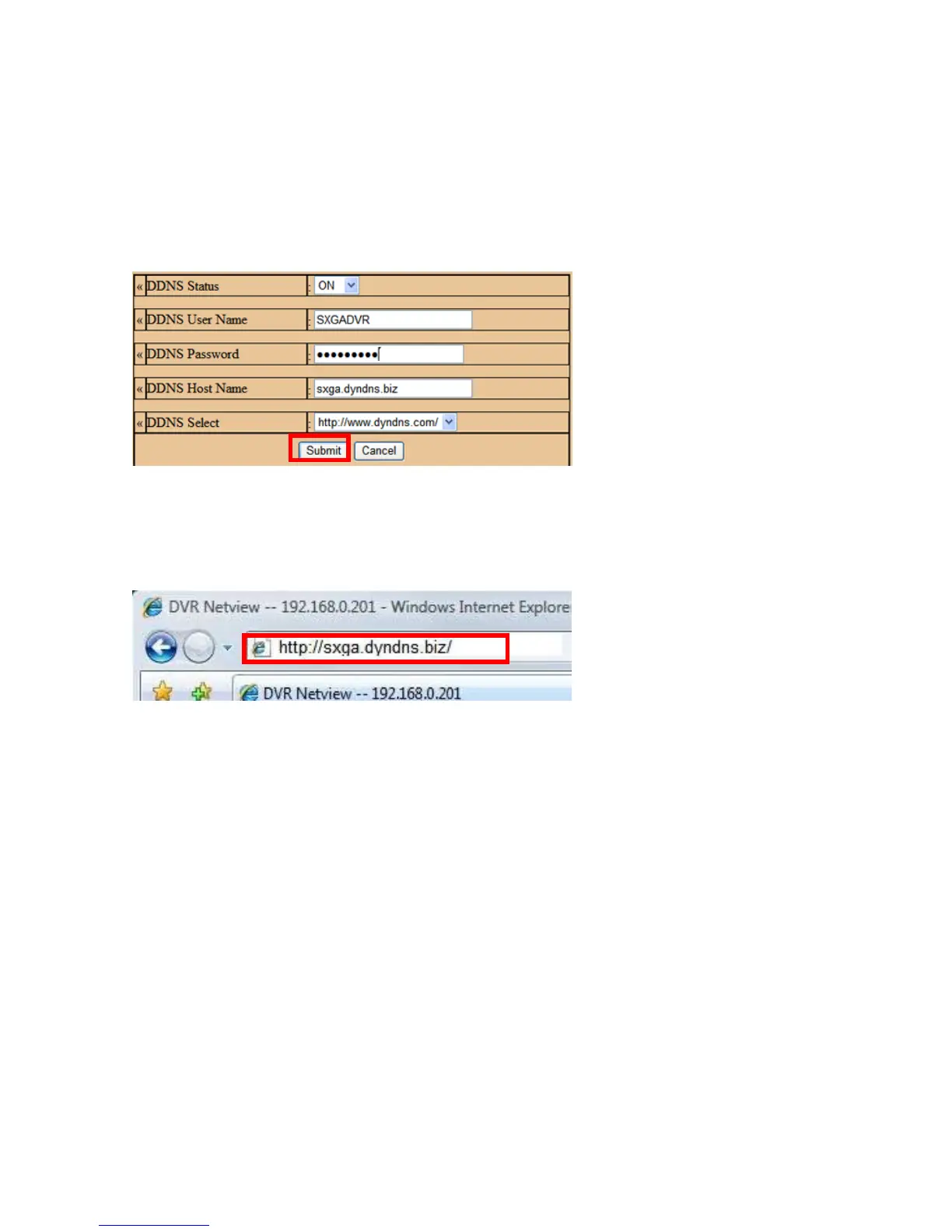
DDNS Status as [ON], enter [DDNS User Name],
[DDNS Password] and [DDNS Host Name], and choose [DDNS Select]. Click [Submit]
and reboot the DVR.
In SETUP mode, click [DDNS], set
Step 2
Connect to DVR by DDNS host name.
Open IE browser, enter [DDNS Host Name], and press [Enter].
Step 3
Please refer to the Section 5.2 Step 4 & Chapter 6..
Page 57



 To Next Page