SED GPH-610R User Manual
Description of Icons
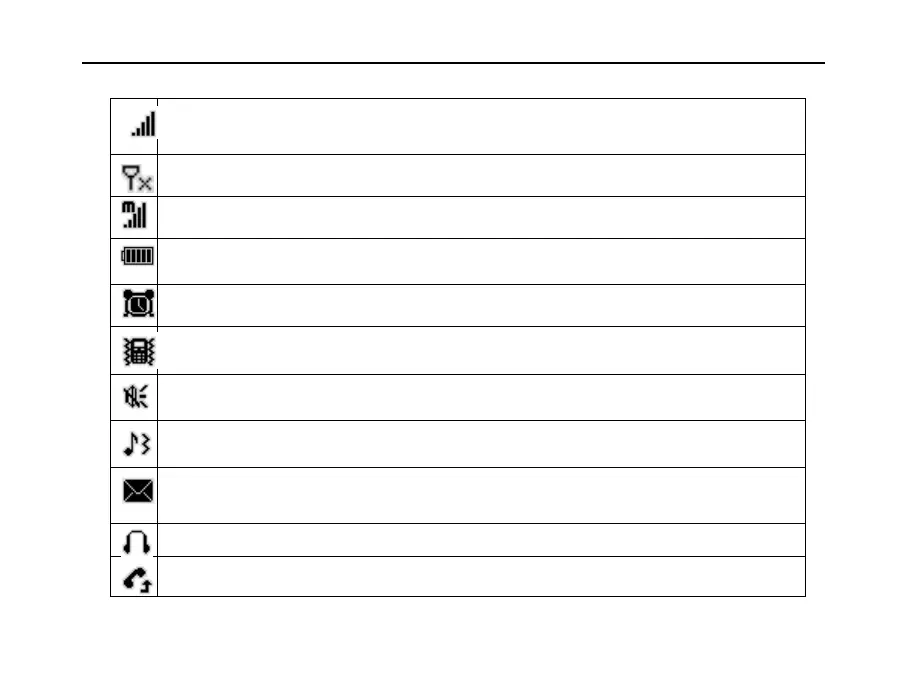
Signal strength: The number of strips indicates the signal strength in ascending
order.
Network not found: The handheld is out of network coverage.
Manual select mode: The manual network selection mode is active.
Battery capacity: The number of grids indicates capacity.
Clock: Setting an alarm displays this icon on screen.
Vibration mode: Incoming calls (and SMS) prompt the handheld to vibrate.
Mute mode: No tone will sound upon an incoming call (and SMS).
Ringing and vibration: Incoming calls (and SMS) prompt the handheld to ring and
vibrate.
New message: Indicates a new text message. The icon blinks when storage capacity
is full.
Headphone mode: The handheld is set to use headphones.
Call divert: The call divert function is enabled.


 To Next Page
 Loading...