PROJECTOR
67
10
ADJUSTING ON-SCREEN DISPLAY POSITION
10.5
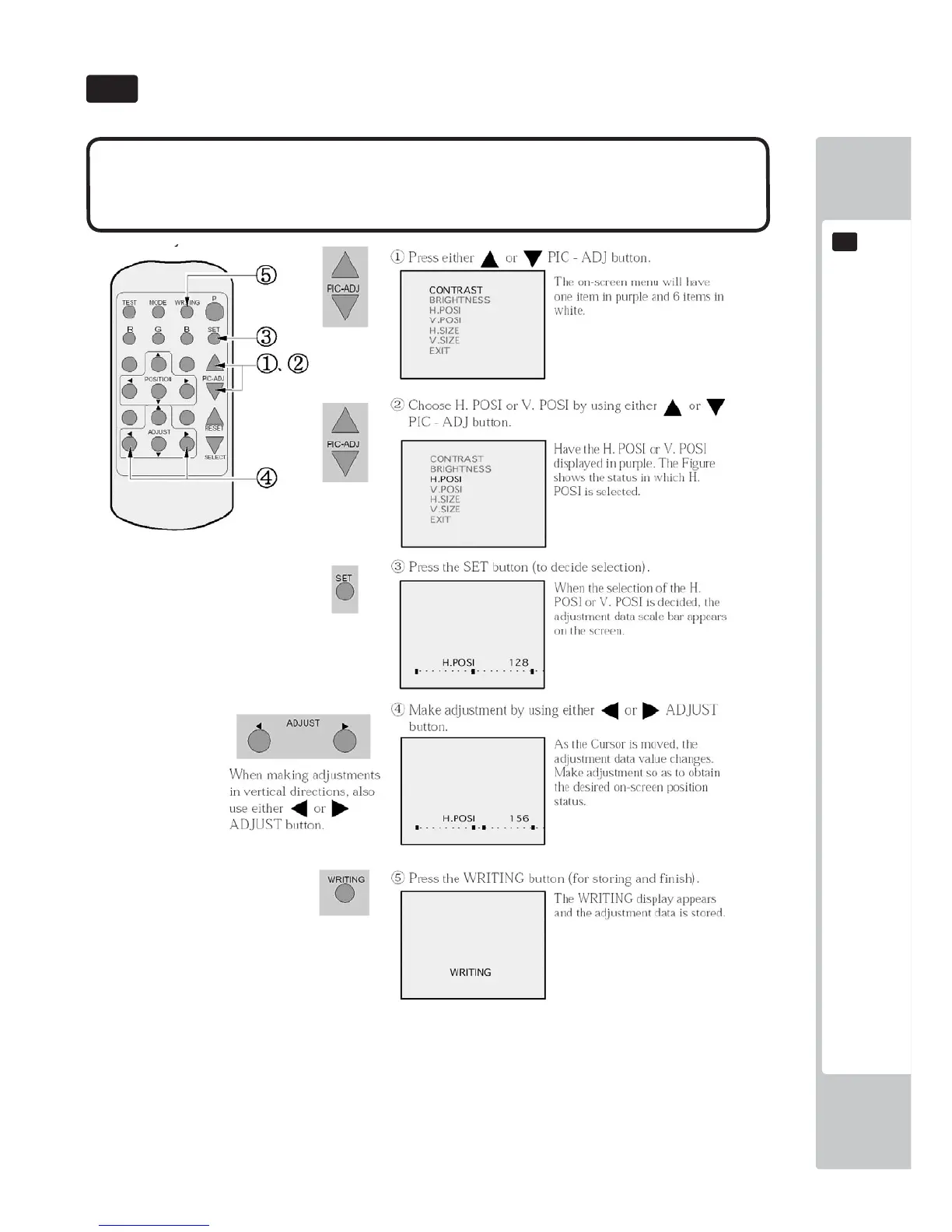
● Although the on-screen display position (H. POSI, V. POSI) has been adjusted
at the time of shipment from the factory, readjustment can be made if desired.
When the Game Board is replaced, readjustments may be necessary.
• When discontinuing the adjustment, choose EXIT from the menu at the stage of procedure 2 and press the SET
button.
• To continue adjusting other menu items, repeat procedure 2-4.
• Unless the adjustment data is stored, the data in the adjusted status will be erased at the time the power is turned
off and the pre-adjustment status will remain when the power is turned on next time.



 To Next Page