80
COIN SELECTOR & CREDIT SETTINGS
12
Once every month, when performing the Coin SW Test, simul-
taneously check the following:
□
Does the Coin Meter count satisfactorily?
□
Does the coin drop into the cashbox correctly?
□
Is the coin rejected when inserted while keeping the RE-
JECT Button pressed down?
4
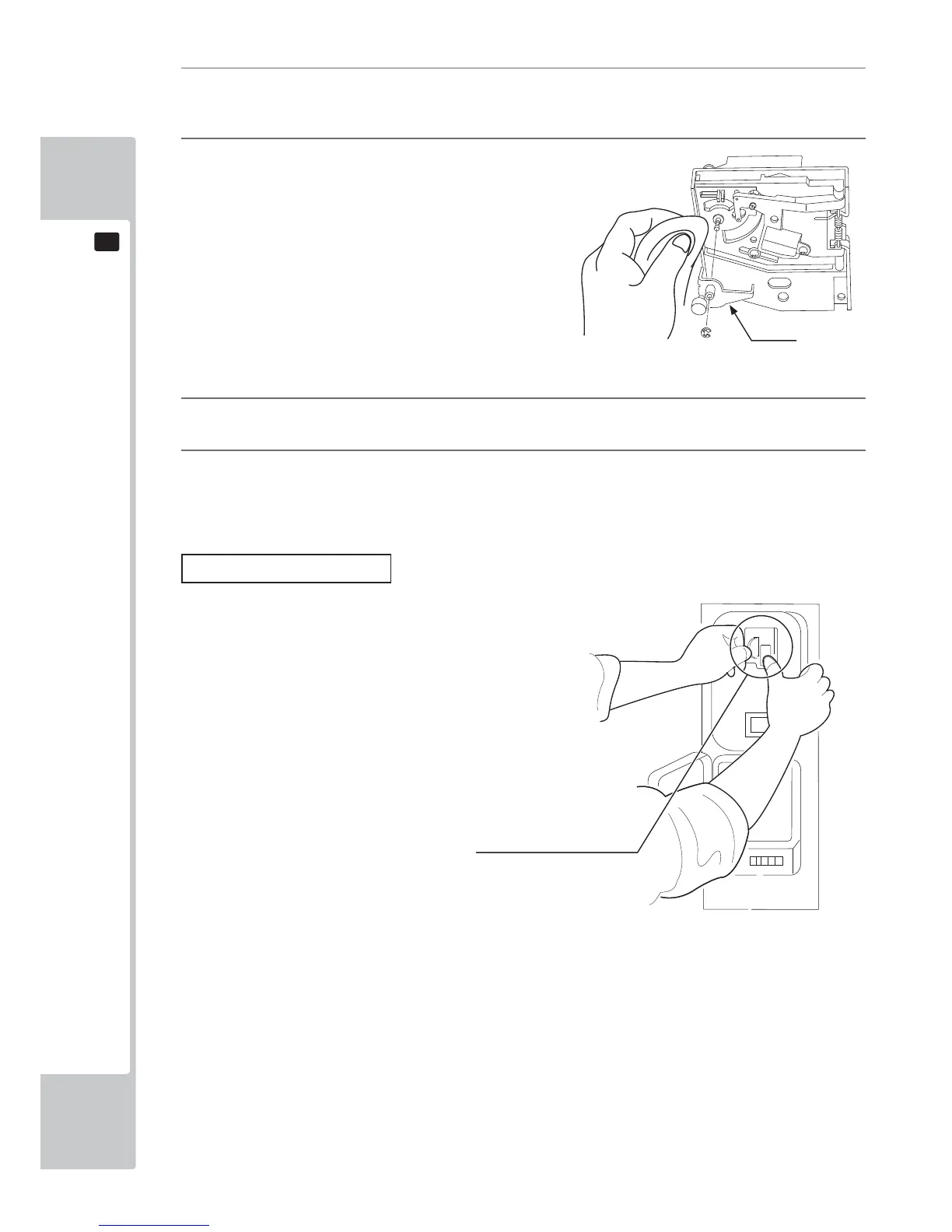
Remove and clean smears by using a soft cloth dipped in water or diluted chemical detergent and then
squeezed dry.
5
Remove the CRADLE.
When removing the retaining ring (E ring), be very
careful so as not to bend the rotary shaft.
6
Remove stain from the rotary shaft and shaft receiving portions by wiping off with a soft cloth, etc.
7
After wiping off as per previous step, further apply a dry cloth, etc. to cause the Coin Selector to dry com-
pletely.
Coin Insertion Test
FIG. 12b
FIG. 12c
CRADLE
Insert a coin while keeping the
REJECT Button pressed down
and check if it is rejected.



 To Next Page