19
CARD READER/WRITER
7
Carry out the following procedure once every 10 days to clean the Stock Rollers. Further, check whether or not the rollers are dirty when refi lling the
cards, and clean them if they are dirty.
NOTE: Be sure to use a new cleaning card when cleaning the stocker rollers.
Cleaning the Stocker Rollers
1
Enter GAME TEST MODE and select “IC CARD R/W & PRINTER TEST”. Do not select or execute CLEAN
STOCKER at this time.
2
Carry out steps 1 through 3 in “7-1 Setting Dedicated Cards” and remove the cover and raise the retainer.
7-2 FIG. 04
IC CARD R/W & PRINTER TEST
RESET UNIT
CHECK CARD
CHECK PRINTER
CHECK STOCKER
CLEAN ROLLER
CLEAN STOCKER
ERASE PRINT
->EXIT
UNIT STATUS : ---
UNIT RESULT : ---
SENSOR(PT1) :OFF
SENSOR(PT3) :OFF
SENSOR(PT4) :OFF
SENSOR(PT5) :OFF
SENSOR(PT6) :OFF
SENSOR(DISPENSER) :OFF
SENSOR(SHUTTER1) :OFF
SENSOR(SHUTTER2) :OFF
SELECT WITH SERVICE BUTTON
AND
PRESS TEST BUTTON
3
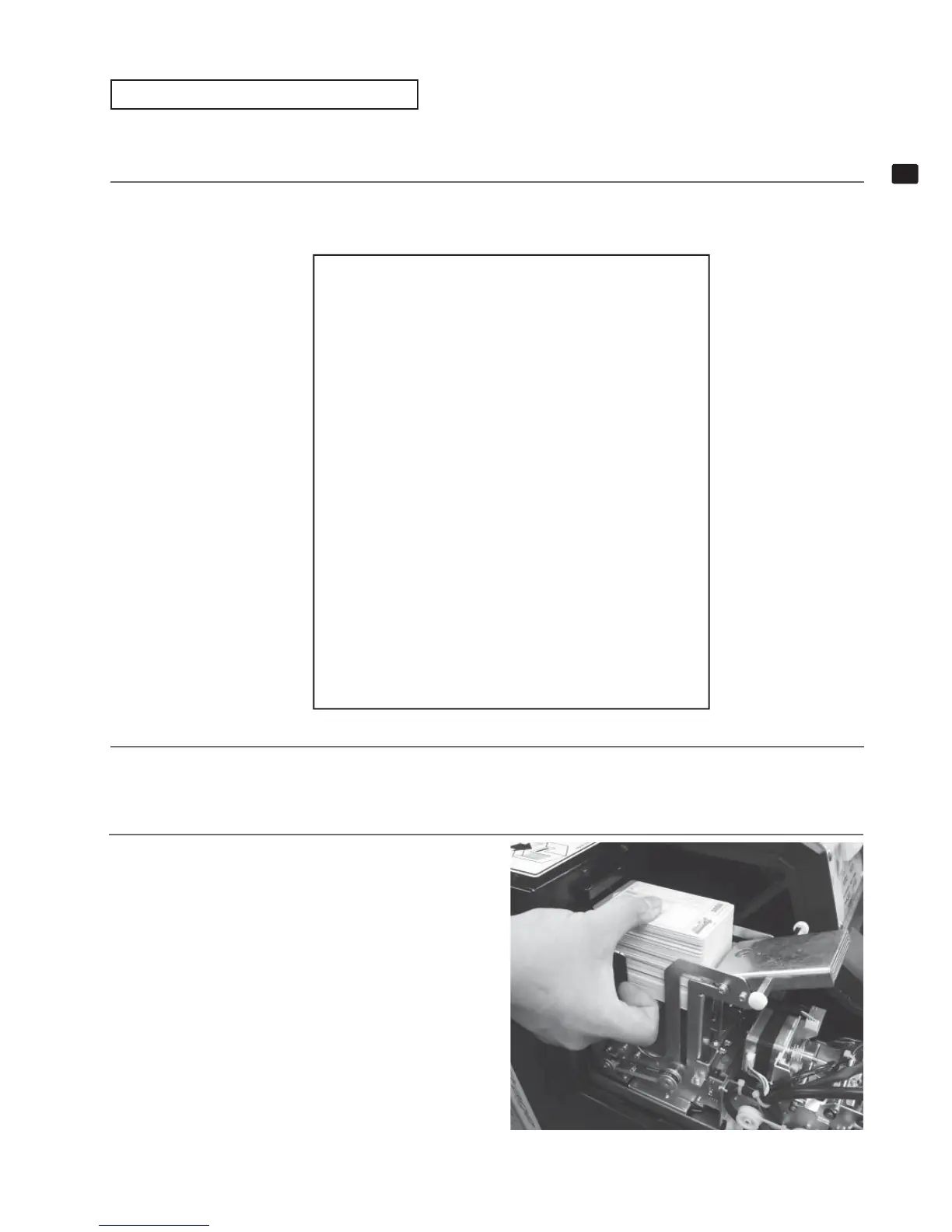
Remove all of the Initial D cards.
7-2 FIG. 05


 To Next Page