72
COIN HANDLING
12
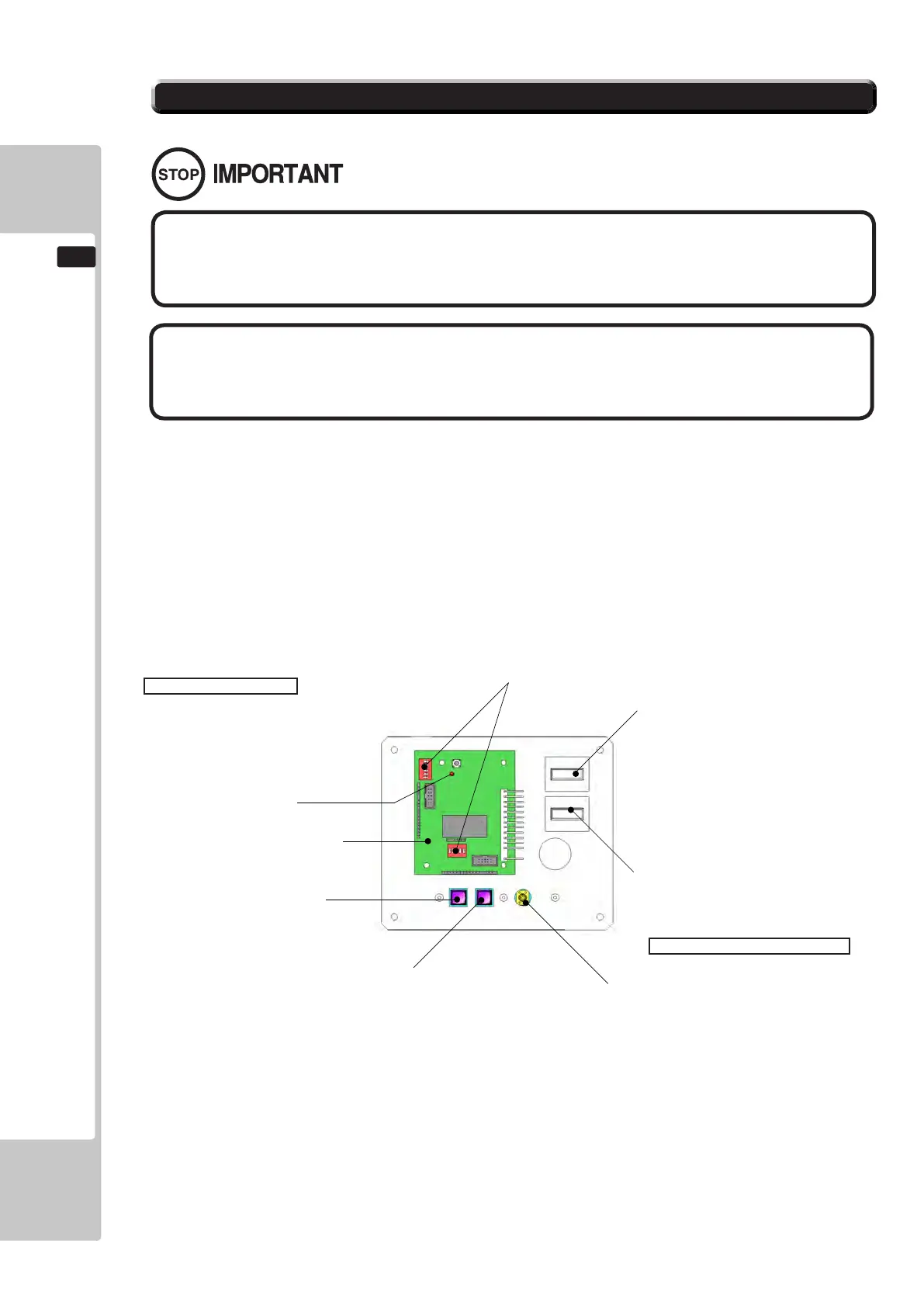
FIG. 12-3
This product comes equipped with a Money Controls SR3 Coin Acceptor. To adjust the price of play ALL credit
setting are adjusted via the EXCEL CREDIT BOARD.
IMPORTANT!
The CREDIT SETTINGS within the SYSTEM TEST MODE must be set to 1 coin 1 credit to allow the CREDIT
BOARD to function correctly.
The VTS BD has a built in Credit Board. This is controlled by 2 DIL Switches. These allow the operator to select the
price of play, type of coin acceptor and region.
EXCEL Credit Board
Located inside the Coin Door
12-3 ADJUSTING THE PRICE OF PLAY (EXCEL)
DIL SW3 (Regional Settings)
Adjust these switches to specify the type of Coin Acceptor used and currency.
Default = SW1&SW2 ON - NRI in parallel mode, Sterling.
TEST BUTTON Provides access to the TEST MENU when pressed.
SERVICE BUTTON Provides a SERVICE CREDIT when pressed
Status LED Flashes when functioning.
CHANNEL 1 To Coin Acceptor (SR3 TYPE.)
DIL SW1 (credit settings) Adjust to required price of pay.
VOL CONTROL MAIN VOLUME ADJUSTMENT (FRONT SPEAKERS)
EXCEL CREDIT PCB
STATUS LED
TEST BUTTON
DIP SWITCHES
COUNTER 1
COUNTER 2
VOLUME CONTROL
SERVICE BUTTON
● The price of play is determined by the conguration ofswitches located
oneitheranEXCELboardorVTSboard.Thetypeofboardusedisdetermined
byproductlocation.Switchsettingsforbothtypesofboardremainthesame.
● SEGAamusementproductsare fittedwitheitheranEXCELCREDITPCB
or a VTS (Volume, Test, Service) PCB. Both these components operate coin
handlinginthesameway.Onlyoneofthesecomponentsaretted.
To Purchase This Item, Please Visit : BMIGaming.com | Call Global Sales : + 561.391.7200 | USA / CA : (800) 746-2255












 To Next Page