4
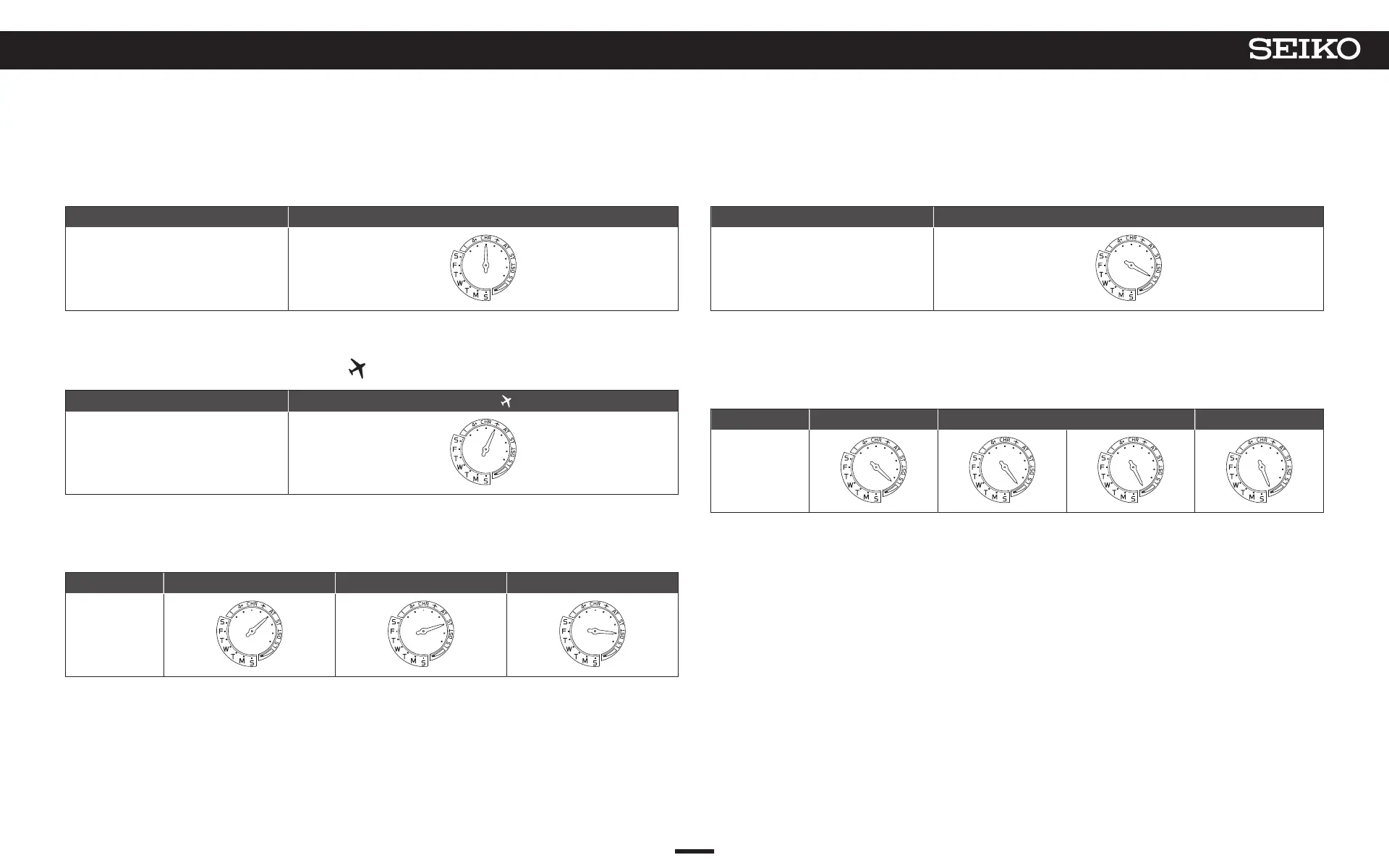
Display of stopwatch mode
Hand position Stopwatch (CHR) status
Display
→ Stopwatch P. 35
5
Display of in-flight mode (
)
Hand position
In-flight mode (
) status
Display
→ In-flight mode P. 32
6
Display of DST (Daylight Saving Time)
Hand position AT (automatic) ST (OFF) DST (ON)
Display
→ Check the time zone and DST (Daylight Saving Time) settings P. 27
→
Set DST (Daylight Saving Time) P. 26
7
Display of leap second data receipt
Hand position Receiving leap second data
Display
→ Receiving leap second data P. 33
8
Display of charging status
*
The energy level is displayed in four levels.
Hand position Full Middle (two levels) Low
Display
→ Check the charging status P. 14
→ How to charge the watch P. 16
12
3
BEFORE USE
5X83 GPS SOLAR



 To Next Page