How to manually adjust the time
1
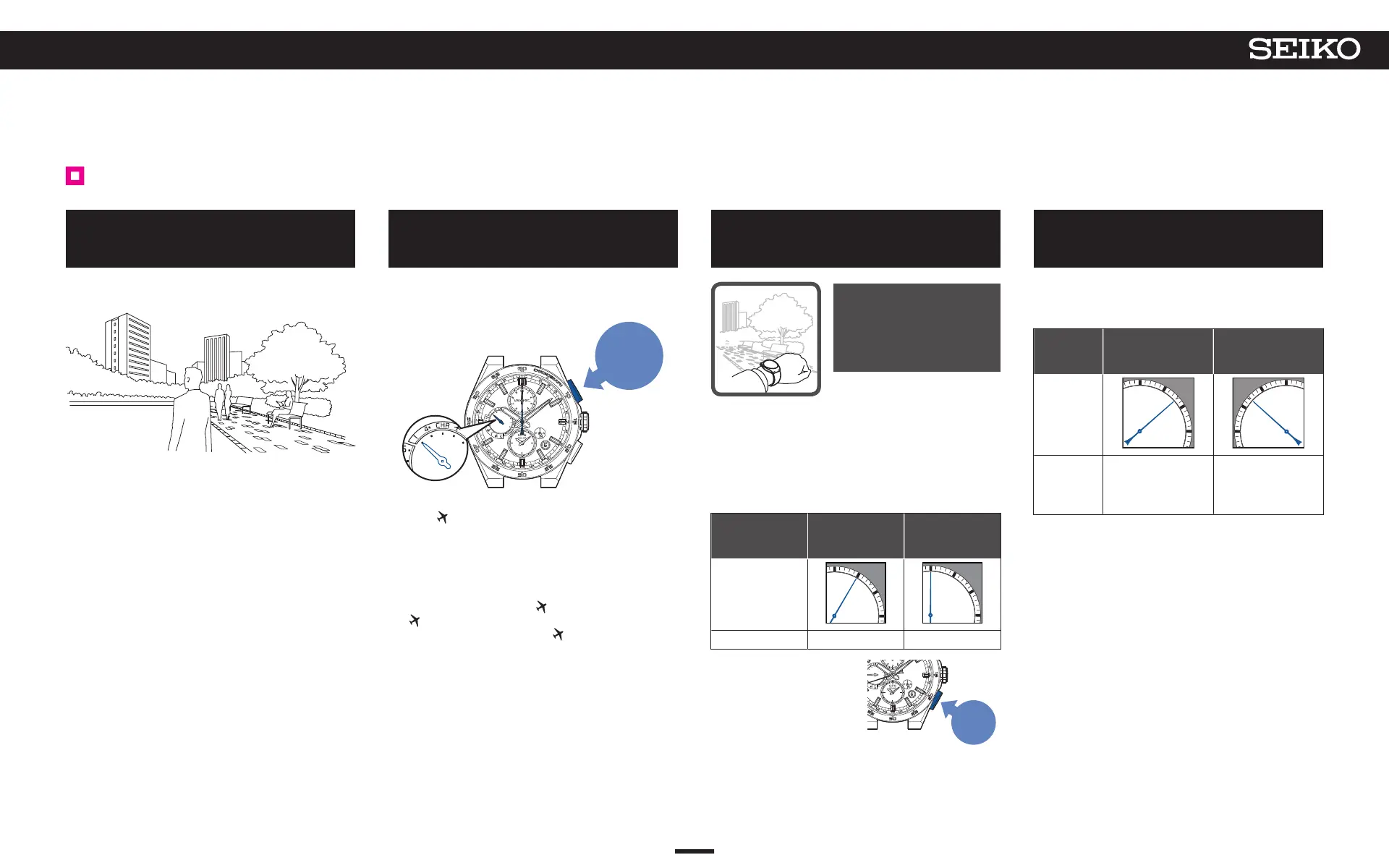
Go to a place where GPS signals can
be easily received
Move to the outdoors under an open sky with good
visibility.
→ Place where GPS signals can be easily received/
Place where
GPS signals cannot be received P. 18
2
Continue to press Button A (3 seconds),
and then release it when the seconds
hand moves to the 0-second position
When the seconds hand has reached the 0-second
position, reception is started.
The multi-function indicator hand points to “1”.
Press for
3 seconds
* While the multi-function indicator hand points to
“low,” or “CHR”, reception is not started even with
operation for reception.
*
When the hand points to “low,” charge the watch by
exposure to light.
→ Check the charging status P. 14
→ How to charge the watch P. 16
* When the hand points to
, reset the in-flight mode
( ).
→ Reset the in-flight mode ( ). P. 32
*
When the hand points to “CHR”, turn off the
stopwatch mode
→ Turning off stopwatch mode P. 36
3
Direct the watch face upward and
wait
It takes up to one minute to
complete reception.
* The reception time
depends on the
reception conditions.
< Display during reception (= satellites acquisition
status) >
The seconds hand indicates ease of receiving (=
number of GPS satellites from which GPS signals are
received).
* To acquire only time information, the number of
satellites necessary for reception is one.
Number of
acquired
satellites
1 0
Display
State Easy to receive Cannot receive
* To cancel the reception,
press Button B.
Press
Button B
4
When the seconds hand points to
“Y” or “N”, reception is completed
The reception result is displayed for 5 seconds.
If reception is successful, the time, date, and day are
adjusted.
Reception
result
display
Y: Successful
(8-second
position)
N: Failed
(52-second
position)
Display
State
Use the watch as it
is.
When the
reception result is
displayed as “N”
→
P. 18
Check that the reception is successful after the watch
returns to the time display mode.
→ Check that reception was successful (reception
result display) P. 20
When the time is not correct even if “Y”
is displayed, the
time zone may not correspond to the region where you
are. Check the time zone setting.
→ Check the time zone and DST (Daylight Saving
Time) settings P. 27
* The buttons cannot be operated while the hour and
minute hands, multi-function indicator hand, or sub-
dial is moving.
24
4
BASIC OPERATION (HOW TO SET THE TIME/HOW TO RECEIVE GPS SIGNALS, ETC.)
5X83 GPS SOLAR



 To Next Page