13
English
3. MEMORY CAPACITY INDICATOR
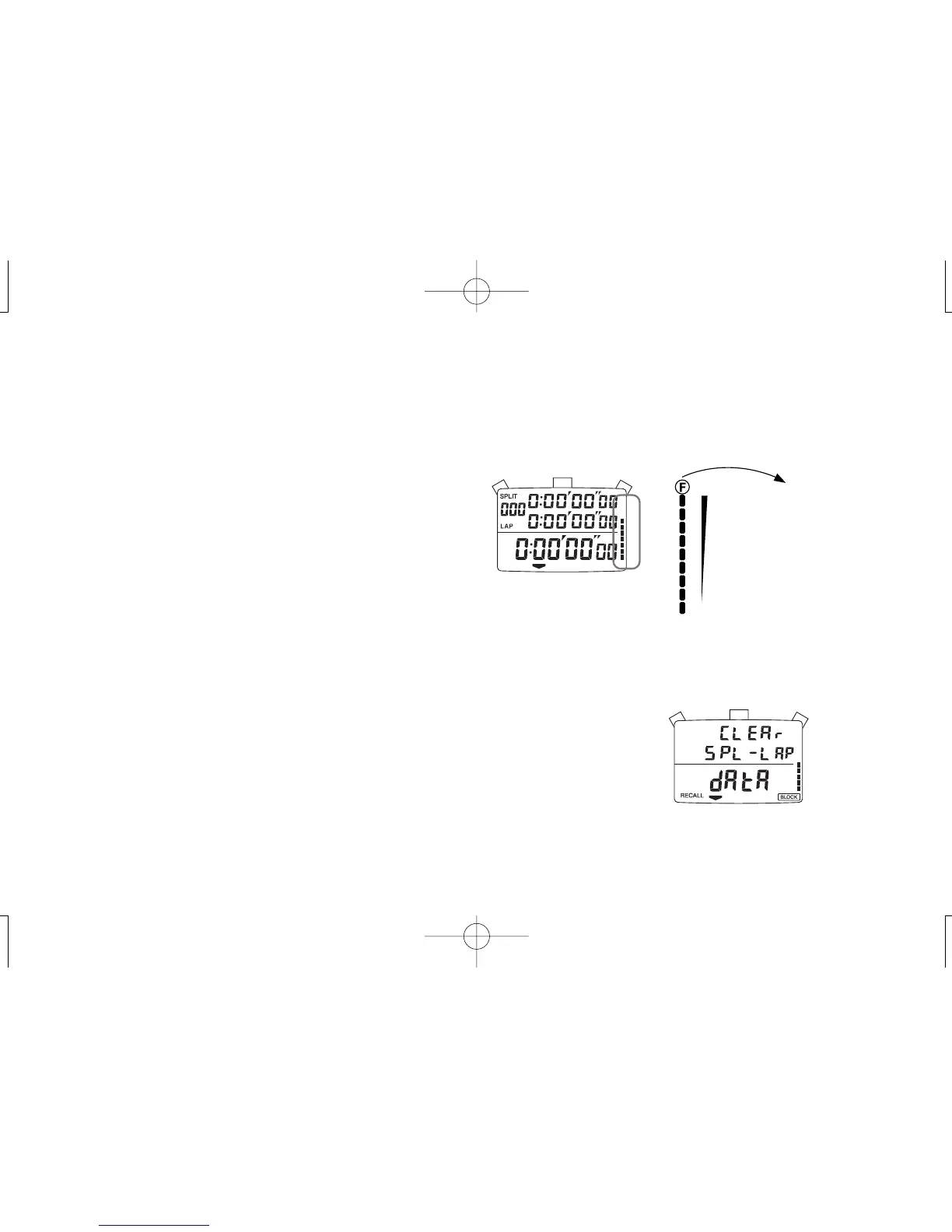
● The number of data stored in memory is displayed graphically by
the memory capacity indicator.
● Each segment of the bar corresponds to 30 data.
* When no segment is displayed, the stored data is less than 30.
● When the memory reaches its full capacity, all the segments of
the bar are displayed.
* The 301st data and those measured thereafter will be displayed but will not
be stored in memory for later recall.
● While the data is recalled, a segment of the bar flashes to indicate
the measurement order of the data being recalled.
● A block of data contains at least three data components; block
number, measured lap/split time, starting time and date. If more
than one block of data is stored in memory, the memory may
reach a capacity limit even before the total number of lap/split
time measurement totals to 300.
➡
[ Number of data in memory ]
When the number of
stored measurements
exceeds 290, the letter
"F" starts flashing.
When the memory is at
its full capacity, the
letter "F" stops flashing
and remains displayed.
4. HOW TO CLEAR THE STORED DATA
● Once the following steps are taken, all the stored data are erased from memory.
The stored data cannot be erased one by one or block by block.
● Before clearing the data, check that the stopwatch is reset to “00.”
1. Press “C” to show the MEMORY RECALL display.
2. Keep “B” pressed for more than 1.5 seconds.
* While the button is kept pressed, the display shown at right appears with warning beeps.
* After 1.5 seconds, all the stored data is erased from memory with a long beep. Then, the initial
measurement display is shown.
* Unless “B” is kept pressed for more than 1.5 seconds, the stored data will not be erased from
memory.
B
C


 To Next Page