14
English
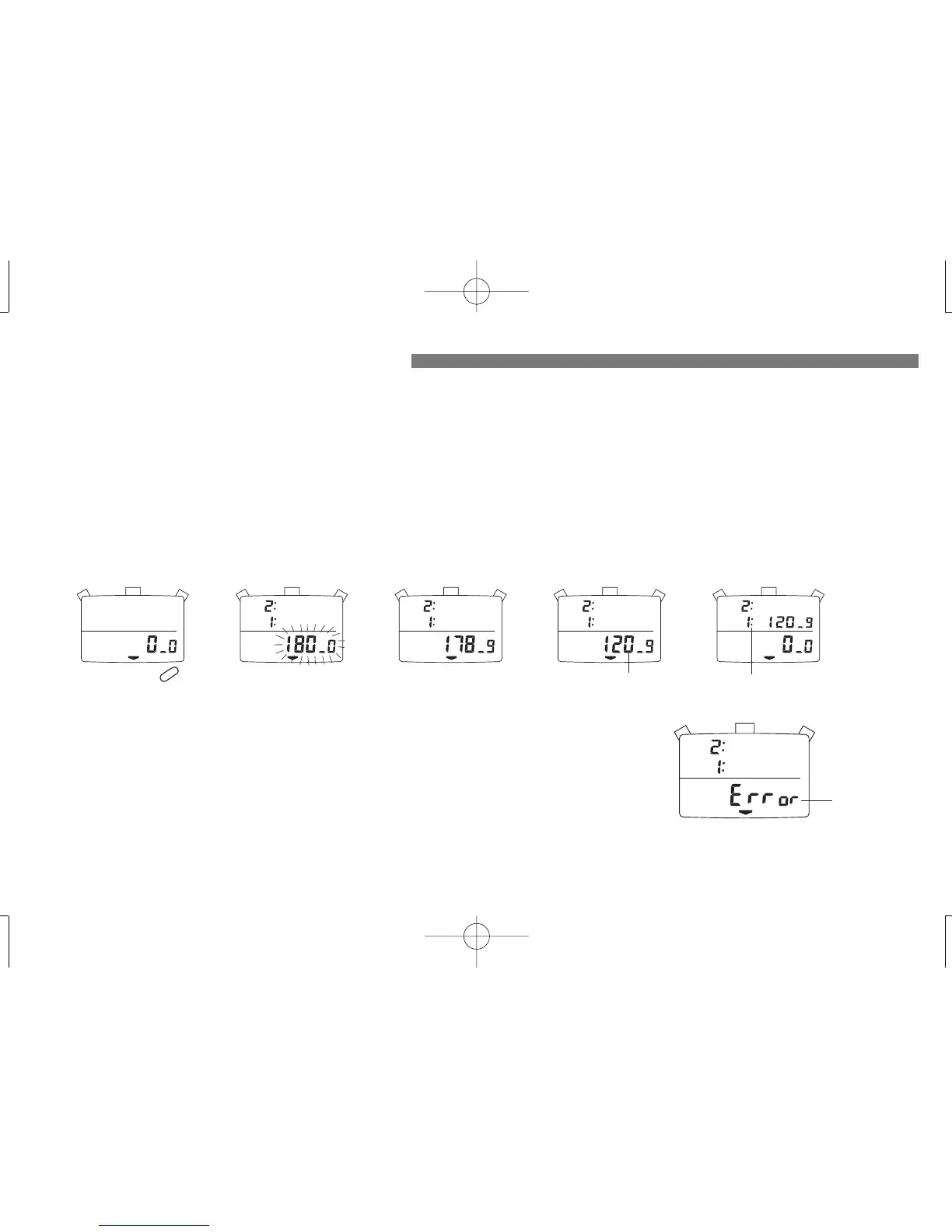
● The stroke/frequency of an activity per minute is automatically calculated by measuring the time required to make three strokes.
● Measurable number of strokes per minute is between 10 and 180.
● Up to 9 data can be stored in memory.
STROKE/FREQUENCY MEASUREMENT
Start of
measurement
Measuring
Stop of
measurement
1. Press “D” to show the STROKE/FREQUENCY MEASURING display.
2. Press “A” to start the measurement.
3. Press “A” to stop the measurement after the third stroke was made.
D
Reset
A
A
Notes:
1. During the first second after the measurement has been started by pressing “A”, flashing “180-
0” is displayed. If the measurement is stopped by pressing “A” during the period, “Error” will
appear. If the measurement is not stopped by pressing “A” after more than 18 seconds have
elapsed, “Error” will automatically appear.
2. If “B” is pressed while the measurement is stopped or “Error” is shown, the digits will be reset
to “0-0”. Even if the digits are not reset to “0-0” with the measurement stopped or “Error”
shown on the display, the measurement can be started by pressing “A.”
3. When the digits are reset to “0-0” or a new measurement is started, the data measured last will
be stored in Memory-1. When the new measurement is made, it will be stored in Memory 1 as
the data in Memory-1 is transferred to Memory-2.
4. When more than 9 measurements are made, the oldest data will be erased from memory.
Number of strokes
per minute
Memory No.
“Error” mark
1. HOW TO USE THE STROKE/FREQUENCY MEASURING FUNCTION
▼
▼
▼
▼


 To Next Page