8
English
Notes:
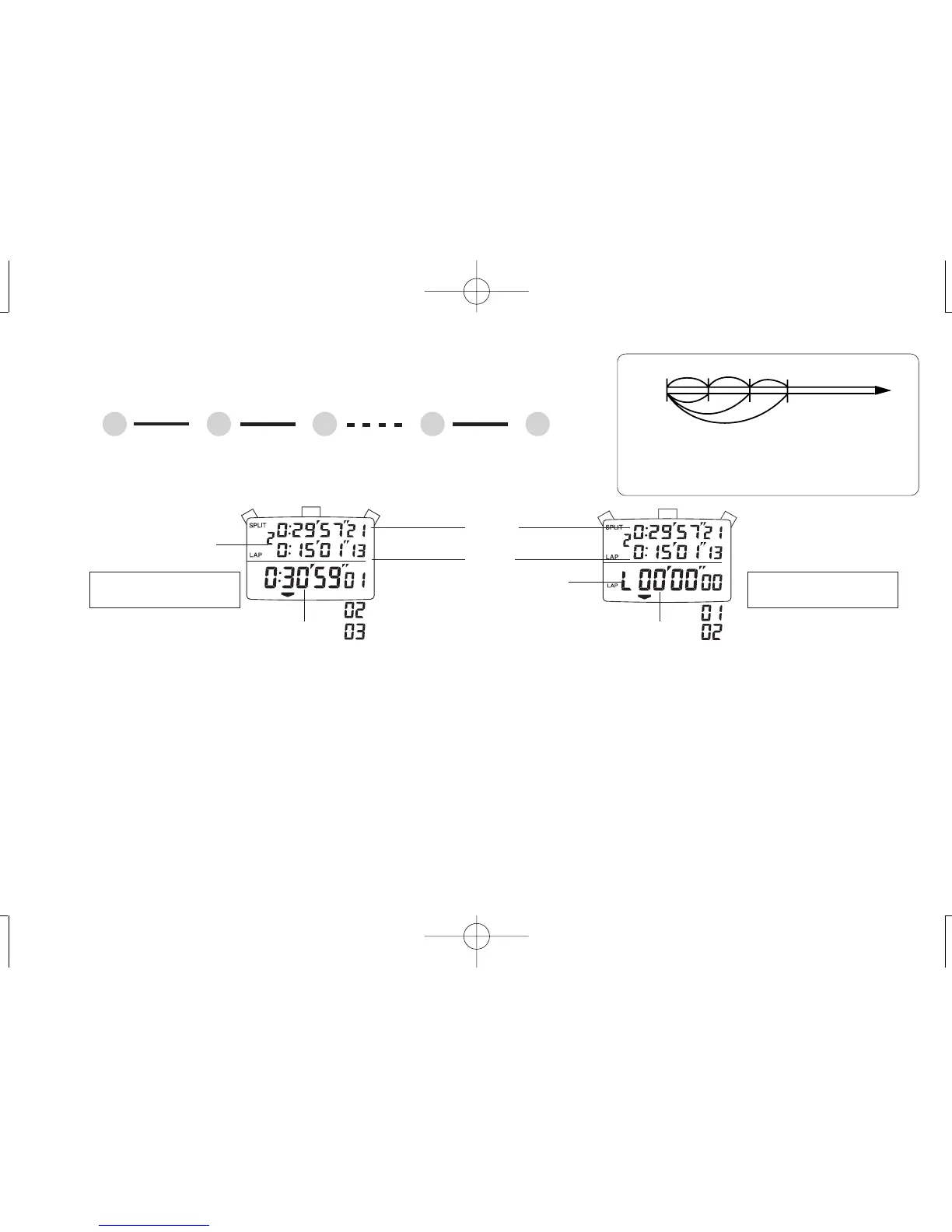
1. When the digits are reset to “00” by pressing “B,” a new block number for the next measurement is displayed.
2. In the lap time in progress display, when the lap time measurement in progress exceeds 1 hour, the hour digit appears in place of the mark for lap time in progress
display.
B BA
START
A
STOP
B
RESET
▼
▼
▼
▼
SPLIT/LAP 1 SPLIT/LAP 2
* The split/lap time can be measured repeatedly by pressing “B.”
Accumulated elapsed
time display
Lap time in progress
display
Split/lap No.
Split time
Lap time
Accumulated elapsed time
Lap time in progress
Lap time in progress
display mark
● Press “D” to show the STOPWATCH 1 (Accumulated elapsed time) display or
STOPWATCH 2 (Lap time in progress) display.
3. SPLIT/LAP TIME MEASUREMENT
“Split time” refers to an elapsed time required to
cover a distance from the start to a given point.
“Lap time” refers to an elapsed time required to
cover a given section of the whole distance.
Start
Lap time
Split time


 To Next Page