4-7
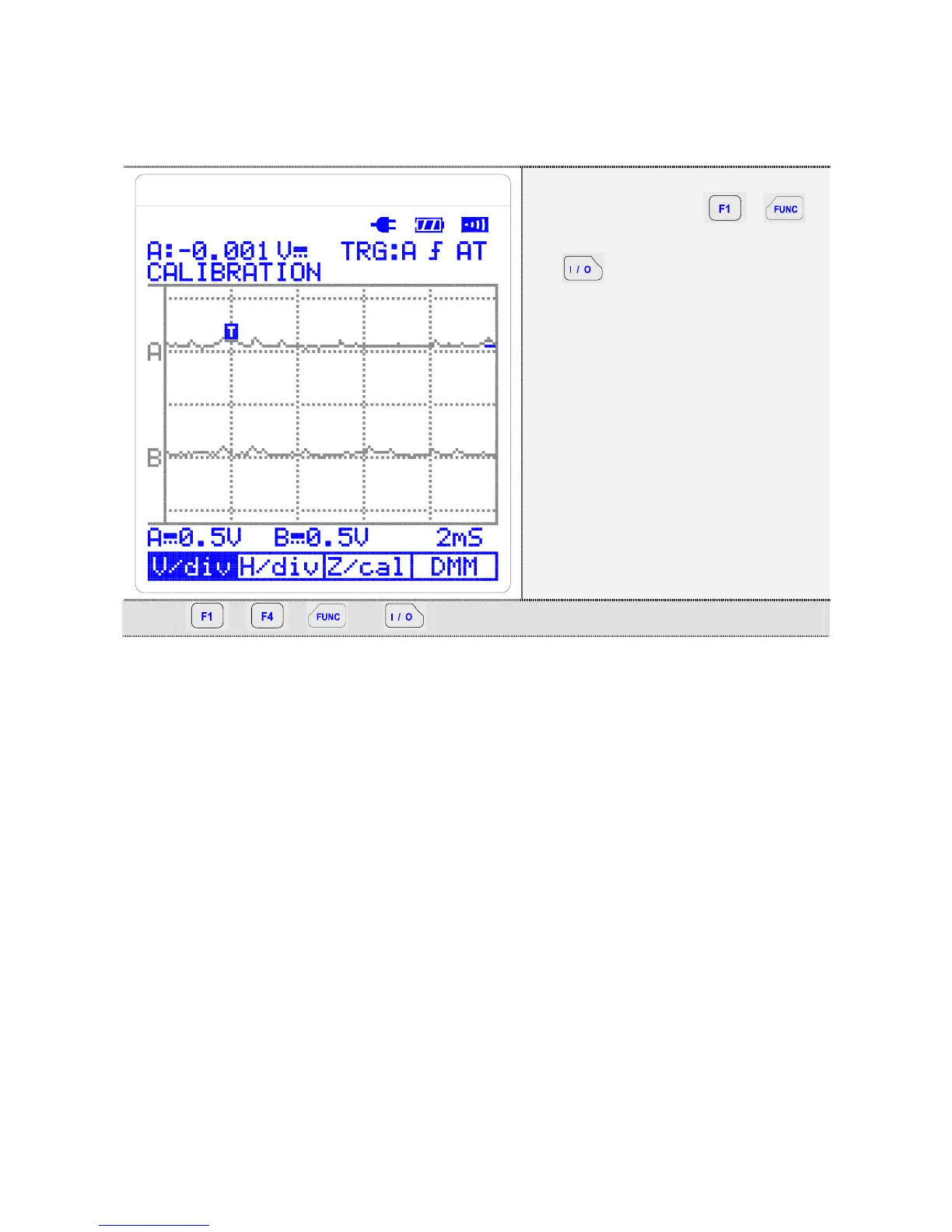
4.3. Entering Calibration Mode
① With retaining ,
buttons pressed, press
button.
② Examine the screen status
and buttons function.
Key: , , + Simultaneously.
4.4. Calibration Scope Center
1. Connect the tool for a short circuit test to CHA, CHB, and COM
connector of the equipment.
2. Adjust Scope center for each V/DIV. You can change V/DIV by
pressing up-down arrow buttons of the equipment. (V/DIV of CHA,
CHB will be changed simultaneously when you adjust them.)
3. Move to 0.5V/DIV.
4. Scope center would be adjusted by pressing F3 button (Z/cal.). If
the equipment still do not display scope center correctly, press F3
(Z/cal.) continuously until the equipment displays the correct scope
center.
5. Adjust the scope center of 50mV, 0.1V, 0.2V, 0.5V, 1V, 2V, 5V, 10V,
20V, 50V, 100V, 200V, 500V as described above. (50mV, 0.1V,
0.2V is only S2405, S2505)



 To Next Page