SEL-487E Data Sheet Schweitzer Engineering Laboratories, Inc.
12
Additional Features
Front-Panel Display
The LCD shows event, metering, setting, and relay self-
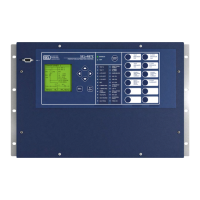
test status information. The target LEDs display relay
target information as shown in Figure 13.
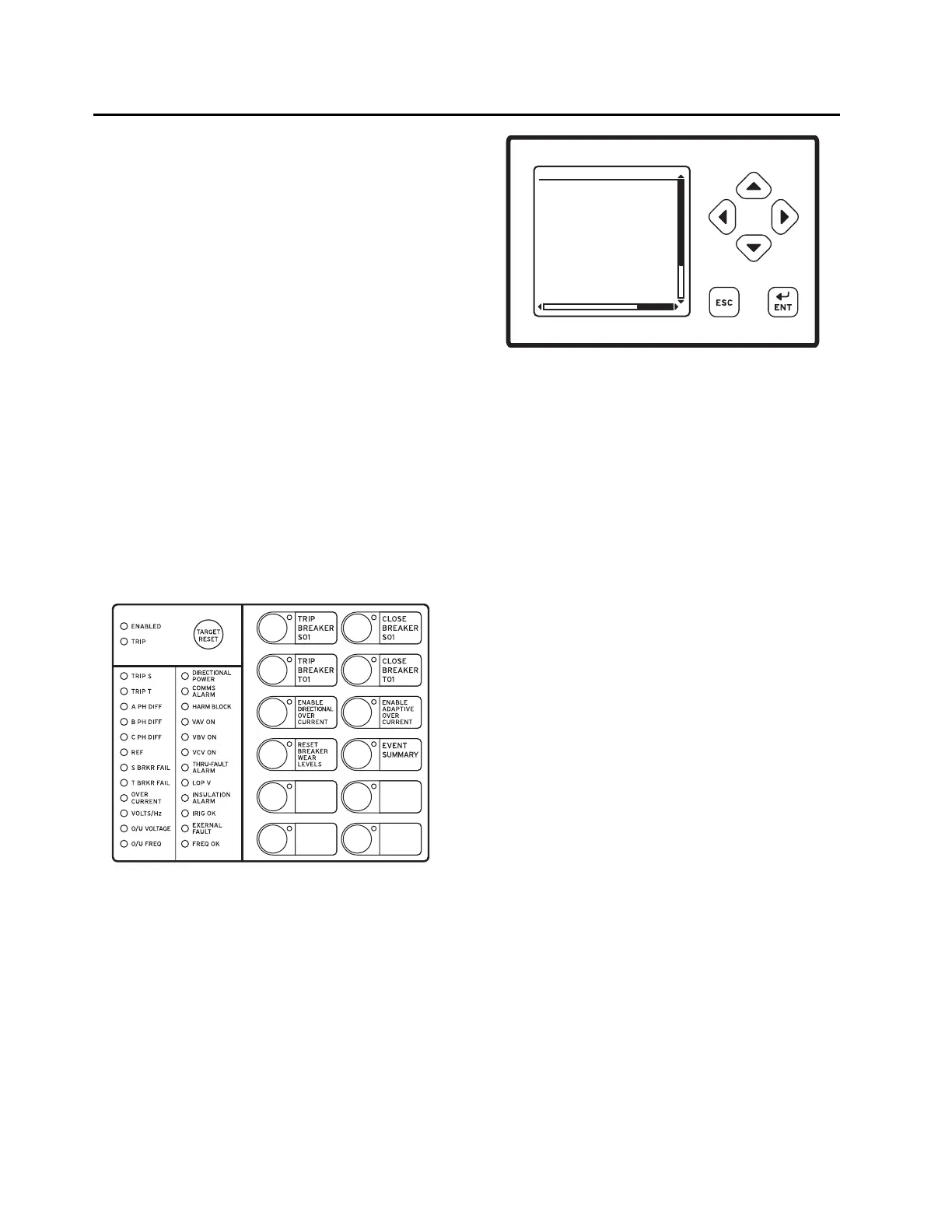
The LCD is controlled by the navigation pushbuttons
(Figure 14), automatic messages the relay generates, and
user-programmed analog and digital display points. The
rotating display scrolls through alarm points, display points,
and metering screens. If none are active, the relay scrolls
through displays of the fundamental and rms metering
screens. Each display remains for a user-programmed
time (1–15 s) before the display continues scrolling. Any
message the relay generates because of an alarm condition
takes precedence over the rotating display.
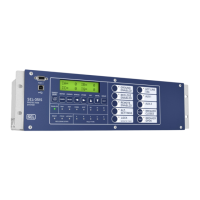
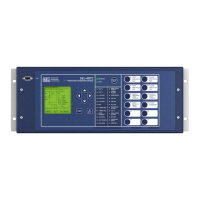
Figure 13 and Figure 14 show close-up views of the front
panel of the SEL-487E. The front panel includes a 128 x
128 pixel, 3" x 3" LCD screen; LED target indicators; and
pushbuttons with indicating LEDs for local control func-
tions. The asserted and deasserted colors for the LEDs
are programmable. Configure any of the direct-acting
pushbuttons to navigate directly to any HMI menu item
for fast viewing of events, alarm points, display points, or
the SER.
Bay Control
The SEL-487E provides dynamic bay one-line diagrams on
the front-panel screen with disconnect and breaker con-
trol capabilities for user-selectable bay types. You can
download the Grid Configurator interface from
selinc.com to obtain additional user-selectable bay types.
The bay control can control as many as ten disconnects
and two breakers, depending on the one-line diagram
selected. Certain one-line diagrams provide status for as
many as three breakers and five disconnect switches.
Operate disconnects and breakers with ASCII com-
mands, SEL
OGIC control equations, Fast Operate Mes-
sages, and from the one-line diagram. The one-line
diagram includes user-configurable apparatus labels and
as many as six user-definable analog quantities.
One-Line Bay Diagrams
The SEL-487E offers a variety of preconfigured one-line
diagrams for common bus configurations. Once you
select a one-line diagram, you can customize the names for
all of the breakers, disconnect switches, and buses. Most
one-line diagrams contain analog display points. You can
set these display points to any of the available analog
quantities (including remote 87L currents) with labels,
units, and scaling. The SEL-487E updates these values
along with the breakers and switch position in real time
to give instant status and complete control of a bay. The
following diagrams demonstrate some of the preconfig-
ured bay arrangements available in the SEL-487E.
Programmable interlocks help prevent operators from
incorrectly opening or closing switches or breakers. The
SEL-487E not only prevents operators from making an
incorrect control decision, but it can notify and/or alarm
upon initiation of an incorrect operation.
Figure 13 Factory-Default Status and Trip Target LEDs
(12 Pushbutton, 24 Target LED Option)
Figure 14 Factory-Default Front-Panel Display and
Pushbuttons
FAULT QUANTITIES
(pu)
Zone 1 Zone 2
IOPA= 4.35 0.20
IOPB= 4.76 0.12
IOPC= 0.56 0.88
IRTA= 6.65 1.09
IRTB= 6.21 1.81
IRTC= 1.06 1.25
EVENT SUMMARY 10002


 To Next Page