An overview of telephone
NETfon 330 - User Guide 723142013-A0-LM
37
(1) The headset mode means that a headset is connected to the headset connector and the headset is lit.
7.2. Understanding state icons
IMPORTANT! To be sure that the telephone is working and is ready to the use, verify that the
screen displays date, time and telephone number; otherwise contact the system administrator.
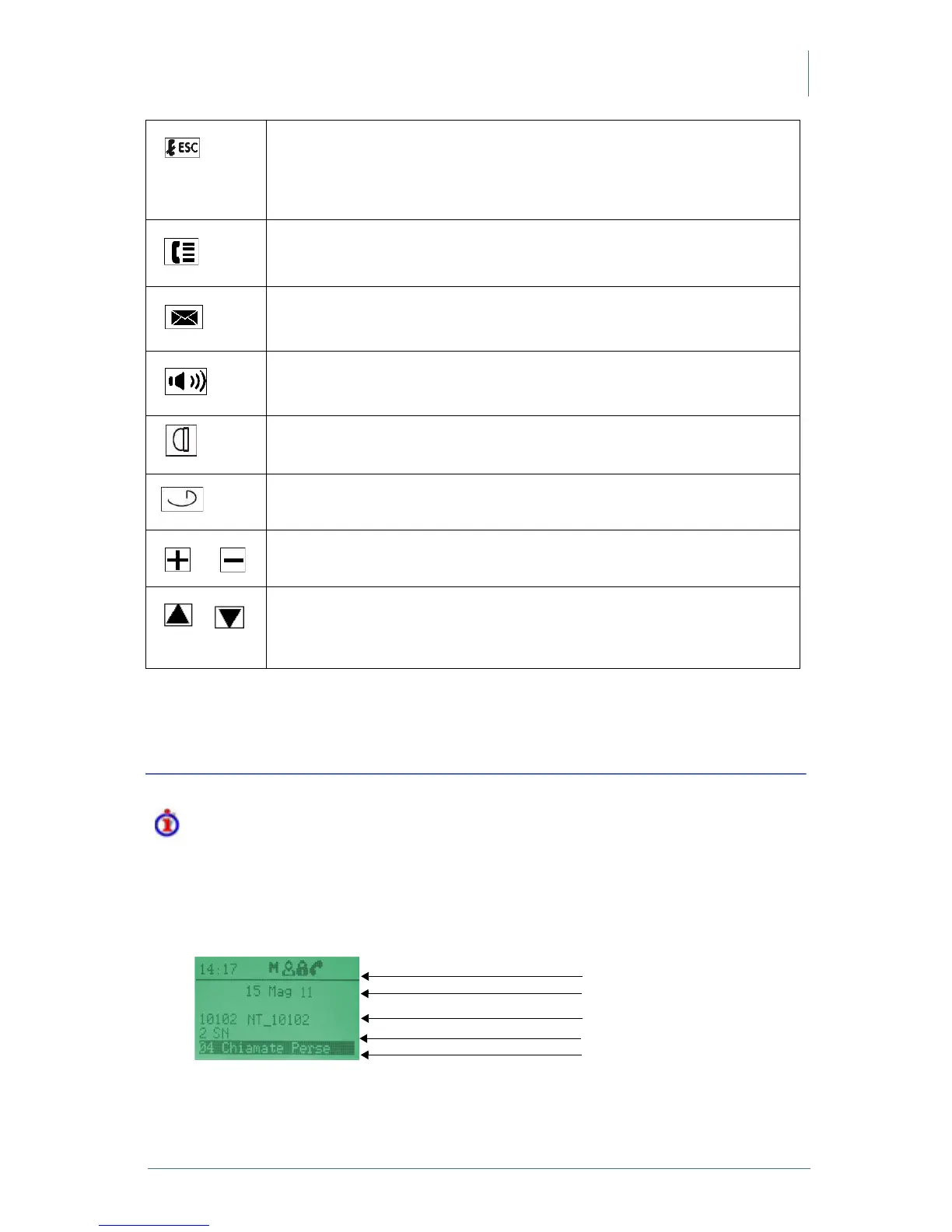
The following image shows the stand-by screen of telephone and the table below describes icons’
state of the telephone.
Release/Esc
End the call in progress;
Return to upper level;
Exit from the telephone configuration;
Engage/release the line in headset mode (1).
Call list
Access the call list (missed / received / made) to dial from it, edit or delete the
displayed names.
Voice Mail
If it is ON, it indicates a new voice message.
Press it to enter the voice message service and listen to it.
Speakerphone
Answer a call or engage the line without lifting the handset;
Allow other people to listen to your conversation.
Mute
Toggle microphone on/off.
Headset
Toggle the headset mode(1) on/off
Adjusting volume
Adjust the handset, headset, speakerphone and ringer volume.
Navigation buttons
Up arrow: Scroll up to see menus and highlight items.
Down arrow: Scroll down to see menus and highlight items and delete one
character from right to left during writing numbers/names



 To Next Page