12
ABOUT THE ECONO BLUETOOTH HELMET
1.4.6
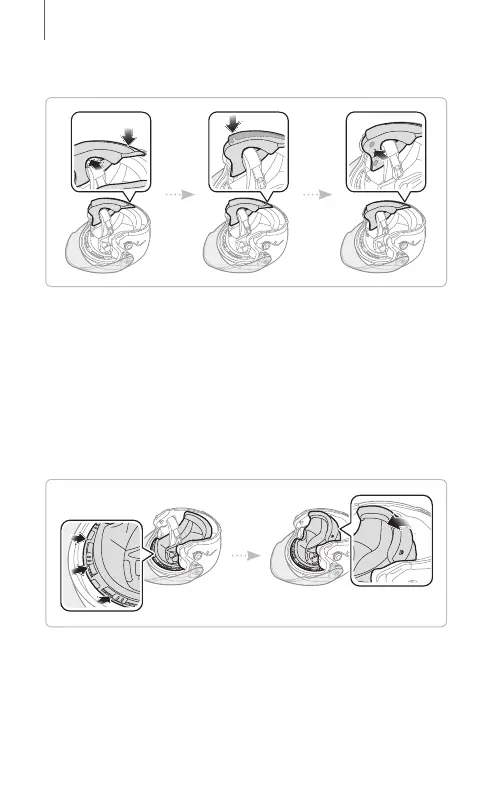
Installing Cheek Pad
1. Pass a chinstrap through holes of cheek pad, insert
the plastic plate of cheek pad into a space between
shell and EPS.
2. Insert the cheek pad plastic plate a bracket.
3. Clip the three snaps of the cheek pad to the three
snaps of helmet.
1.4.7
Removing Inner Pad
1. Hold near a plate and pull out plate.
2. To remove a rear center pad, release two hooks of
center pad bracket.


 To Next Page