SFR
15
English
4.3.2 HFP for Phone Call Only
1. To enter the conguration menu, press and hold the Center Button
for 10 seconds until you hear the voice prompt, “Conguration
menu”.
2. Tap the (+) Button until you hear a voice prompt, “Phone selective
pairing”.
3. Search for Bluetooth devices on your mobile phone. Select the
Sena SFR in the list of the devices detected on the mobile phone.
4. If your mobile phone asks for a PIN, enter 0000.
4.4 Intercom Pairing
4.4.1 Pairing with Other Headsets for Intercom Conversation
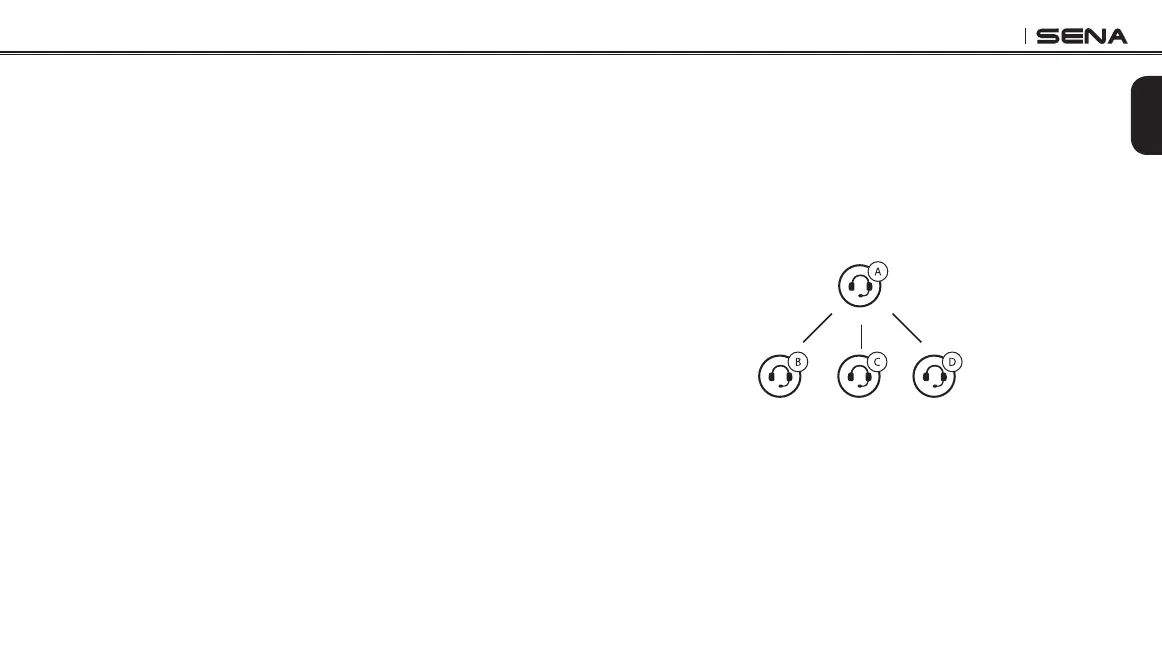
The headset can be paired with up to three other headsets for
Bluetooth intercom conversation.
1. Press and hold the Center Button of the headset A and B for
5 seconds until red LEDs of the both units start to ash rapidly.
2. Simply tap the Center Button of any one of the two headsets A
and B, and wait until the LEDs of both headsets turn to blue and
intercom connection is automatically established.
3. You can make other pairings between headsets A and C, and
between headsets A and D by following the same procedure as
above.
4. The intercom pairing queue is ‘Last-Come, First-Served’. If a
headset has multiple paired headsets for intercom conversations,
the last paired headset is set as rst intercom friend. The
previous intercom friend becomes second intercom friend, and
third intercom friend.
Intercom
Friend B
Intercom
Friend C
Intercom
Friend D
YOU



 To Next Page