SFR
22
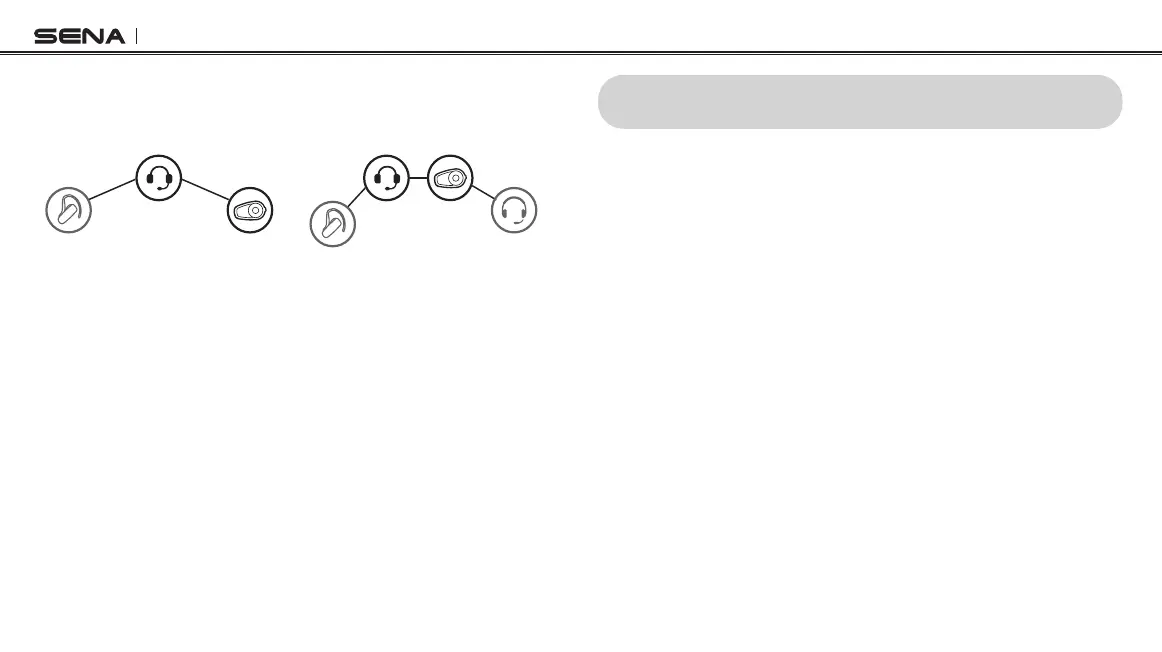
3. You can have a two-way intercom or multi-way intercom
communication with up to three intercom friends using non-Sena
headset.
YOU
Non-Sena
Headset
Sena
Headset
Three-way Universal Intercom
Non-Sena
Headset
Sena
Headset
Non-Sena
Headset
YOU
Four-way Universal Intercom
11 FM RADIO
11.1 FM Radio On/Off
To turn on or off the FM radio, press and hold the (-) Button for
1 second until you hear a mid-toned double beep sound.
11.2 Preset Stations
You can listen to preset stations while listening to the FM radio. Press
and hold the Center Button for 1 second to go upward to your next
saved preset station.
11.3 Seek and Save
1. Double tap the (+) Button or the (-) Button to search up or down
the station dial.
2. To save the current station, press and hold the Center Button for 3
seconds until you hear a voice prompt, “Preset (#)”.
3. Tap the (+) Button or the (-) Button, in order to select which preset
number you want for that specic station. (You can save up to 10
preset stations.)



 To Next Page