12
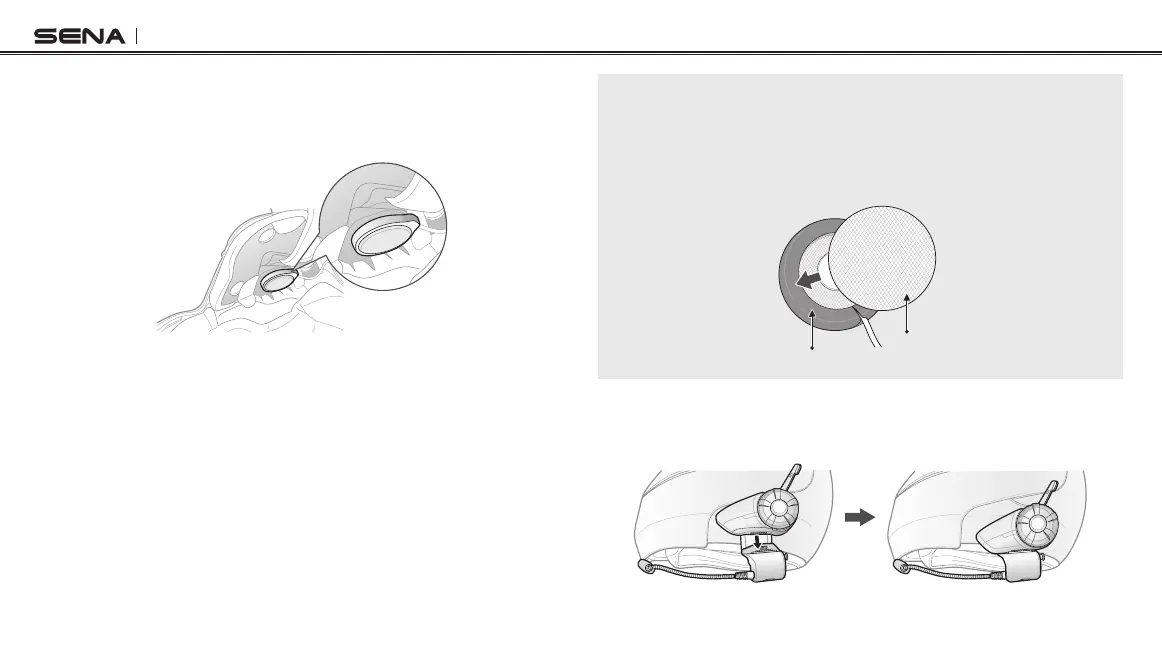
4. Place the helmet speakers along with the hook and loop fasteners,
centered to your ear, in the ear pockets of the helmet. If the helmet
has deep ear pockets, you can use the speaker pads to place the
speakers closer to your ears.
Note:
To enhance the audio quality, you can make use of the foam speaker covers.
Cover each speaker with the foam and attach the hook fastener at the
back of the speaker. Then place the speakers in the helmet as described
above. Foam covered speakers work most effectively when they are slightly
touching your ears (20S Basic Kit only).
Hook Fastener
Foam Speaker Cover
5. Attach the headset main unit to the clamp unit. Slide the main
unit down onto the clamp unit until it clicks rmly into the bottom
portion of the clamp unit.



 To Next Page