35
SPH10
English
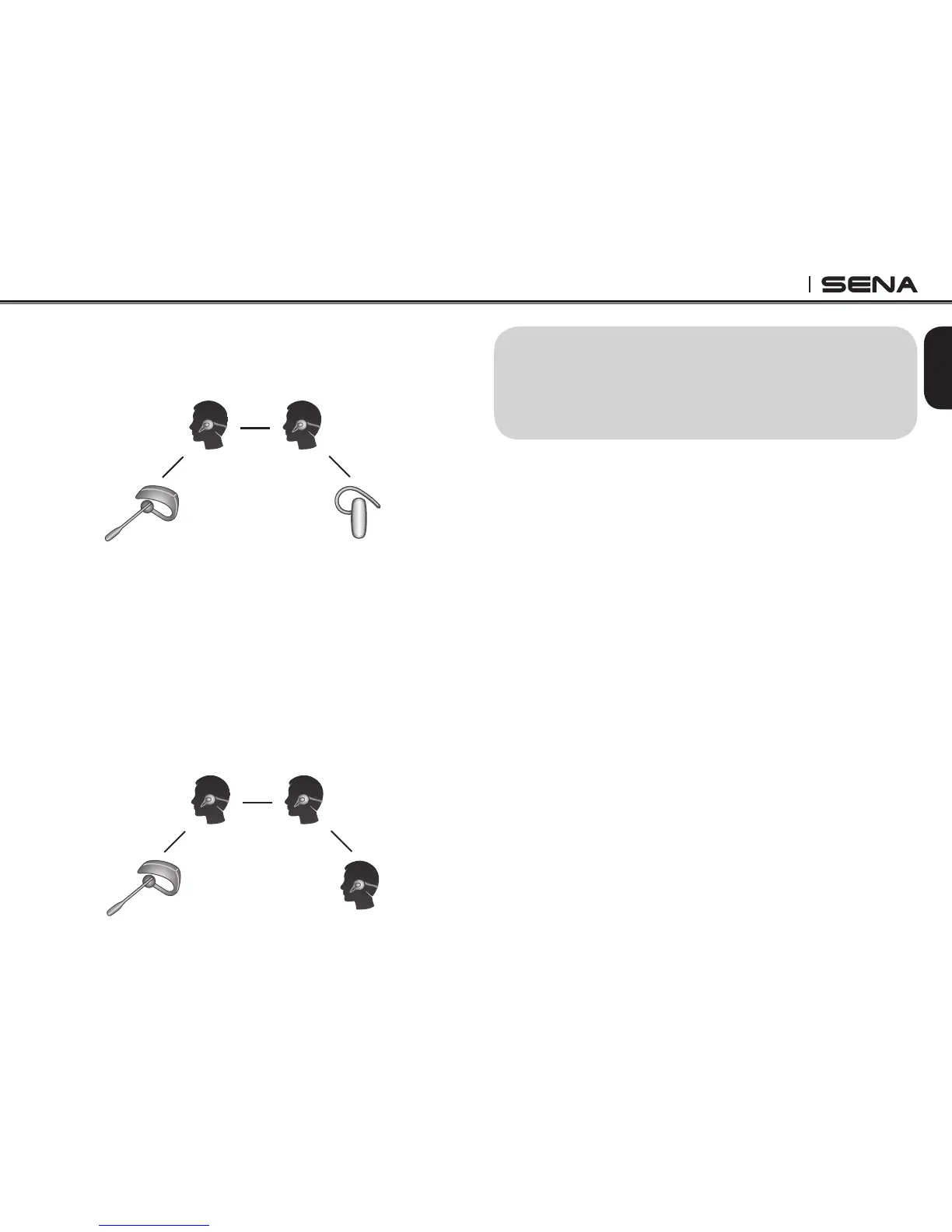
4. Now two SPH10 headsets (A & C) and two non-Sena
Bluetooth headsets (B & D) are connected with the
four-way Universal Intercom.
(B)
(D)
(A)
(C)
You may disconnect a four-way Universal Intercom
using the same way as you do in a normal four-way
intercom. Please refer to section, 15.2 “End Four-way
Intercom”.
16.4.2 Four-way Universal Intercom Case 2
Three SPH10 headsets (A, C and D) and one non-Sena
Bluetooth headset (B). The procedure is the same as
the case 1 described in section 16.4.1.
(B) (D)
(A)
(C)
17. THREE-WAY CONFERENCE
PHONE CALL WITH INTERCOM
PARTICIPANT
You can have a three-way conference phone call
by adding an intercom friend to the mobile phone
conversation. While having a mobile phone call, make
an intercom call to one of the intercom friends by
tapping the Jog Dial to form a three-way conference call
with the person on the mobile phone line. To disconnect
the intercom first and go back to your private mobile
phone call, terminate the intercom by tapping the Jog
Dial. To end the mobile phone call first and maintain
the intercom conversation, press the Jog Dial for 2
seconds, or tap the phone button, or wait for the person
on the mobile phone line to end the call.



 To Next Page