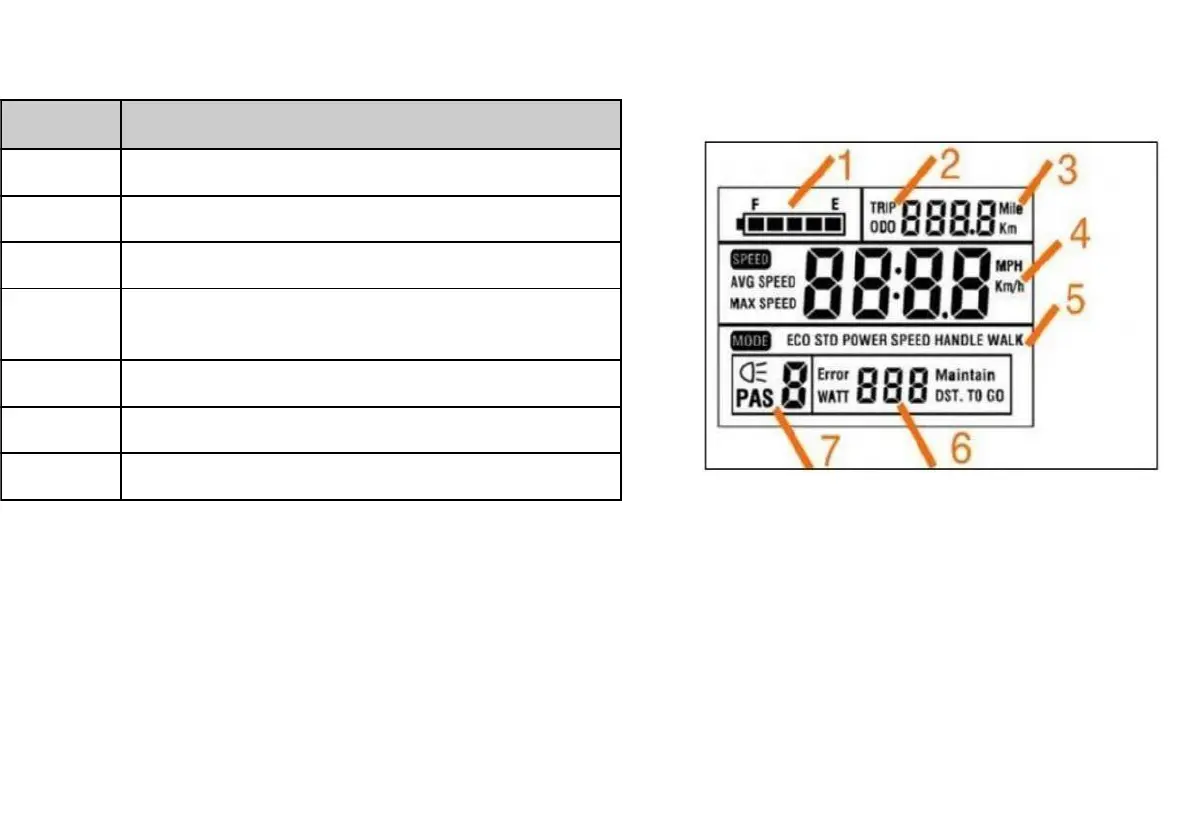
Distance (Odometer, Trip Odometer)
Distance Unit (kilometers (Km), miles (Mile))
Speed Unit (kilometers per hour (Km/h), miles
per hour (MPH))
Watt Meter, Error Code Indicator
LCD Display Information
The table and image below show the various features and information displayed on the LCD display.
LCD Display Controls
The display is controlled using the 3-button display remote mounted on the left side of the handlebar (depicted at right). The top
button shows an arrow pointing up, the middle button islabeled “MODE”, and the bottom button shows an arrow pointing down.



 To Next Page