SMD 989– User Manual
Page 55 (105)
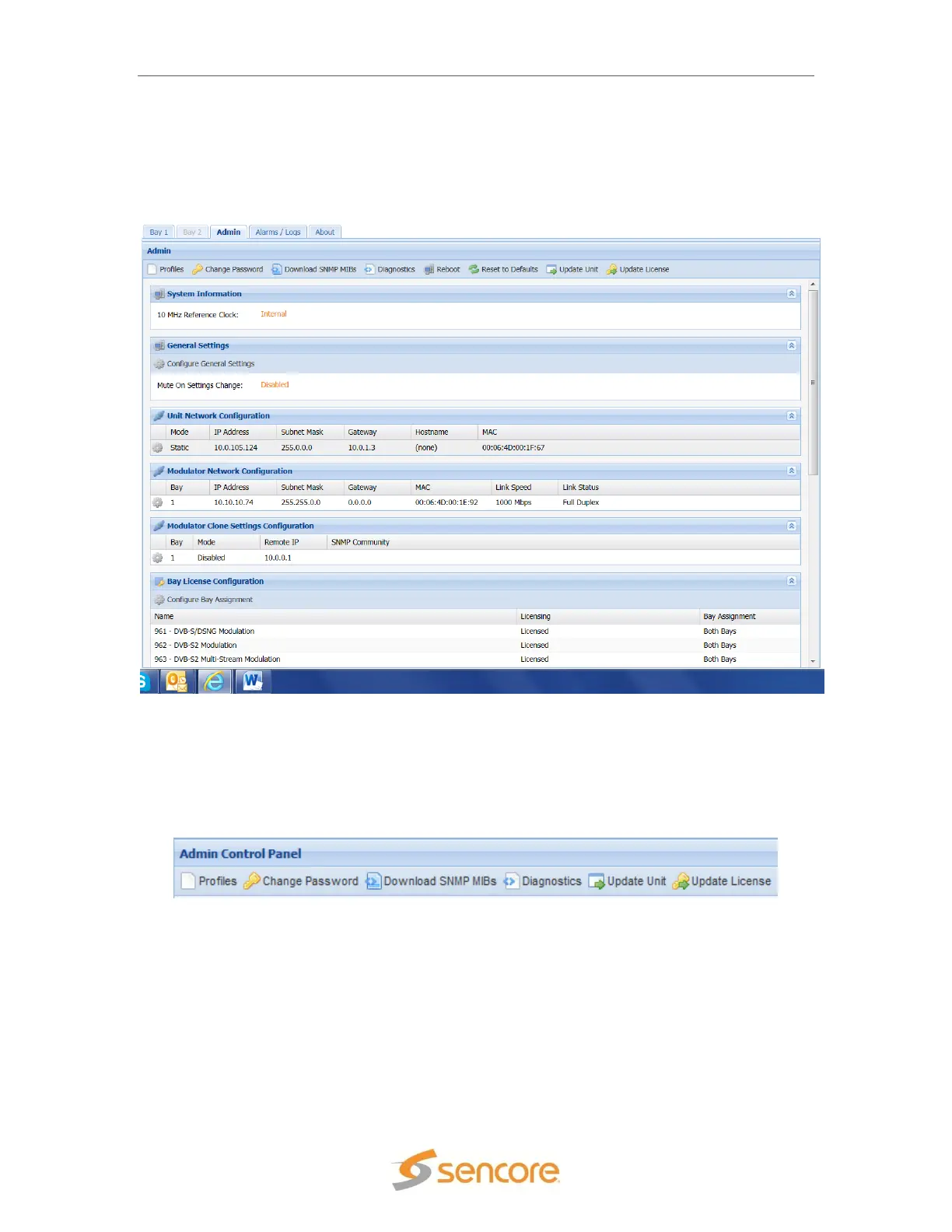
Admin Tab
The Admin tab located after the two bays in the web interface allow system specific settings to be
set or modified.
Located directly under the admin control panel are the options for saving/loading profiles,
changing the password, downloading the SNMP MIBs, downloading the diagnostic file, unit
software updating, and license changes.
Figure 48: Password/Unit update location


 To Next Page