SMD 989– User Manual
Page 68 (105)
SNMP Trap Configurations
The SNMP trap configurations can be viewed under the reporting tab by clicking the
“Configurations” at the top-left of the report control panel. All conditions can be
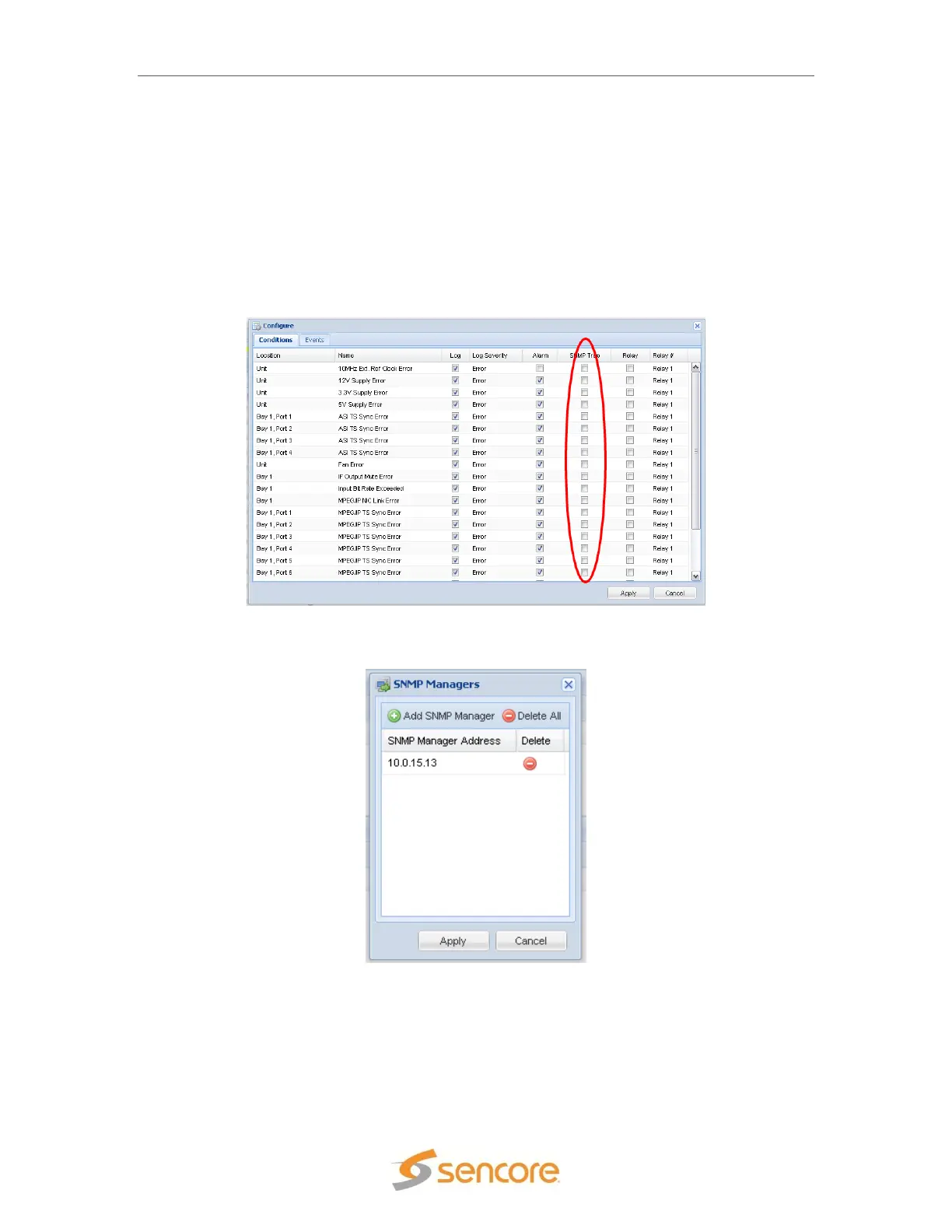
enabled/disabled from sending SNMP Traps. The current status is shown under configuration.
To enable/disable the SNMP events click on the “Configure” button located on the right side of
the screen.
The SNMP trap manager IP addresses can be added under the admin tab and the events that
trigger traps to be sent are enabled/disabled under configure settings.
Figure 78: SNMP trap view
Figure 79: SNMP manager configuration


 To Next Page