13
Installation Procedures
Carefully complete the electrical connections.
Check connections before operation.
Reset
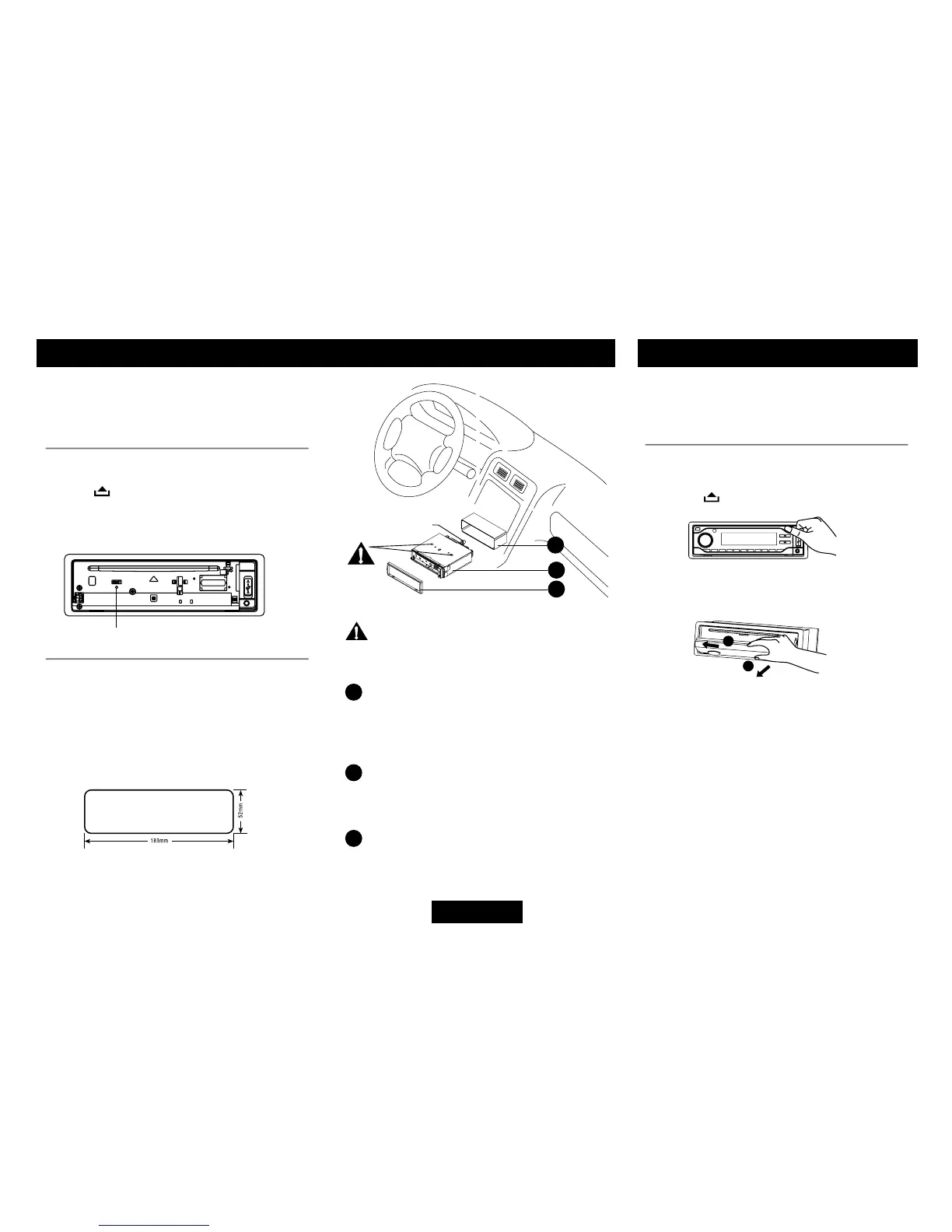
Press“ ” to flip down the panel. Then
pressthe“ RESET ”holewithapointedobject
to reset the unit to restore the system to the
original factory settings.
Installation Opening
This unit can be installed in any dashboard
with a suitable 183mm ( W) x 52mm ( H )
opening as shown below. The dashboard
should be 4.75 mm - 5.56 mm thick in order to
be able to support the unit.
Mounting bolt
rubber cushion.
1
2
3
Installation Guide
Important: Remove these two screws
beforeinstallation.Otherwise, theplayerwill
not work.
1
Insertmountingcollarintothedashboard,
and bend the mounting tabs out with a
screwdriver. Make sure that lock lever
is flush with the mounting collar ( not
projectingoutward).
2
Secure the rear of the unit.
After fixing mounting bolt and power
connector,xtherearoftheunittothecar
body by rubber cushion.
3
Insert trim plate.
Anti-Theft System
Thi s unit is de s igne d with a fli p -dow n
detachable panel.
The panel can be detached and taken with
you,helpingtodetertheft.
Removing the panel
• Switchoffthepoweroftheunit.
• Press toipdownthepanel.
• Holdrightsideofthepanel,slightlypushit
totheleftside,thenpullitout.
• Placethepanel into the case and takeit
with you when you leave the car.


 To Next Page