7
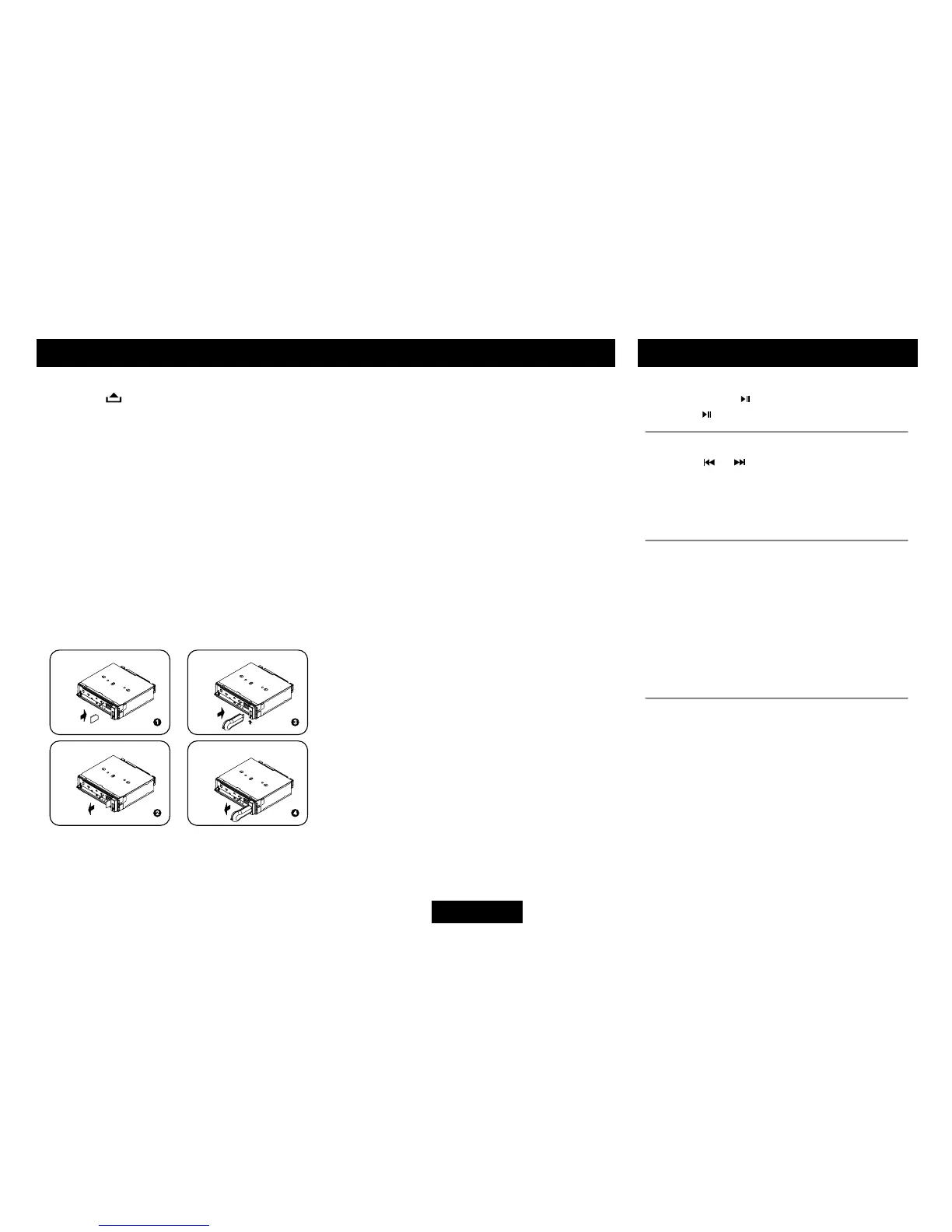
1. Loading SD/MMC card
Press
buttontoopenthepanel,insert
an SD/MMC card into theslot, with the
front side at left. The unit will play the
music automatically.
2. Taking out SD/MMC card
Push SRC button and switch to non CARD
mode, slightlypressSD/MMC card,take
out the card after it popped out.
3. Loading USB equipment
Open the cap, insert the USB into the
connector and the unit play the music in
the USB storer automatically.
4. Taking out USB equipment
Push the SRC button and switch to non
USBmode,thentakeofftheUSBstorer,
close the rubber cap.
USB/SD/MMC Operation
USB/SD/MMC Notes
USBfunctions(ashmemorytype)MP3music
play
1. SD/MMC card support.
2. USB flash memory 2 in 1 (SD/MMC)
support.
3. Fat 12/fat 16/fat 32 is possible.
4. File name : 32 byte/dir name : 32 byte/tag
name : 32 byte
5. Tag(ID3tagver2.0)
- title/artist/album : 32 byte support.
6. Multi card reader not support.
7. USB 1.1/2.0 support (It can not support
USB2.0speed.Just,getthesamespeed
withUSB1.1).
Not all kinds of USB devices are
compatible with the unit.
MP3/WMA Playback
Pause
Press the pause button to suspend play.
Press the
button again to resume play.
Track Select
Press the or for less than one second to
advancetotheprevious/nexttrack,orformore
than 2 seconds to fast forward or fast reverse
through the track. Playback begins when the
button is released.
Intro Scan (INT)
• Press theINT button once to selectINT
ONand playthe rst10secondsof each
track.
• PressINTagaintoselect“INTFOLD”and
play the first 10 seconds of each track in
the current folder.
• Toturnoff introscanandplaythe current
track,presstheINTbuttonagain.
Repeat (RPT)
• PresstheRPTbuttononce toselectRPT
ONandrepeatedlyplaythecurrentle.
• Press RPT again to select RPT FOLD
and repeatedlyplay all lesinthecurrent
folder.
• To turn off repeat play, press the RPT
button again.


 To Next Page