14
General
No power or no sound.
Car's engine switch is not on.
Turn your car's key to ACC or ON.
Cable is not correctly connected.
Check connection.
Fuse is burnt. Replace fuse.
Check volume or mute on / off.
If the above solutions cannot help.
Press the RESET button.
Radio
Noise in broadcasts.
Stationistoofar,orsignalsaretooweak.
Select other stations of higher signal level.
Preset station lost.
Battery cable is not correctly connected.
Connect the battery cable to the terminal
that is always live.
Troubleshooting
I f y o u s u s p e c t s o m e t h i n g i s w r o n g ,
immediately switch power off. Do not use the
unitinabnormalcondition,forexamplewithout
sound,orwithsmokeorfoulsmell,cancause
fire or electric shock. Immediately stop using
it and call the store where you purchased it.
Never try to repair the unit yourself because it
is dangerous to do so.
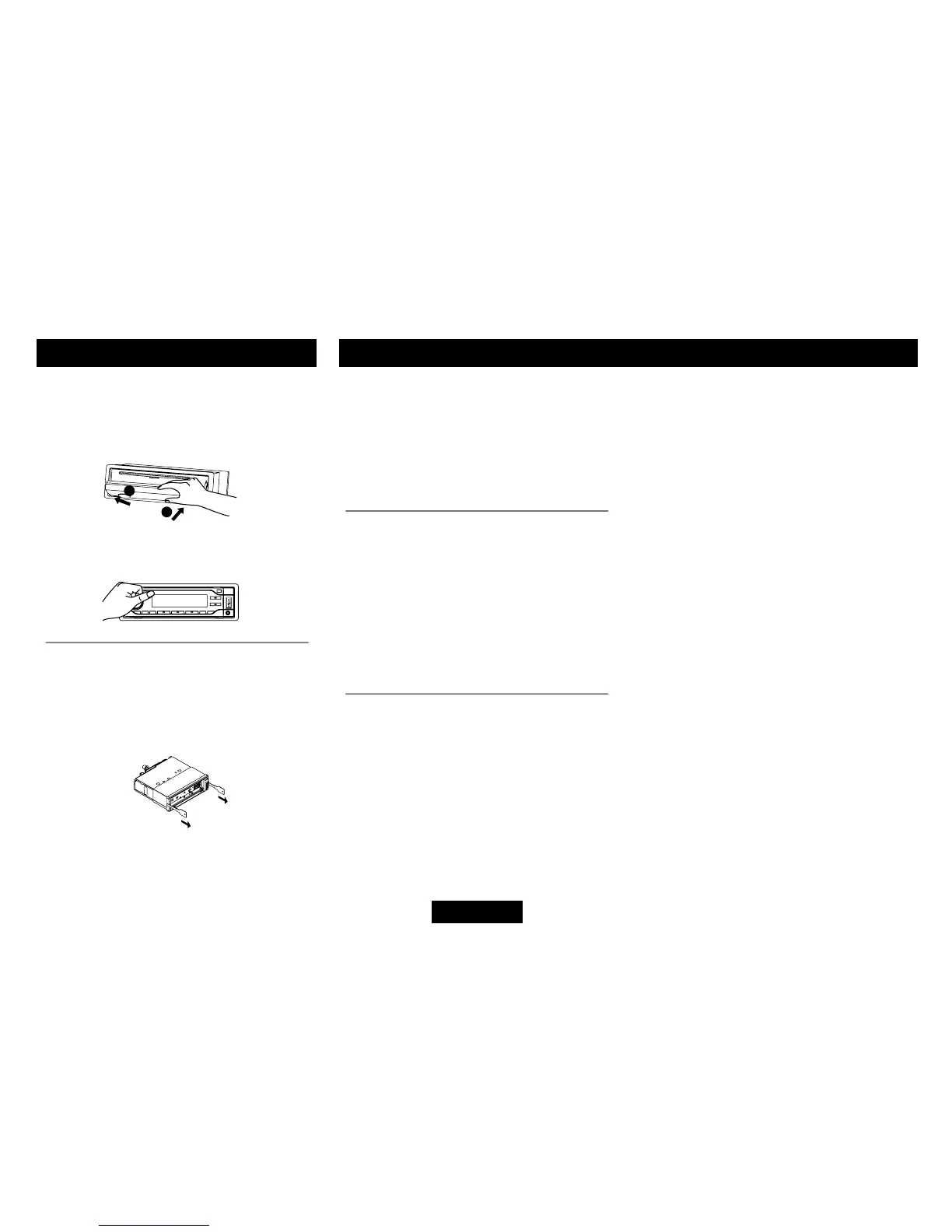
Installing the panel
• Holdthepanelandensurethepanelfaces
dwonward, and at an angle setone side
of the panel in the panel bracket.Press the
other side of the panel until it locks.
Anti-Theft System
Removing the unit
• Removethepanelandthetrimplate.
• Insertboth T-Keysintoholes on thefront
of the set until they lock.
• Pullouttheunit.
• Turnthepanel fromhorizontal to vertical,
push until it locks.
Disc
Disc is inside but no sound.
Disc is upside down.
Place disc in the correct direction, and the
label side up.
Disc is dirty or damaged.
Clean disc or change another disc.
Disc sound skips, tone quality is low.
Disc is dirty or damaged.
Clean CD or change another CD.
Sound skips due to vibration.
Mounting angle is over 30
o
.
Adjust mounting angle to less than 30
o
.
Unstable mounting.
Mount the unit securely with the mounting
parts.


 To Next Page