ALL RIGHTS RESERVED. NO PART OF THIS PUBLICATION MAY
BE REPRODUCED WITHOUT PRIOR PERMISSION.
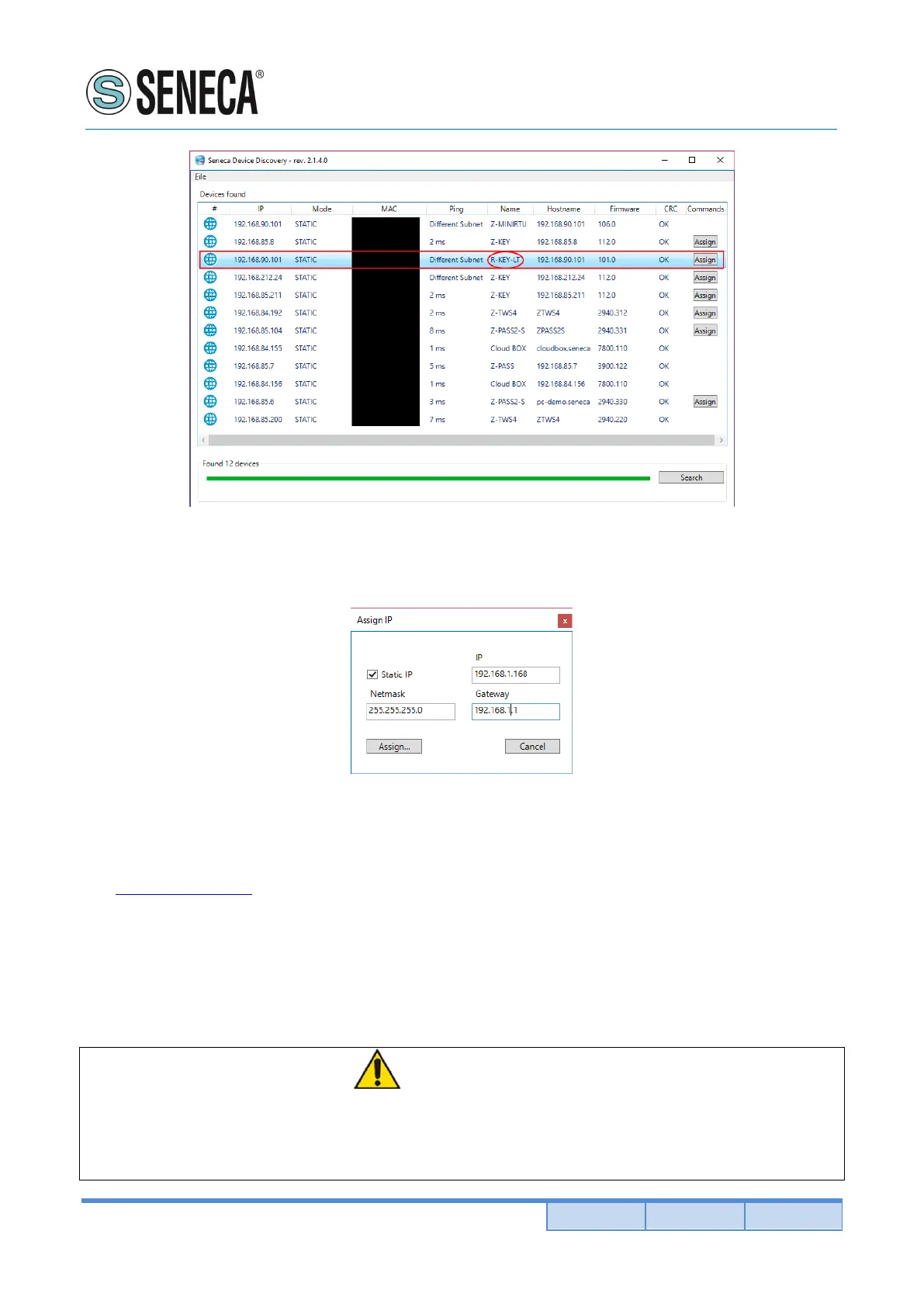
7) Force a static IP compatible with your PC: select the R-KEY-LT device with ip 192.168.90.101 and
click on the “ASSIGN” button
8) Now the device can be configured from the internal web server by typing in a browser the device ip
address, for example:
http://192.168.1.168
the default username/password are:
username admin
password admin
WARNING!
Don’t connect on a network two or more devices with the same ip address!
Don’t connect on a network two or more devices with the SW2 DIP1=OFF and SW2 DIP2=ON
configuration!


 To Next Page