ALL RIGHTS RESERVED. NO PART OF THIS PUBLICATION MAY
BE REPRODUCED WITHOUT PRIOR PERMISSION.
TRAFFIC MONITOR
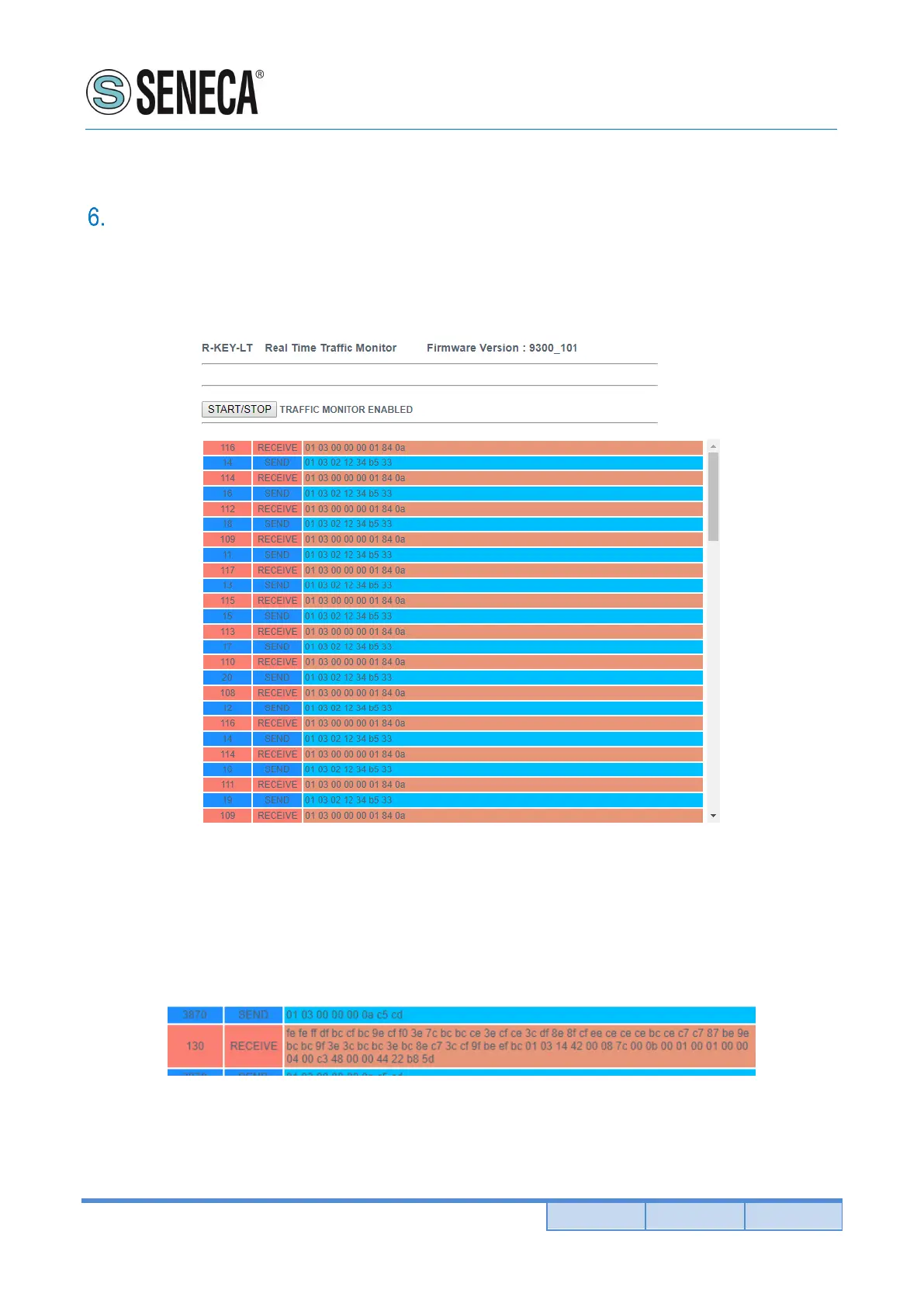
The Traffic Monitor page shows the packets that R-KEY-LT is receiving and transmitting for line debug
purpose:
The first column is the delay in milliseconds from the last packet, the second column is the packet verse
(received from R-KEY-LT or transmitted from the R-KEY-LT), the last column is the packet content in
hexadecimal format. Only the modbus stream is displayed (stripped of the TCP-IP layer).
In Modbus ethernet to serial mode the traffic monitor shows all the received packets from the serial line, for
example this is a serial slave with a Modbus wrong response:
In the modbus serial to ethernet mode the traffic monitor will display also bad packet in yellow (for example a
serial master with incorrect baud rate):


 To Next Page