ALL RIGHTS RESERVED. NO PART OF THIS PUBLICATION MAY
BE REPRODUCED WITHOUT PRIOR PERMISSION.
WARNING!
It’s not possible to connect more than one Modbus server using the same station address
ELECTRICAL CONNECTIONS
For more info please refer to the Installation manual, downloadable from:
http://www.seneca.it/products/r-key-lite
2.1. POWER SUPPLY
Connect the power supply to the electric clamp near the ethernet port:
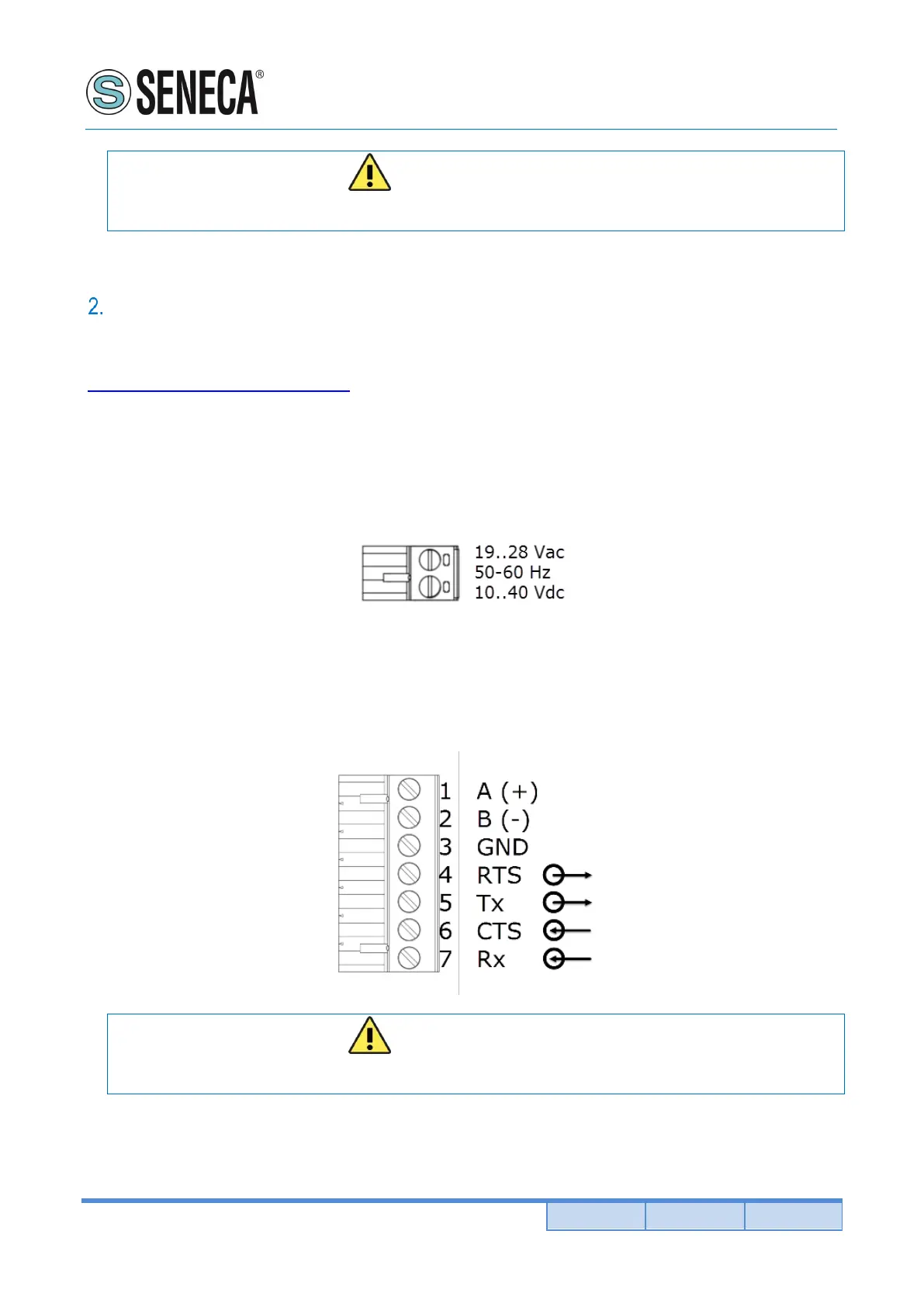
2.2. SERIAL RS485 / RS232 TERMINAL POSITIONS
Connect the electric clamp 1, 2 and 3 for use the serial port as RS485 or 3, 4, 5, 6, 7 for use as RS232.
WARNING!
The A (+) and B (-) terminal can be inverted in some serial devices


 To Next Page