ALL RIGHTS RESERVED. NO PART OF THIS PUBLICATION MAY
BE REPRODUCED WITHOUT PRIOR PERMISSION.
If the serial master makes a request to the slave address 10 the R-KEY-LT will request the registers from the
Modbus TCP-IP server #3.
If the serial master makes a request to the slave address >= 11 the R-KEY-LT will not convert the serial to
Ethernet packets (so modbus registers from slaves 11,12 etc.. can be directly requested from the RS485
master).
WARNING!
REMEMBER ALWAYS TO CONFIGURE THE WEBSERVER AUTHENTICATION USER NAME AND
PASSWORD FOR RESTRICT THE ACCESS TO THE WEBSERVER. IF YOU LEAVE THE TWO
PARAMETERS TEXT BOXES BLANK NO AUTHENTICATION IT’S REQUIRED FOR ACCESS
WARNING!
For using the webserver with Internet explorer 9 (or newer) you must enable the compatibility mode
(see the arrow below):
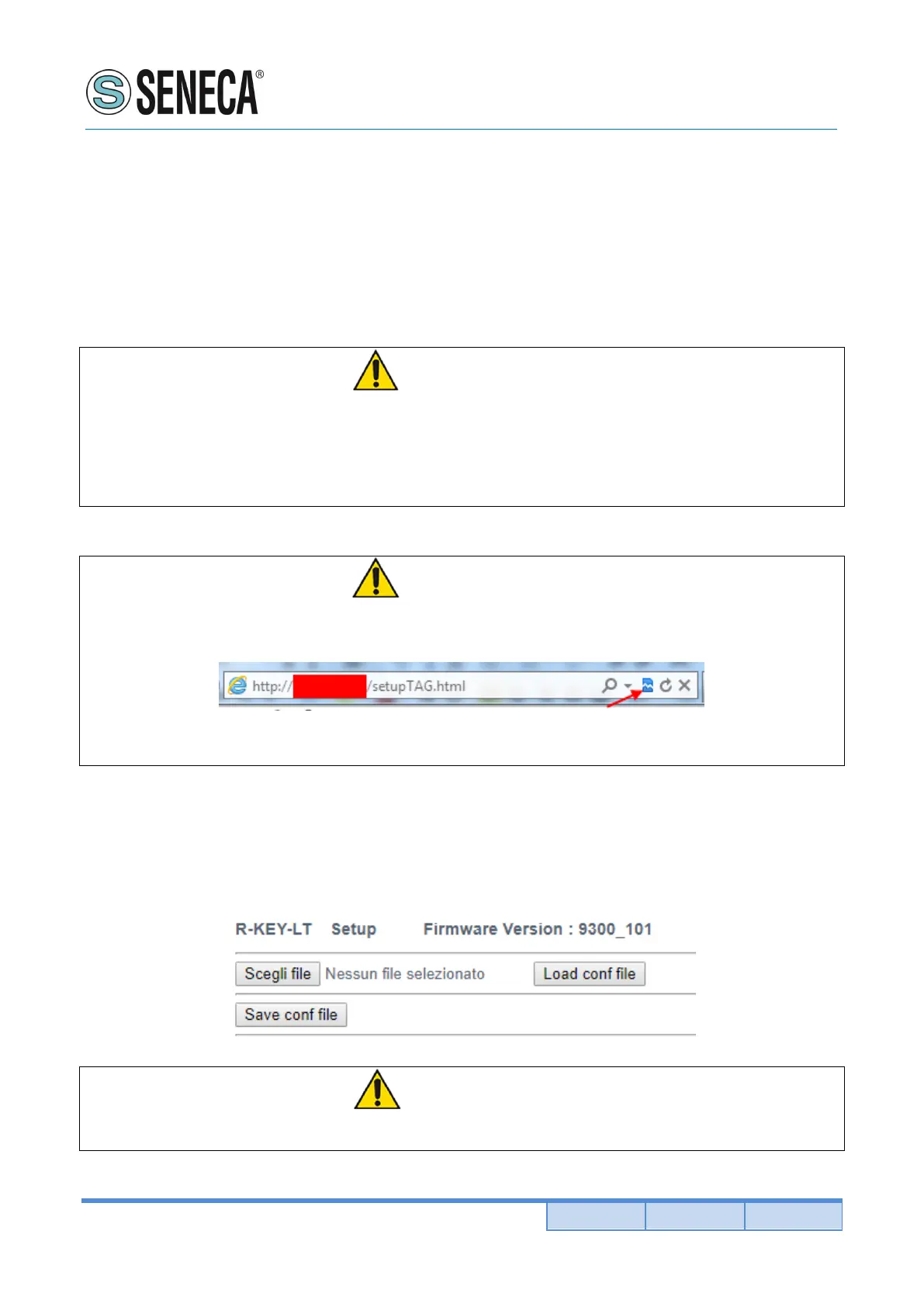
5.6. SAVE OR LOAD A CONFIGURATION
In the Setup page it’s also possible to export (save) or import (load) a configuration:
WARNING!
Don’t connect on a network two or more devices with the same ip address!



 To Next Page