16
Using the Set 830 S system
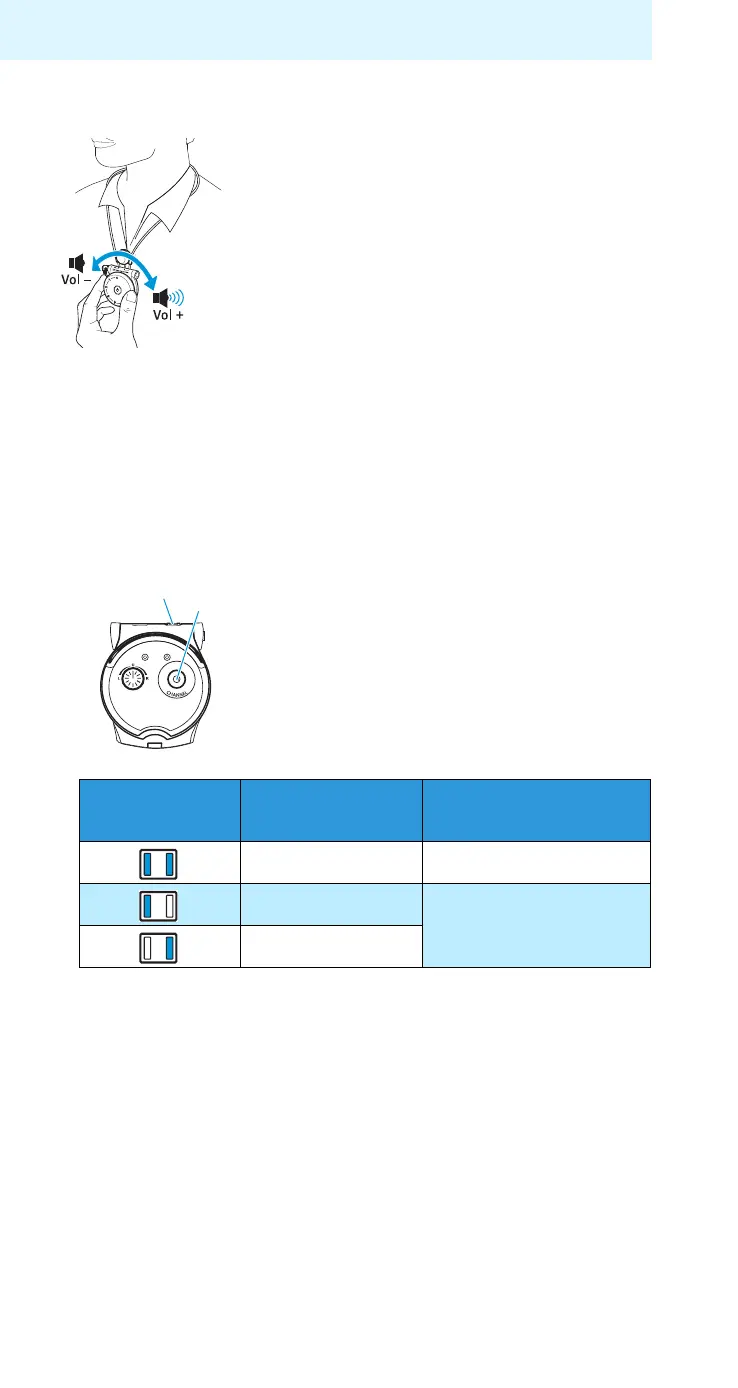
Adjusting the volume
Searching for a sound source
왘 Switch the receiver on.
Do you hear the desired sound source?
Yes: The receiver has already found the sound source.
왘 If you have not yet found your sound source, press the
channel search button once more.
If you still cannot find your sound source:
왘 Read the chapter “If a problem occurs ...” on page 24.
Note:
The channel indicator goes off after 30 seconds so
that the light won’t disturb you in a dark room.
왘 Use the volume control
2
to
adjust
the volume to a sufficient and
comfortable level.
No:
왘 Briefly press the channel search
button 5.
The sound source is searched for.
On the receiver, the channel indi-
cator 1 can light up as follows:
Channel
indicator Frequency
You hear the
sound in
2.3+2.8 MHz stereo
2.,3 MHz
mono
2.8 MHz
5
1










 To Next Page