7
Putting the Set 830 S into operation
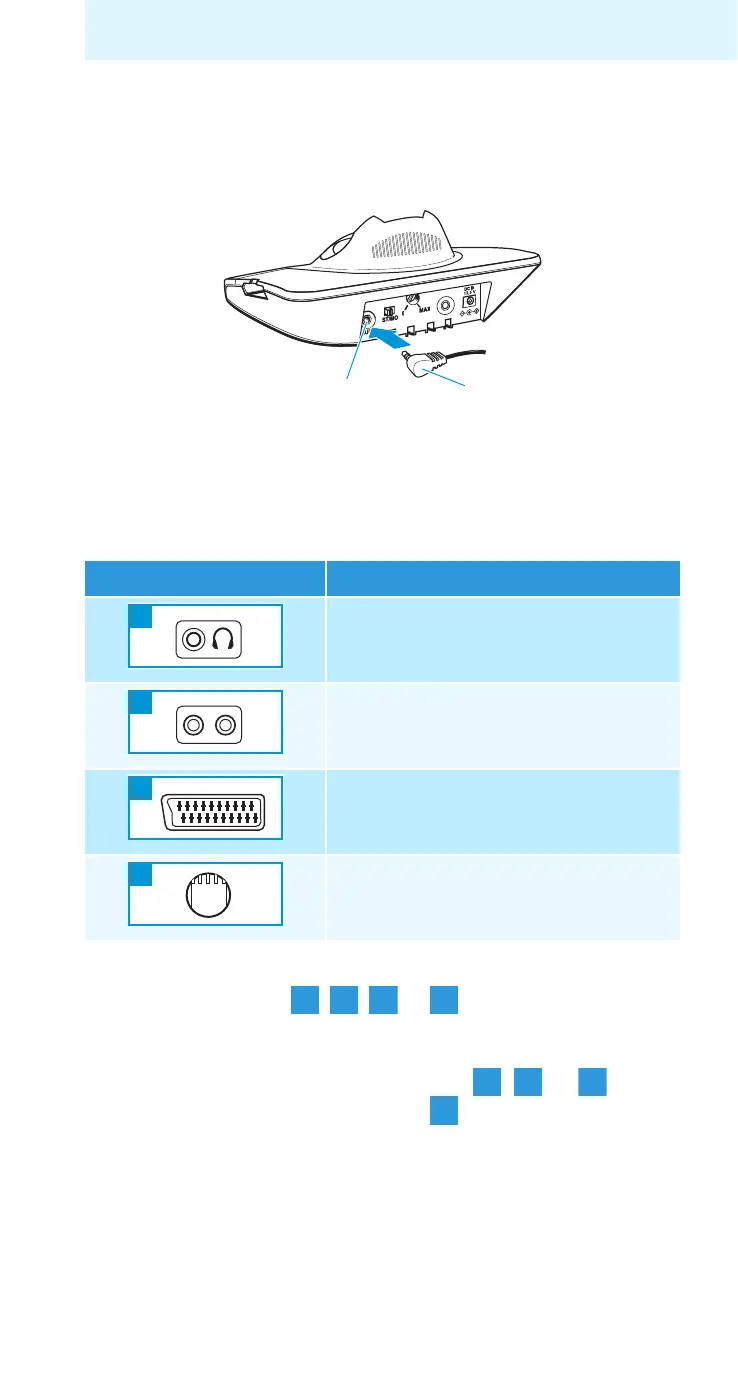
Connecting the transmitter to a sound source
왘 Switch your sound source (e.g. TV) off before connecting
the transmitter.
왘 Plug one end of the connection cable I into the blue
socket
E of the transmitter.
왘 Check the available connection possibilities of your
sound source (e.g. TV).
왘 Connect the transmitter as described in the corre-
sponding chapter , , or .
Note:
– If there are several connections ( , or ) avail-
able, select the SCART socket .
– SCART adapter and microphone are also available as
accessories (see page 30).
Connection possibility Name of connection possibility
Headphone socket
RCA socket
SCART socket
MKE 800 TV-N
external microphone
E
I
A
B
LR
C
D










 To Next Page