Putting the Set 880 into operation
10 | Set 880
Connecting the transmitter to audio sources
You can connect the transmitter to a digital and/or an analog
audio source (e.g. a TV and a stereo hi-fi system) and switch
between the audio sources/inputs.
b Switch your audio source off before connecting the trans-
mitter.
b Check the connection possibilities of your audio source
(audio output, usually marked “OUT”).
b Select the corresponding connection cable and, if neces-
sary, a suitable adapter.
b To connect the transmitter to your audio source, refer to the
connection diagram suitable for your audio source (see the
following chapters). Follow the color codings on the trans-
mitter and on the cables.
You can also refer to the beginner’s video guides on how
to connect your digital wireless headphone system to a
TV:
www.sennheiser-hearing.com/how-to-videos
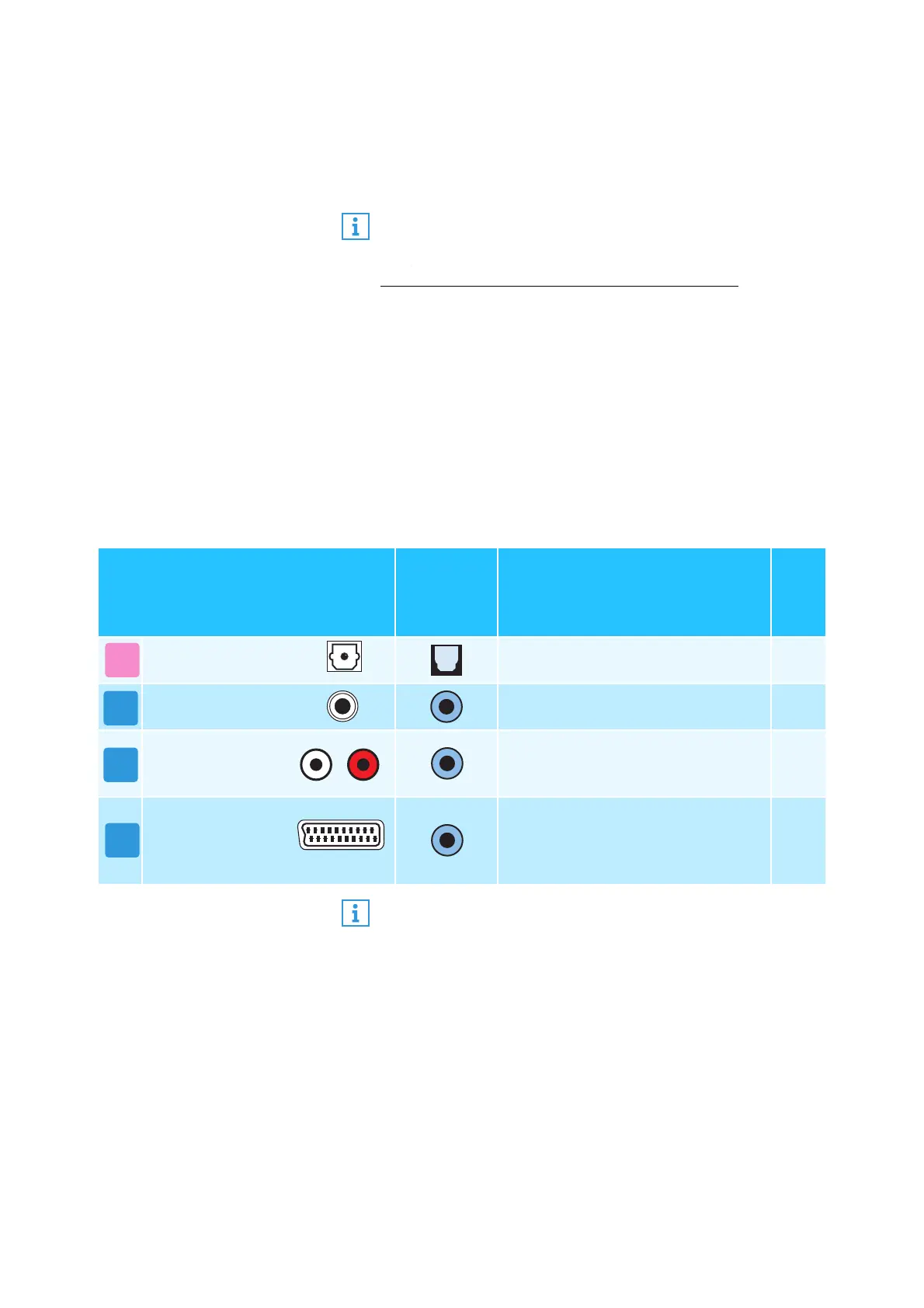
Connection possibilities of the
audio source
Color
coding on
the
transmitter
Connection cable
Page
Optical (digital) Optical digital cable 11
3.5 mm jack
socket (analog)
Stereo audio cable 12
RCA (analog)
Stereo audio cable with RCA
adapter (3.5 mm jack socket to
2 RCA connectors)
13
SCART (analog)
Stereo audio cable with SCART
adapter (3.5 mm jack socket to
SCART connector; optional
accessory)
13
B
C
If you want to connect the transmitter to a TV that has
only one HDMI output, you need an active HDMI audio
adapter. Using this adapter, you can connect your TV to
the transmitter.
An HDMI audio adapter and/or other accessories are
available from your Sonova Consumer Hearing partner.





 To Next Page