13
Using the bodypack transmitter
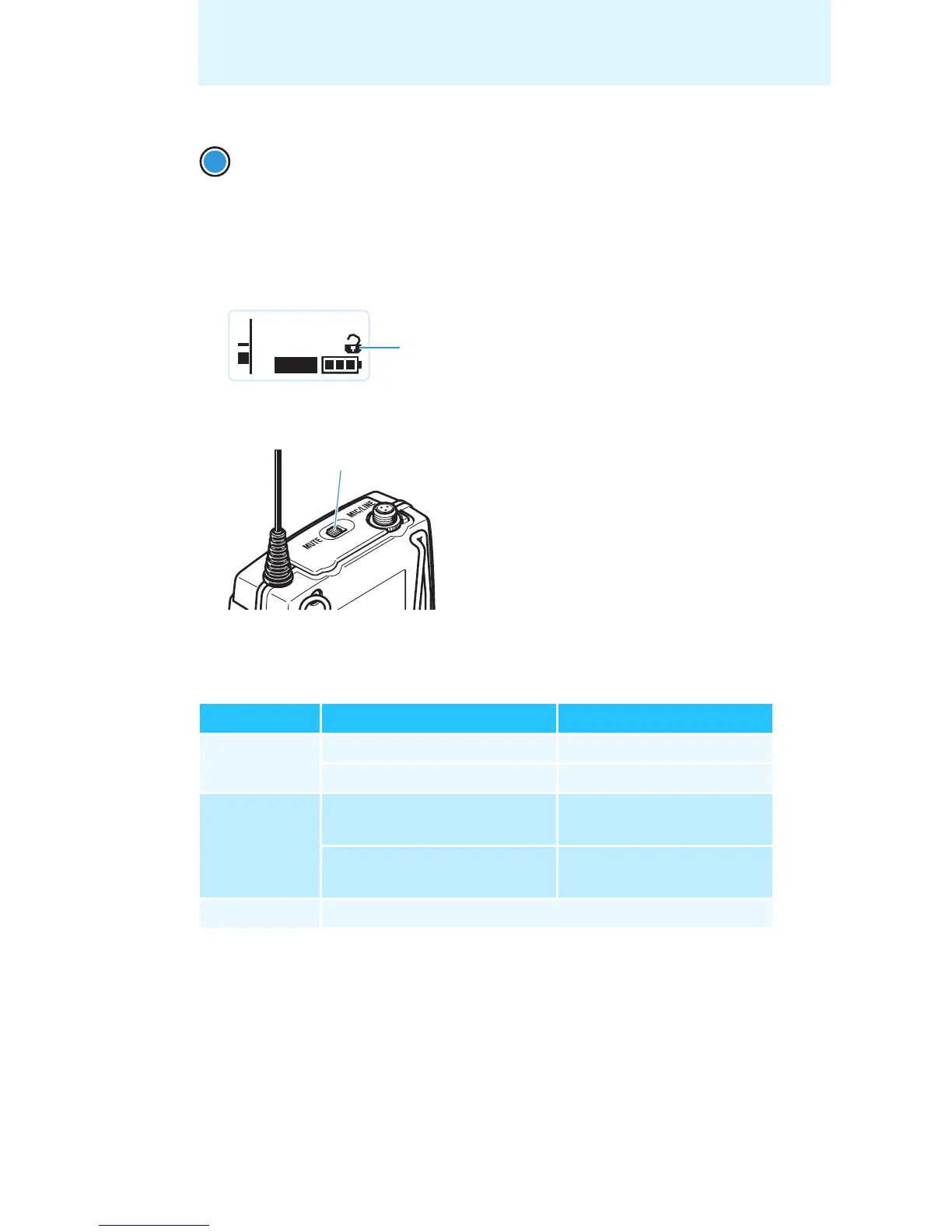
The lock mode icon flashes prior to the lock mode being activated again.
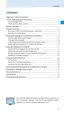
Muting the audio signal or deactivating the RF signal
The MUTE switch allows you to mute the audio signal or to deactivate
the RF signal. Via the “Mute Mode” menu item, you can set the desired
function of the MUTE switch (see page 25).
왘 From the “Mute Mode” menu item, select the desired setting (see
page 25).
왘 Exit the operating menu.
왘 Slide the MUTE switch to the left, to the position MUTE.
The bodypack transmitter reacts as indicated in the table.
왘 Press the SET button.
The lock mode is temporarily deactivated.
– When you are in the operating menu, the lock mode
remains deactivated until you exit the operating menu.
– When one of the standard displays is shown, the lock mode
is automatically activated after 10 seconds.
Setting Slide the MUTE switch ... Function
“AF On/Off” ... to the left (position MUTE) Mutes the audio signal
... to the right Unmutes the audio signal
“RF On/Off” ... to the left (position MUTE) Deactivates the RF signal
(offline operation)
... to the right Activates the RF signal
(online operation)
“Disabled” No function
SET
MHz
543.200
**2000**
MUTE
P
AF










 To Next Page