IoT into the Wild
4
1. Product Introduction
1.1 Introduction
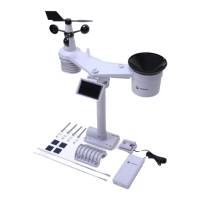
The S2120 Weather Station monitoring Air Temperature, Humidity, Wind Speed/Direction,
Rainfall, Light, UV Index, and Barometric Pressure measurements provides you with
hyperlocal weather at your fingertips.
Perfect for home, office, or business use, this professional home weather station allows you
to monitor your backyard weather conditions from anywhere. Protect your family, the house,
and your garden with minutes updates in weather changes. Additionally, S2120 weather
stations also support applications in agriculture, meteorology, urban environmental
monitoring and other scenarios.
Smart and connected, the S2120 provides data on your phone, tablet, computer browser. We
provide the SenseCAP Mate App, users can quickly view data via the App. We also provide
SenseCAP Portal to manage your weather station through the Web page.
The S2120 is a standard LoRaWAN sensor that can be connected to any LoRaWAN
gateway and service.
1.2 Quick Start Guide


 To Next Page