IoT into the Wild
13
5. LED of Sensor Working Status
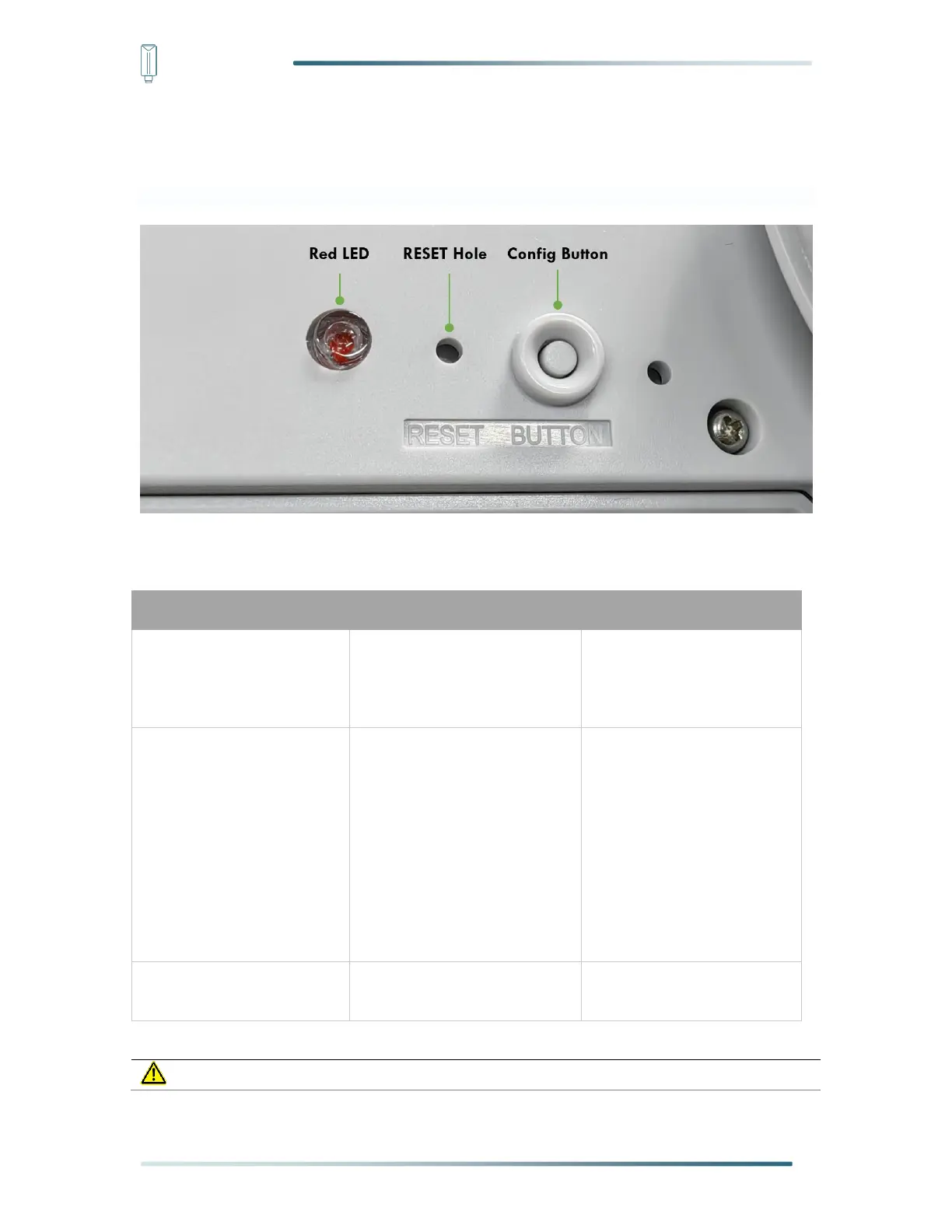
At the bottom of the weather station are buttons and indicators:
You can refer to the LED indicator for the Sensor for it’s working status. Please see the status
explanations in the chart below:
Install the battery, power on
for the first time
Power on and activate the
Bluetooth
The red LED light will be on.
It needs to connect
Bluetooth and configure the
frequency.
Press “config button” once
Reboot device and join LoRa
network
1. Waiting for join LoRa
network: the led
breathing light flashing
2. Join LoRa network
success: LED flashes
fast for 2s, then go out
3. LoRa network join
failure: LED will always
breathe flashing
Press “config button” and
hold for 3s
The sensor will be restored to
factory Settings


 To Next Page