IoT into the Wild
12
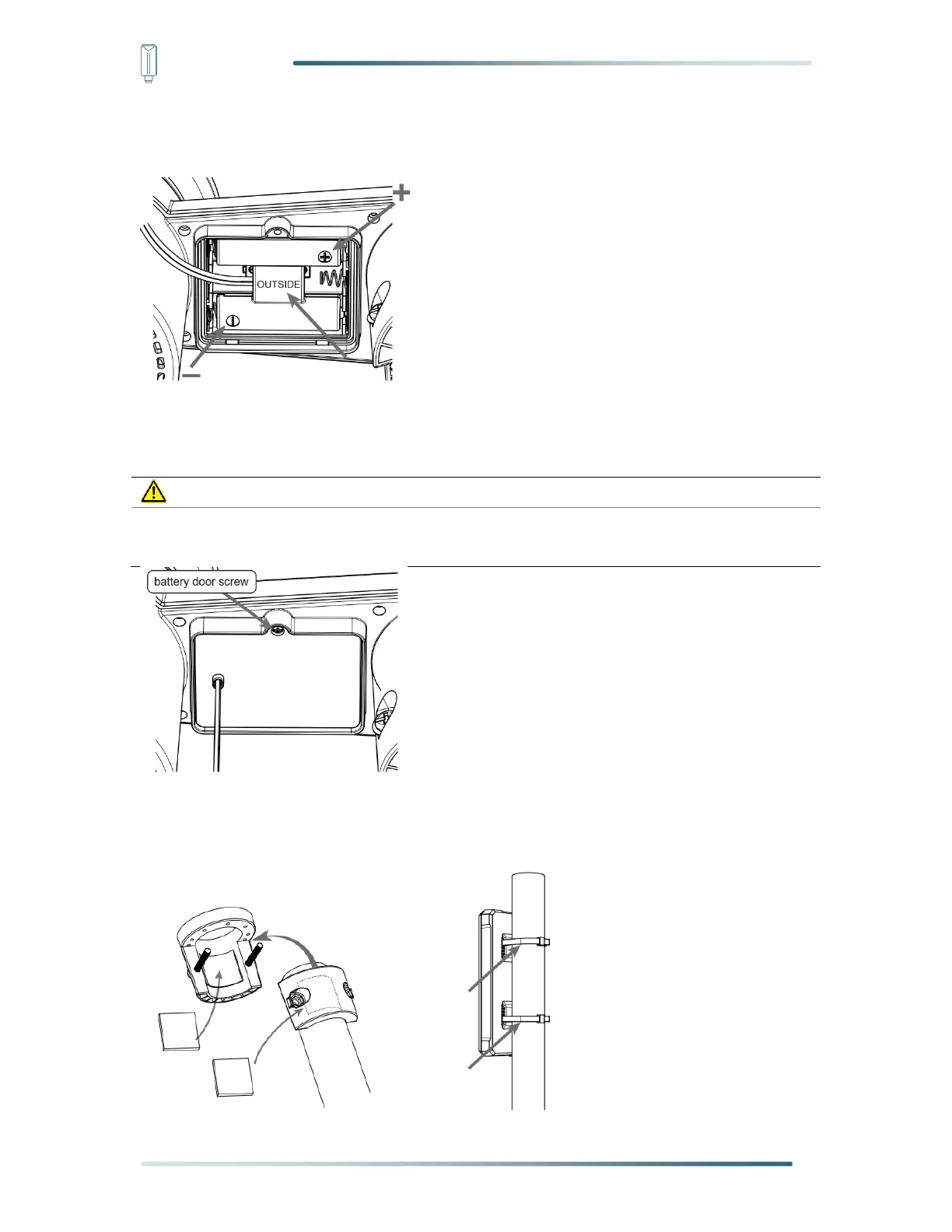
Step 5: Insert the dummy battery to the battery compartment, make sure the “OUTSIDE”
marking faces outside and the +/- polarity in correct orientation.
Step 6: Replace with the battery door which come along with the external battery box, then
tighten the battery door screw. Once the installation completed, the red LED indicator at the
bottom of the weather station will be flashing.
If the dummy battery is not installed in correct orientation, battery power connection will be
failure and the LED indicator will not be flashing.


 To Next Page