IoT into the Wild
48
12.2.2 Install the Mounting Pole
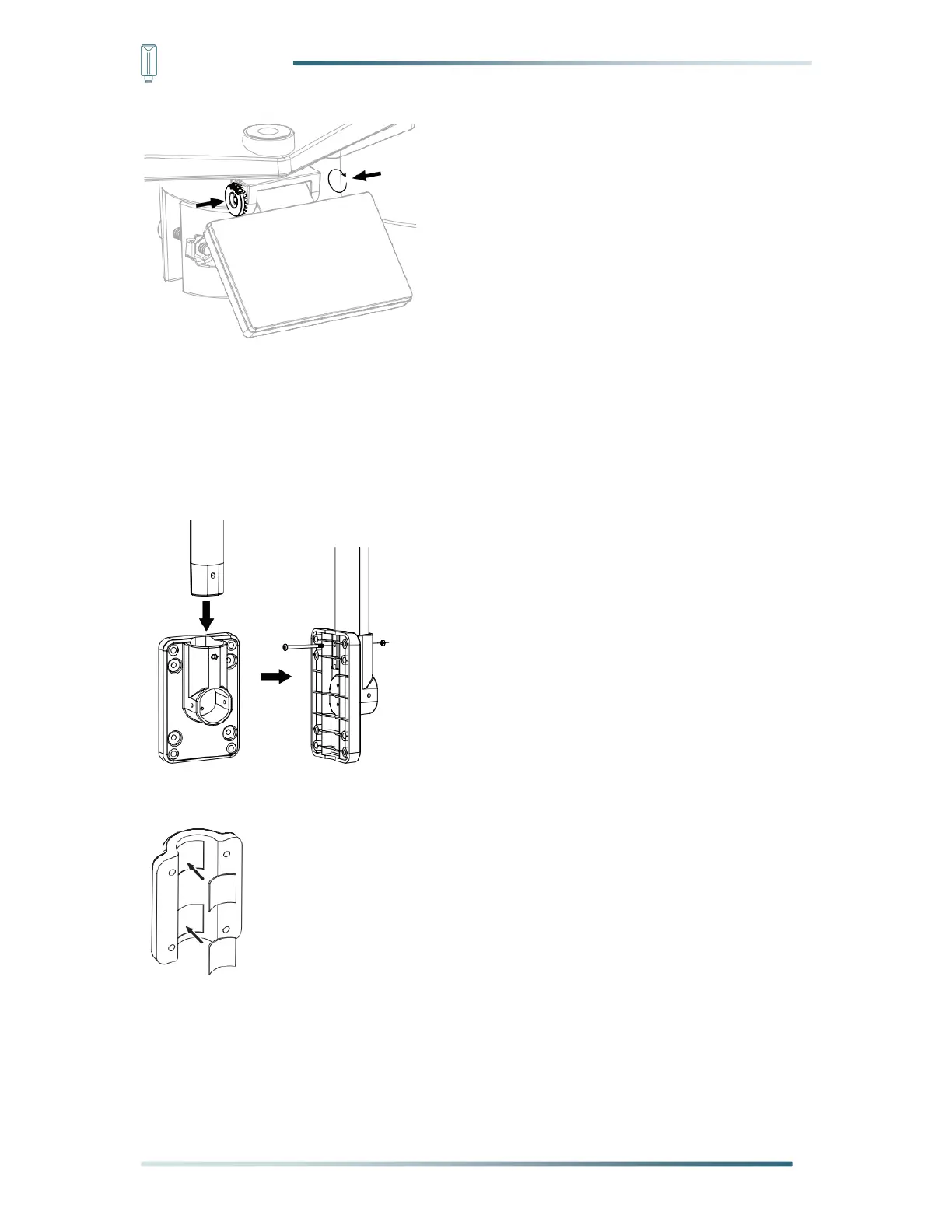
Step 1: Fasten the plastic pole onto your fix pole with mounting base, clamp, washers,
screws and nuts. Following below sequences:
1) Insert the plastic pole into the hole of the mounting stand, and then secure it with the
screw and nut.
2) Apply 2 rubber pads on the mounting clamp.
3) Fasten the mounting stand and clamp together onto a fix pole with 4 long screws and
nuts.


 To Next Page