IoT into the Wild
10
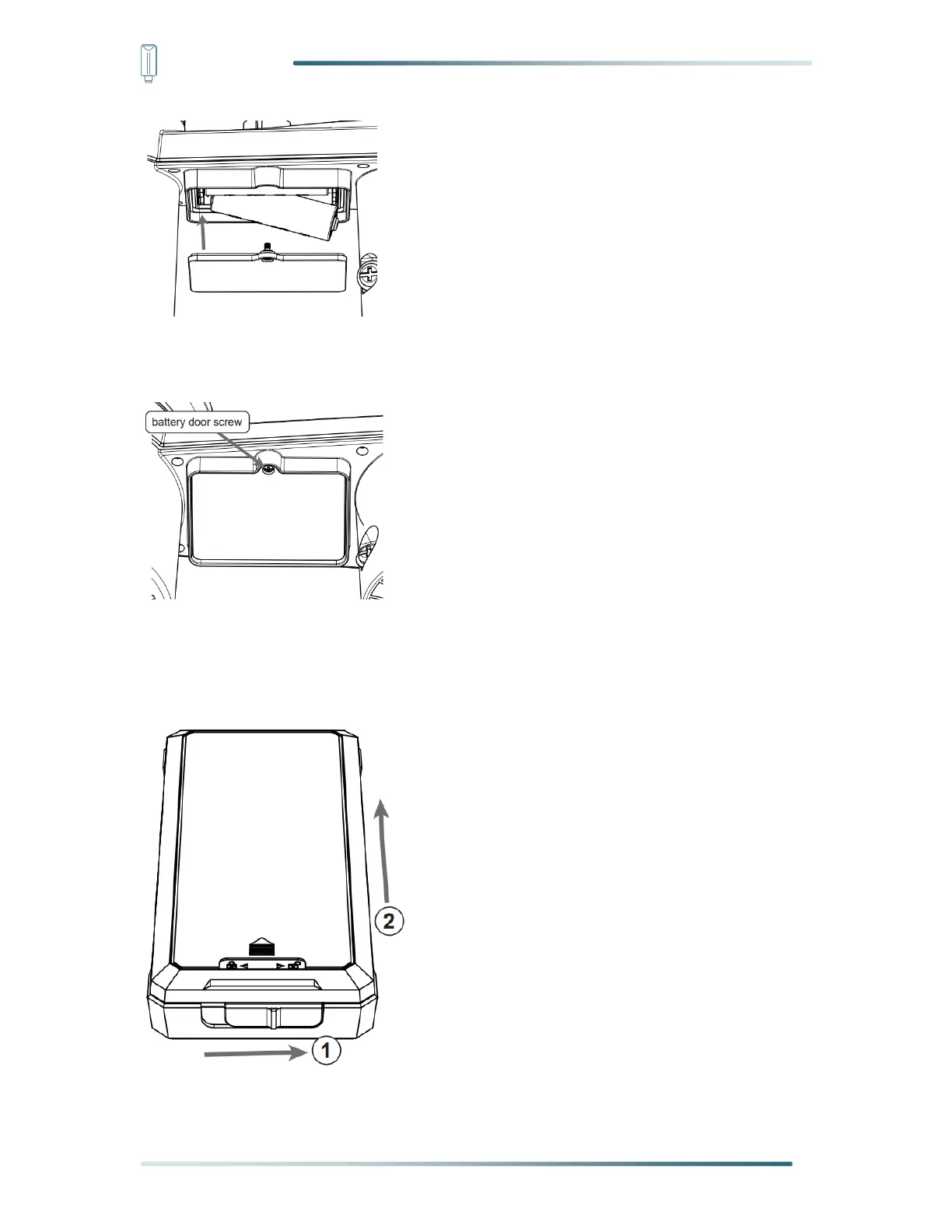
Step 3: Tighten the battery door screw. Once the installation completed, the red LED
indicator at the bottom of the weather station will be flashing.
4.4.2 Install the battery with external box
Step 1: Slide the battery box lock switch to unlock position. Push to open the battery box
door according to the arrow direction.
Step 2: Insert the 6 AA batteries according to the +/- polarity indicated.


 To Next Page