Using your eBee X
10.3 Step 3: Install the camera
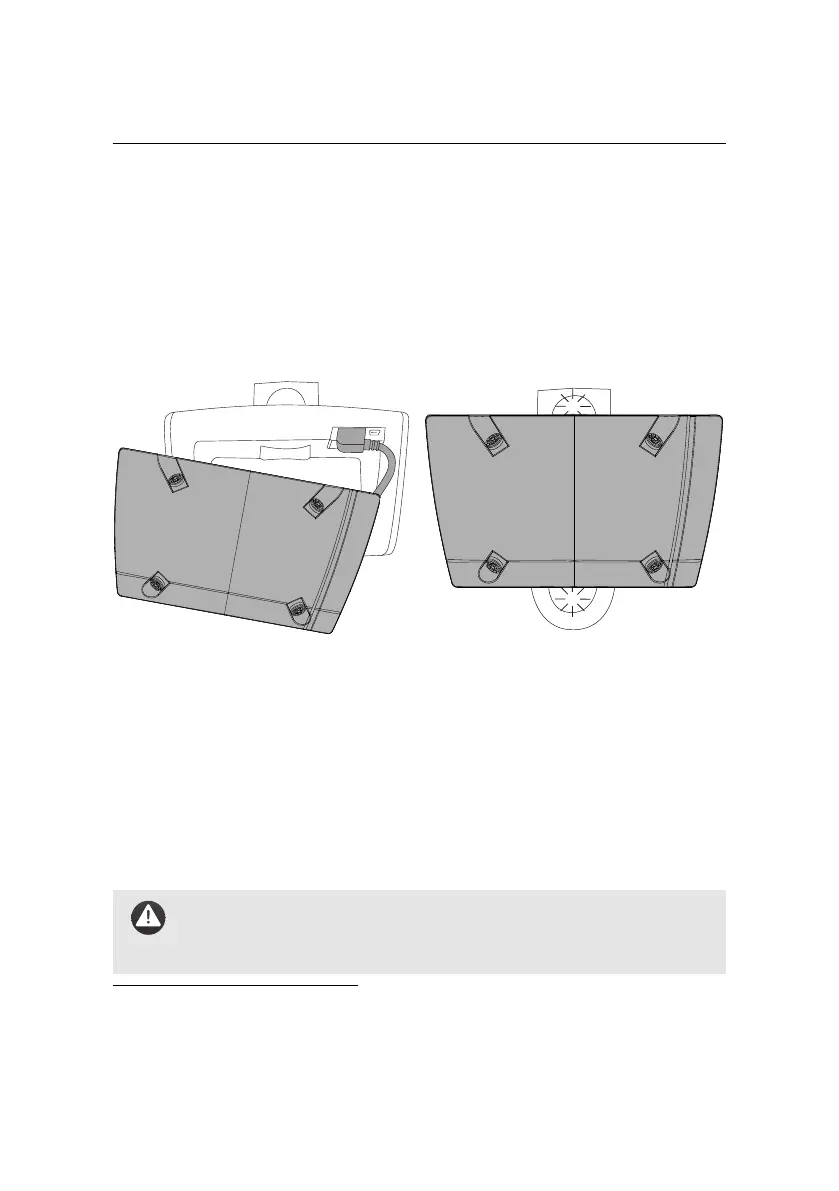
Follow these instructions to install the S.O.D.A. 3D into the drone’s camera bay.
To install other cameras, please refer to the camera’s user manual².
Installing the camera into the drone
1. Ensure that nothing is connected to your drone. That is, your drone’s bat-
tery is not connected, and your drone is not connected to a computer.
2. Make sure the SD card is not full. Insert it into the camera and close the
cover.
3. Plug the camera connector into the socket within the eBee X’s camera bay.
4. Install the camera into the drone’s camera bay.
Caution: eBee Xs are not designed to fly without the camera. At-
tempting to fly without the camera may render the drone unstable,
leading to a crash.
² some cameras may require a separate SD card. Please refer to your camera’s user manual for full
installation instructions.
38



 To Next Page