Using your eBee X
11.2 Understanding the ground modem LED indicator
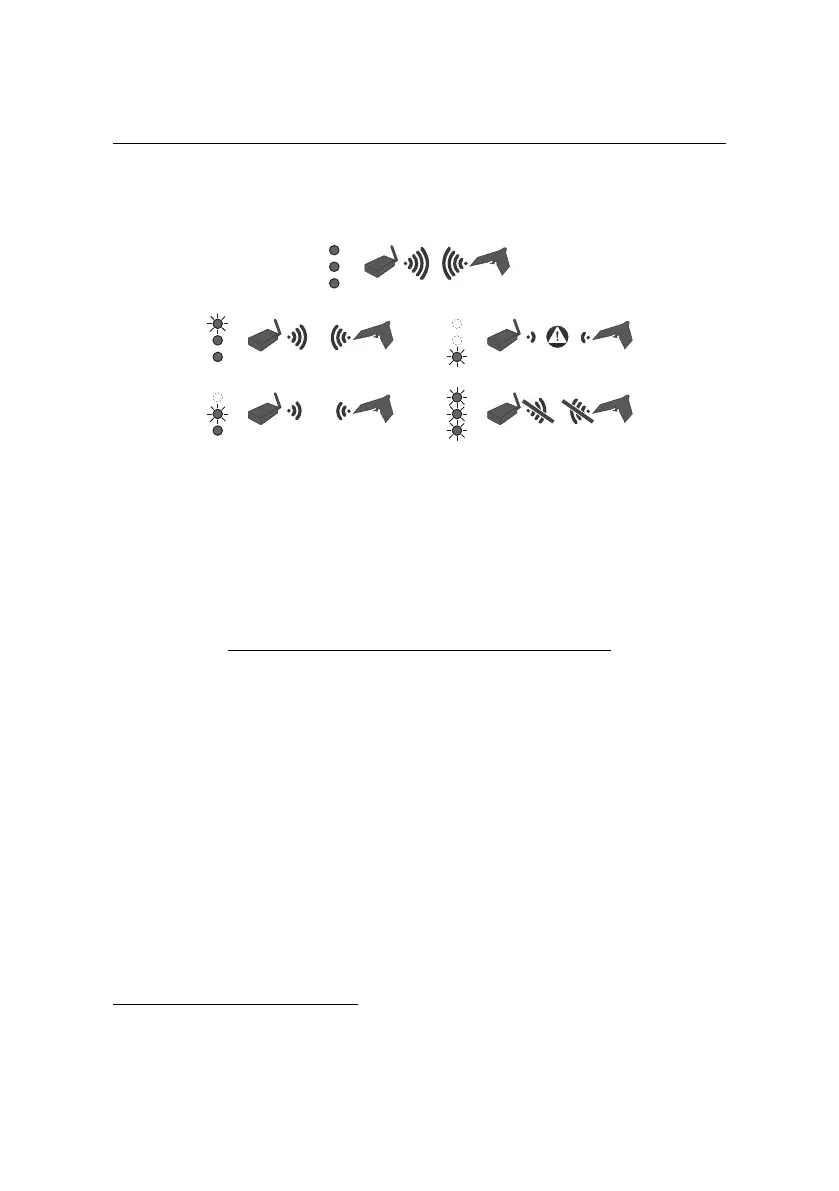
The ground modem has 3 red LEDs.
When you power on the modem by connecting it to your computer, the red LEDs
will briefly shine, then switch off while the modem is starting up. After approxi-
mately one minute, when the modem is ready, the LEDs will indicate the status of
the connection to your eBee X:
LED(s) Connection strength
2 LEDs lit + 1 blinking Strong
1 LED lit + 1 blinking Moderate
1 LED blinking Weak
All (blinking) No connection
11.3 Troubleshooting connection problems
If, during flight, the ground modem LEDs switch off, leaving only one blinking LED,
you are at risk of losing the connection with your drone. You should take action
to improve the connection.
If, during flight, all 3 LEDs start blinking and eMotion reports that you have lost
the connection with your drone⁴, the drone carries out a safety action. You should
take action to improve the connection.
⁴ see your eMotion user manual
48



 To Next Page