72
Section 6 Scanner
®
2000 microEFM for Foundation™ Fieldbus
To replace a lithium battery pack, perform the following steps:
1. Unscrew the cover from the enclosure and set it aside.
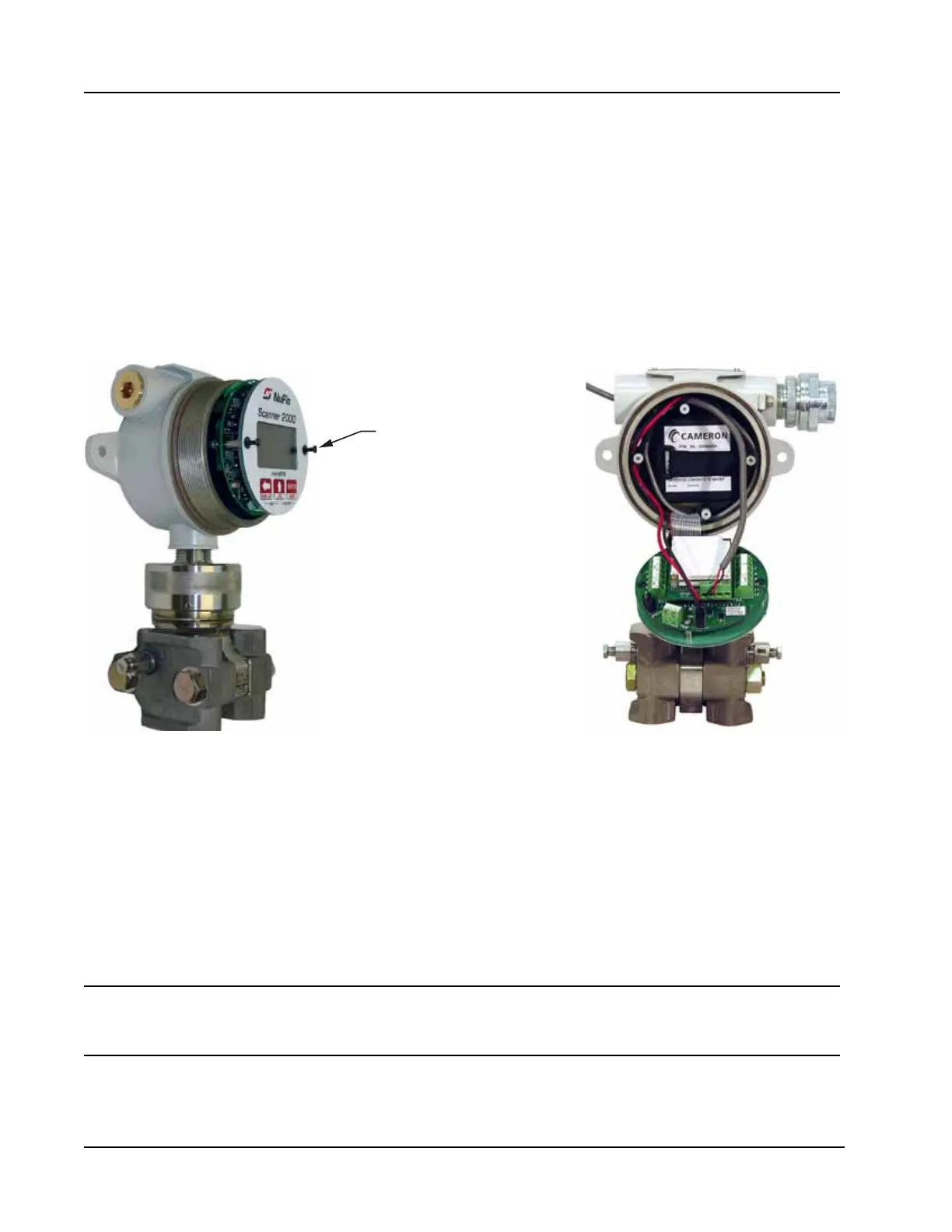
2. Using a small standard blade screwdriver, remove the two #4-40 × 7/8” screws located to the right and
left side of the display (Figure 6.1).
3. Lift the board assembly from the enclosure, making sure it does not contact the enclosure.
4. Disconnect the eldbus input cable from TB4 of the eldbus interconnect board. If the bus is powered,
take precautions to prevent the eldbus conductor wires from touching and short-circuiting the network.
5. Loosen the Velcro strap, disconnect the battery from the J1 connector on the main board, and remove the
spent battery pack from the enclosure (Figure 6.1).
Remove screws to
release keypad/circuit board
assembly from enclosure
Figure 6.1—Removal of the battery pack from the enclosure
6. Install the new battery pack in the enclosure in the same position as the original battery pack, and secure
the Velcro tightly around it.
7. Connect the replacement battery pack to the J1 connector.
8. Reconnect the eldbus input cable to terminal block TB4 on the eldbus interface board.
9. Place the board assembly over the standoffs and fasten with the two #4-40 × 7/8” screws, ensuring that all
connector wiring is inside the enclosure.
10. Replace the enclosure cover.
Important AninterruptionofpowertotheScanner2000willcausetheinternalclocktimetobe
incorrect.ResetthetimeusingthekeypadontheswitchplateortheModWorX™Prosoft-
ware.SeeEditingtheDateandTime,page58,fordetails.



 To Next Page