MT4412E Rev.3 15/10/2019 Page 26 of 30
ALARM
The Alarm status is activated when one or more gas detectors measure a gas
concentration higher than the alarm threshold set during the configuration of the central
unit.
Programming of alarm thresholds and other parameters of each channel can be set during PC
configuration.
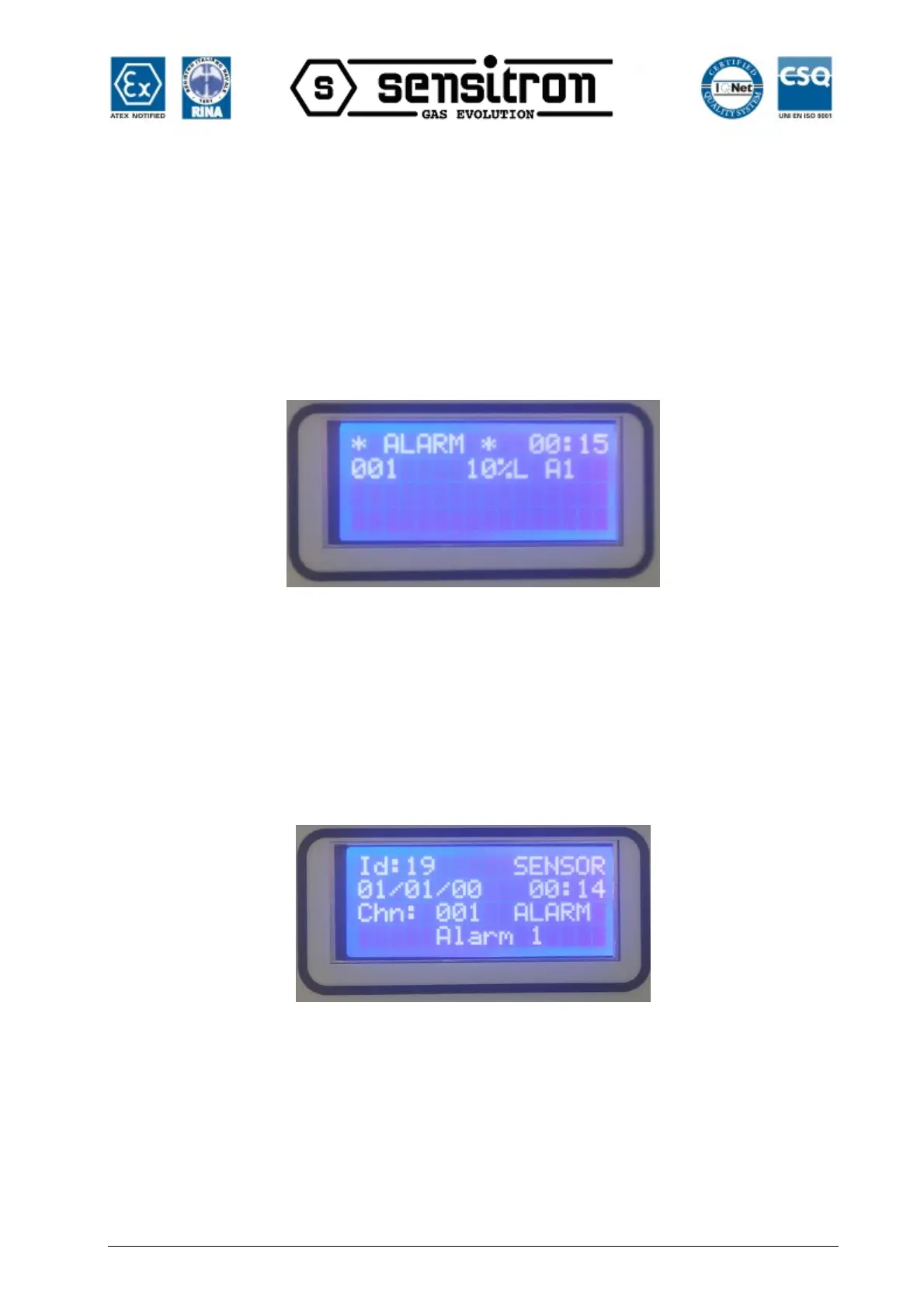
In the alarm window the following info is available:
Fig. 3.2.1.b) Screen in Alarm status
If there are Alarms from multiple gas detectors the, the alarm screen will present the
information of the different channels in the following manner:
• The events are ordered by severity, as follows: Over-range, Alarm3, Alarm2, Alarm1;
• Over-range is seen as an Alarm event with the highest severity.
By pressing the Enter key, with an alarm event selected, a screen opens that shows the
event details:
Fig. 3.2.1.c) Alarm1 event detail screen
From the main screen, by pressing the MENU button and selecting ACTIVE EVENTS, it
is possible to view the channels in Alarm/Fault status that have not yet been reset.
FAULT
The Fault status will be activated in the following situations:


 To Next Page