MT4412E Rev.3 15/10/2019 Page 28 of 30
Warning: a gas detector in OFF status does not generate an alarm.
EMERGENCY
This is a particular malfunction status that can occur for the following two reasons:
• Malfunctioning of the Vcc power supply of the central unit
• Lack of 230 Vac primary power supply
3.3) MENU
In normal status, the list of gas detectors managed by the central unit appears on the
main screen. By pressing the MENU button , the sub-menus described below with
their corresponding function will appear
SET changes the status from unset to set for sensors and/or relays
UNSET changes the status from set to unset for sensors and/or relays
TEST selects the Test mode for sensors and relays
END TEST returns the sensors or relays in Test mode to normal operation
ALARM THRESHOLDS allows to view and/or modify sensor alarm thresholds
RELAY DELAY allows to view and/or modify relay activation and de-activation delay
times
EVENT LOG allows viewing of the history of events
SYSTEM INFO information about the central unit (name, FW and HW versions, etc.)
ACTIVE EVENTS (appears only if there are active events, i.e. Alarms or Faults that have
not been reset)
3.4) ACTIVE EVENTS and event management
By selecting ACTIVE EVENTS and pressing ENT, a list of current active events is
displayed.
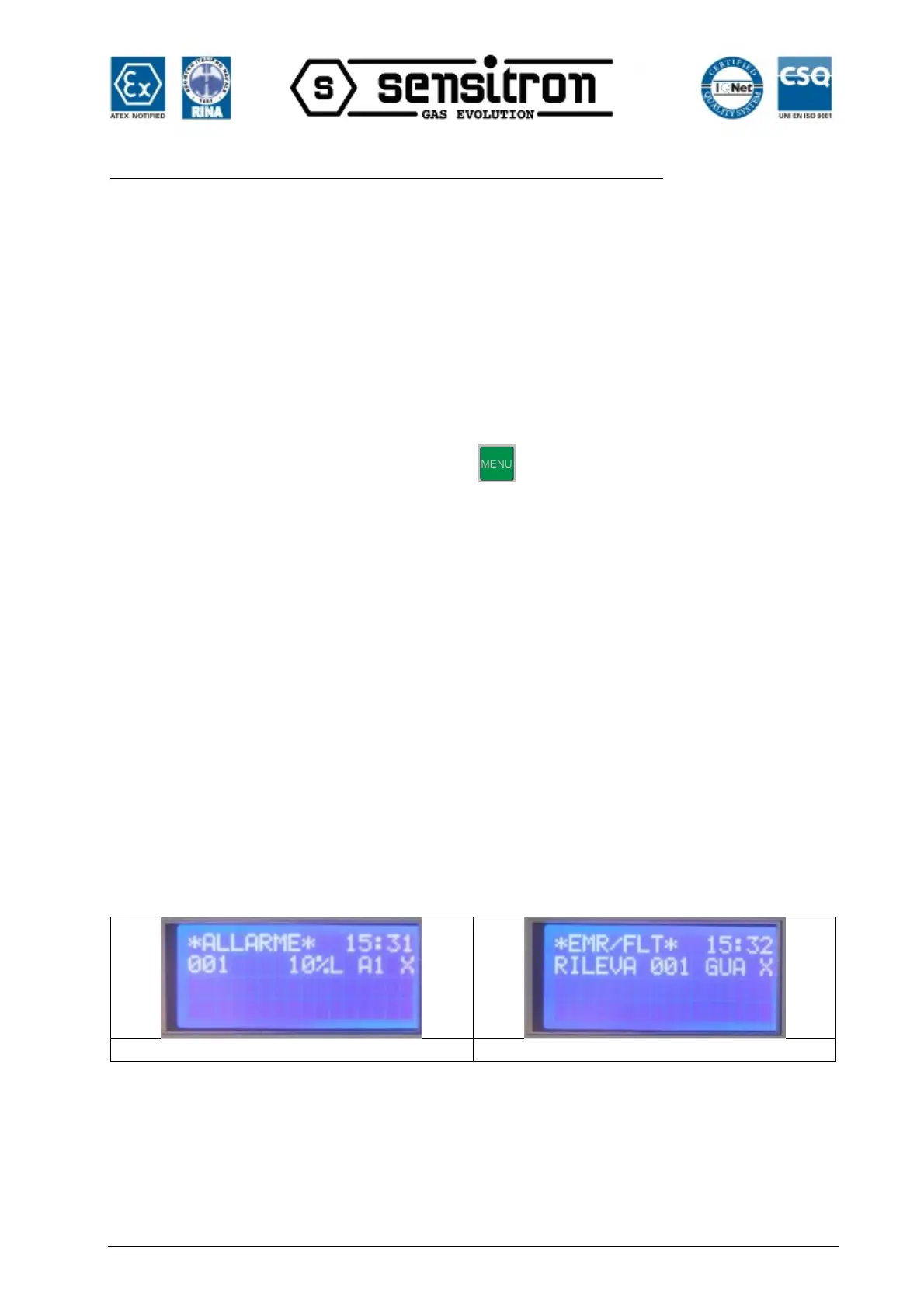
If there are active Alarms and Faults/Emergency situations, they will be shown on two
screens.
Fig. 3.5.1 Active Events Screen
When a new event occurs, the screen will automatically switch to the ACTIVE EVENTS
list and the buzzer of the central unit will sound. Until ACK is pressed for the new event,
it will not be possible to go back to the main screen.
The screens in Figure 3.5.1 show events for which ACK has not yet been pressed. Once
the event has been acknowledged (pressing ACK), an "X" is shown in the right column.


 To Next Page