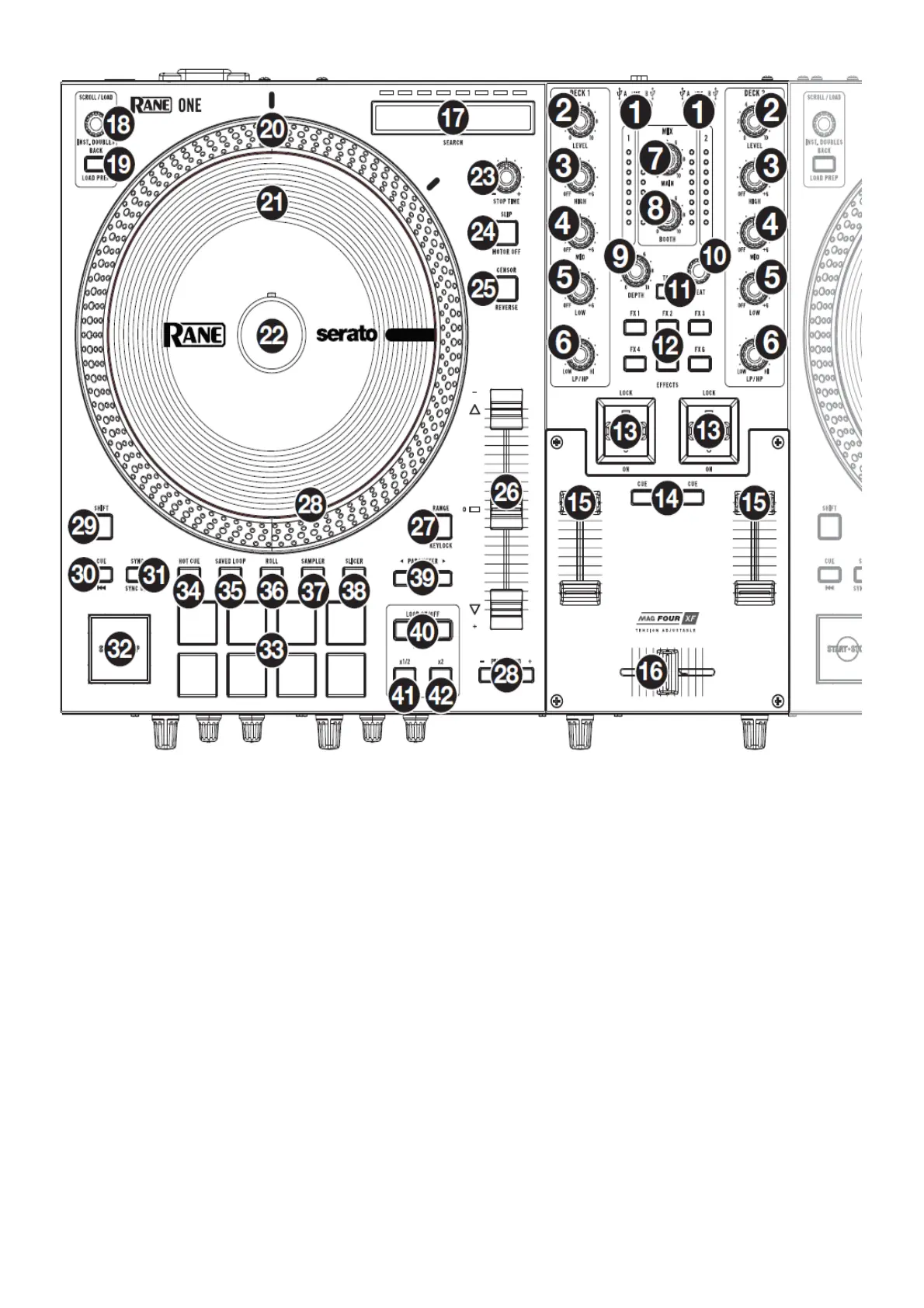
Top Panel
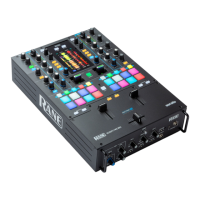
1. Deck Source: Set this knob to the desired audio source from this channel: USB A or B (a track playing on that
layer in the software), or Line (a device connected to the Deck Phono/Line In on the rear panel).
Note: If you select Line, set the Phono/Line selector switches on the rear panel properly. Note: A deck’s
controls will send MIDI information only when its deck source selector is set to USB A or B.
Note: If you are using DVS with ONE, connect your turntables to the phono input, but set the Deck Source
selector to USB A or B, whichever your computer is connected to.
2. Deck Level: Turn this knob to set the pre-fader, pre-EQ audio level of the corresponding channel. The meter
next to this knob indicates the signal’s volume level (reduce it if it begins “clipping,” reaching the red part of the
meter).
3. Deck EQ High: Turn this knob to adjust the high (treble) frequencies.
4. Deck EQ Mid: Turn this knob to adjust the mid-range frequencies.
5. Deck EQ Low: Turn this knob to adjust the low (bass) frequencies.
Note: All EQ controls are full-kill.
6. Deck LP/HP: Turn this knob to adjust the filter applied to the deck. Turn the knob counterclockwise to apply a
low-pass filter. Turn the knob clockwise to apply a high-pass filter. Set it to the center (“12:00”) position to
deactivate the filters.
7. Main: Turn this knob to adjust the output volume of the program mix. The meters next to this knob indicate the
audio signal level of the program mix.
8. Booth: Turn this knob to adjust the output volume of the Booth Outs.
9. Depth: Turn this knob to adjust the “wet-dry” mix of the internal Flex FX on that deck.
10. Beat: Turn this knob to set the Time Division for the selected effects.
11. Tap: Press this button multiple times at the desired tempo to manually set the BPM rate for beat-tempo effects,
per channel.



 To Next Page