11
SERFAS E-BIKE
13
BF-DM-C-DP C18-EN November 2019
DEALER MANUAL FOR DISPLAY
7.8.1.12 “Set Clock”
Press the
or (<0.5S) Button to access
the “Set Clock” menu. Then briefly press the
(<0.5S) button to confirm selection. Now
press the or (<0.5S) button and input
the correct number (time) and press the
(<0.5S) button to move to the next number.
After entering the correct time, press the
(<0.5S) button to confirm and save.
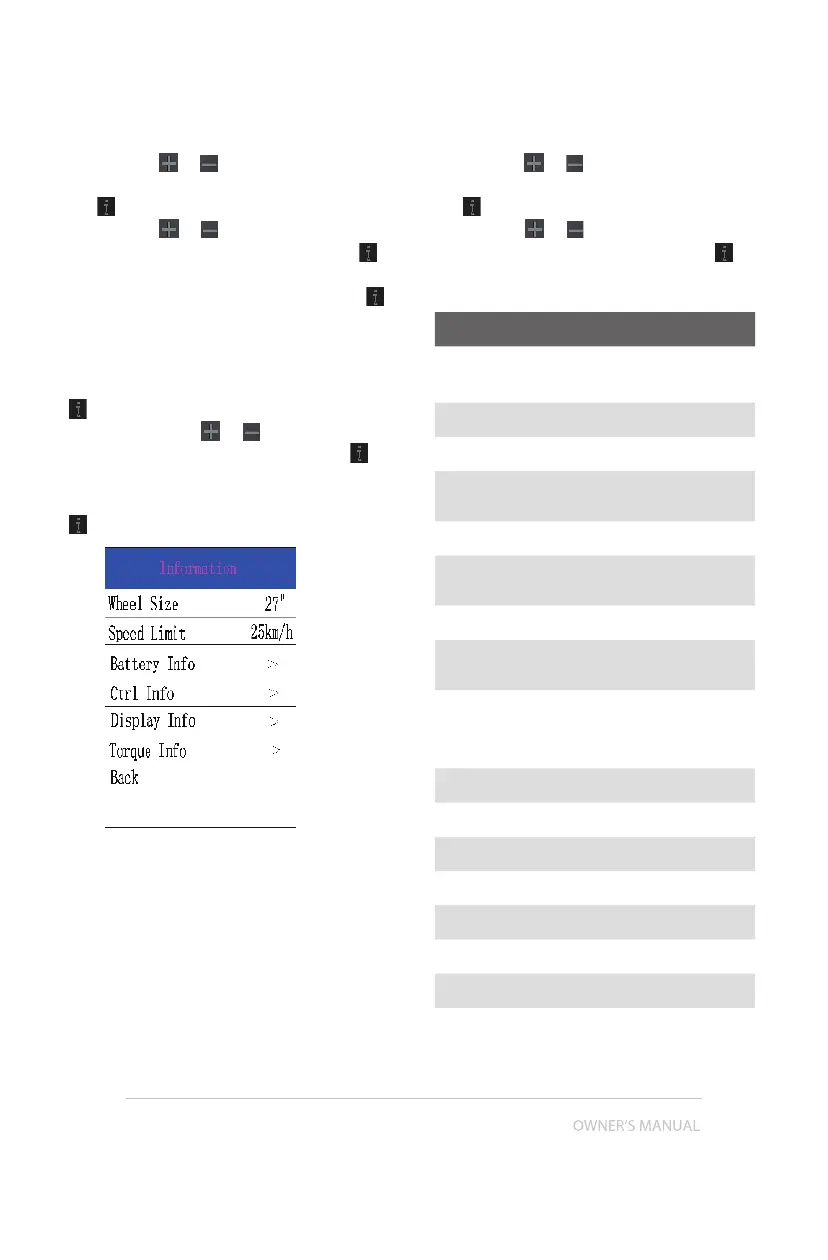
7.8.2 “Information”
Once the system is turned on, quickly Press the
(<0.5S) button twice to access the "SET-
TINGS" menu. Press or (<0.5S) button
to select "Information", and then press the
(<0.5S) button to confirm your selection.
Or select the point "Back" by confirming with the
(<0.5S) button to return to the main menu.
7.8.2.1 Wheel Size and Speed Limit
The "Wheel Size” and "Speed Limit” cannot
be changed, this information is here to be
viewed only.
7.8.2.2 Battery Information
Press the
or (<0.5S) button to access
the Battery Info menu, and then press the
(<0.5S) button to select confirm. Now
press the or
(<0.5S) button and select
"Back” or “Next Page". Then press the
(<0.5S) button to confirm, now you can read
the battery information.
Content Explanation
TEMP
Current temperature in
degrees (°C)
TotalVolt Voltage (V)
Current Discharge (A)
Res Cap
Remaining Capacity
(A/h)
Full Cap Total Capacity (A/h)
RelChargeState
Default Loader Status
(%)
AbsChargeState Instant charge (%)
Cycle Times
Charging cycles
(number)
Max Uncharge Time
Maximum time in
which no charge was
made (Hr)
Last Uncharge Time
Total Cell Number (individual)
Cell Voltage 1 Cell Voltage 1 (m/V)
Cell Voltage 2 Cell Voltage 2 (m/V)
Cell Voltage n Cell Voltage n (m/V)
HW Hardware Version
SW Software Version
NOTE: If no data is detected, "--" is displayed.


 To Next Page