12
SERFAS E-BIKE
14
BF-DM-C-DP C18-EN November 2019
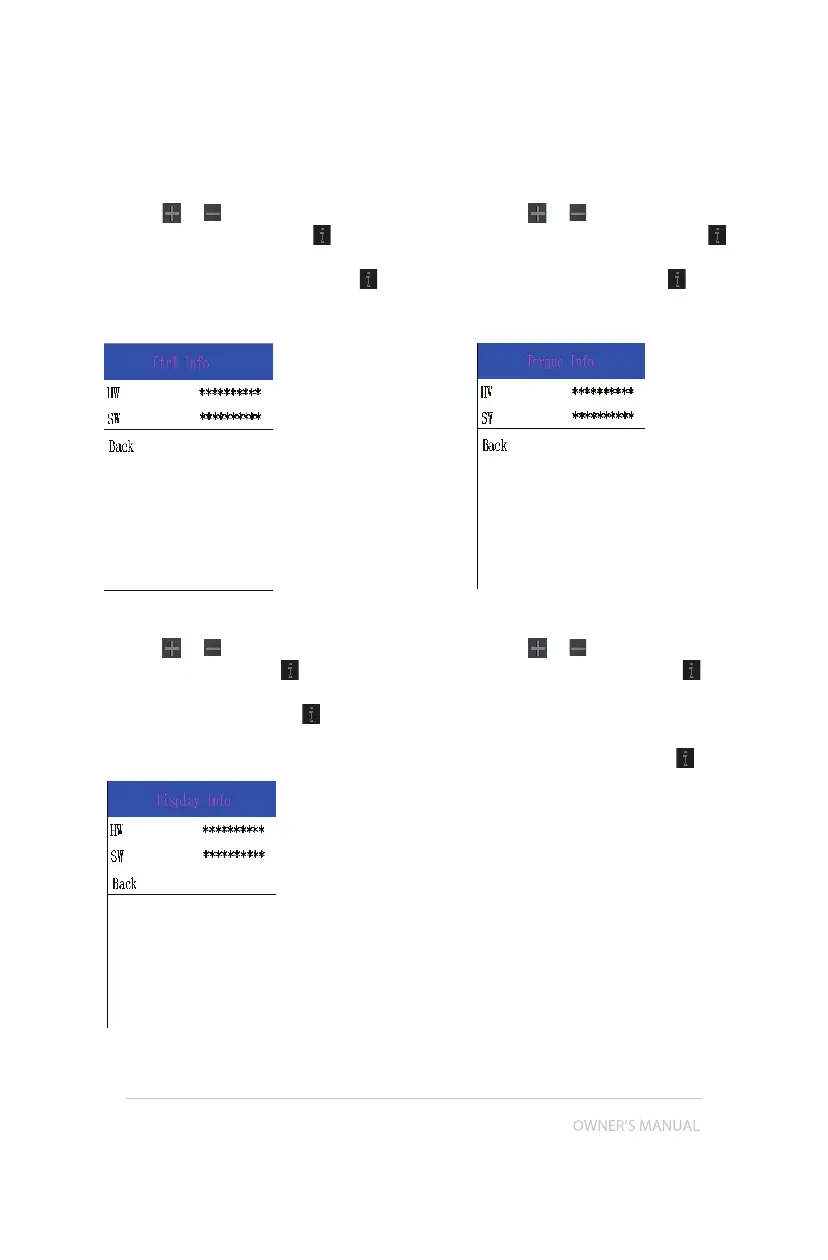
7.8.2.3 Controller Information
Press the
or (<0.5S) button and select
"CTRL Info", and then press the (<0.5S)
button to confirm. Now you can read the
controller information. To Exit press the
(<0.5S) button, once “EXIT” is highlighted to
return to the information settings.
7.8.2.4 Display Information
Press the
or (<0.5S) button and select
Display Info, then press the (<0.5S) but-
ton to read the software and hardware data
in the display. To Exit press the (<0.5S)
button, once “EXIT” is highlighted to return
to the information settings.
7.8.2.5 Torque Information
Press the
or (<0.5S) button and select
“Torque info”, then press the (<0.5S) but-
ton to read the software and hardware data
in the display. To Exit press the (<0.5S)
button, once “EXIT” is highlighted to return
to the information settings.
7.8.2.6 Error Code
Press the
or (<0.5S) button and select
“Error Code”, and then press the (<0.5S)
button to confirm. It shows error informa-
tion for the last ten errors of the pedelec.
Error code "00"means that there is no error.
To return to the menu press the (<0.5S)
button, once "BACK" is highlighted to return
to the information settings.


 To Next Page