Switched PRO2 – User Guide
Using the Web Interface • 120
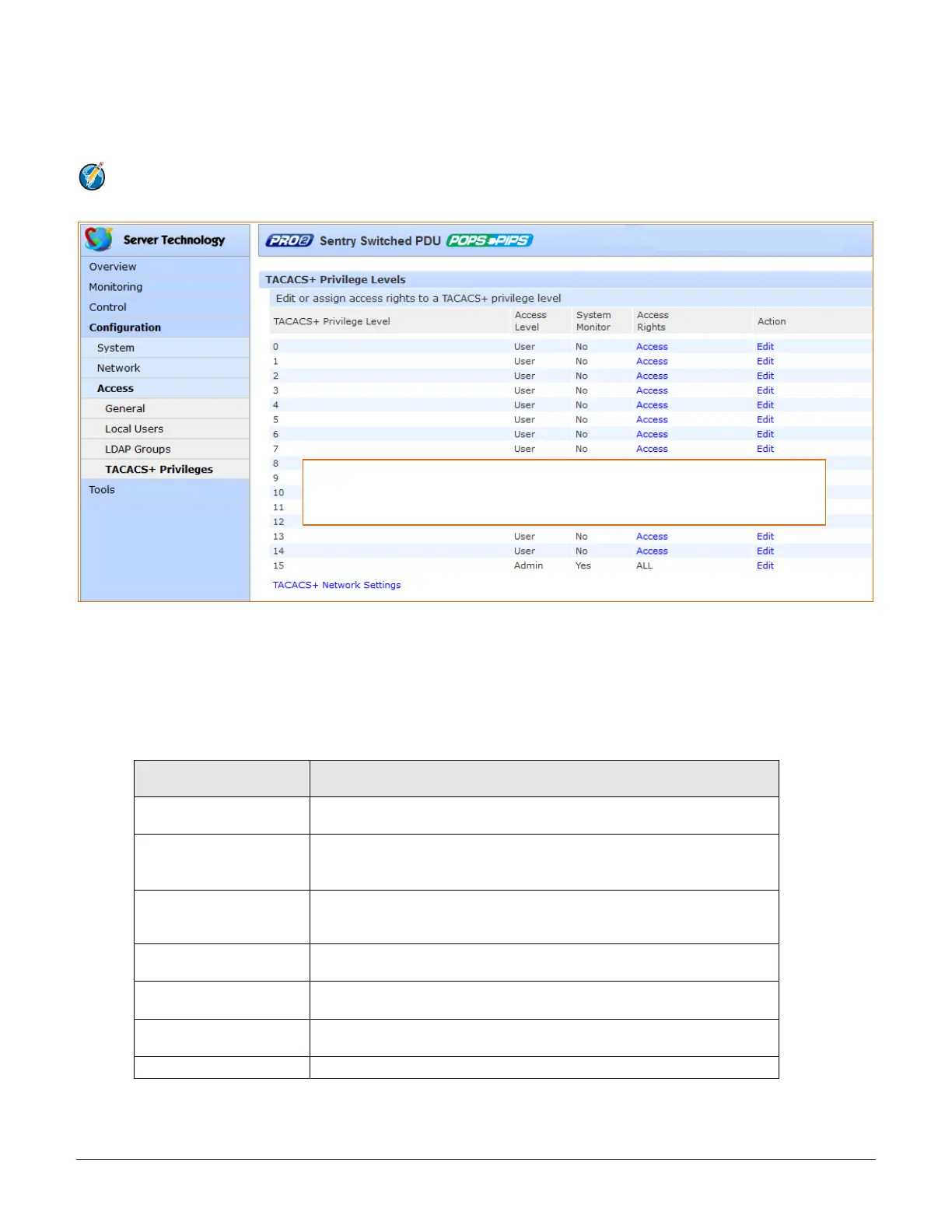
Access > TACACS+ Privileges
The TACACS+ Privileges page allows the administrator to manage options for TACACS+ user groups, including
establishing TACACS+ privilege levels and granting TACACS+ privilege level access to various areas of the PRO2.
Note: The PRO2 supports 16 different TACACS+ privilege levels with 15 configurable levels and 1 level (“0”)
reserved by default for administrator-level access to all PRO2 resources.
To set a TACACS+ privilege level:
1. For the TACACS+ Privilege Level displayed in the list, click the Edit link. The TACACS+ Privilege Level
Edit page displays.
2. From the Access Level drop-down menu, select the desired user access level as described in the table
below.
3. Click Apply.
User Access Level
(highest to lowest)
Administrative user; Full access for all configuration, all outlet power
control actions (On, Off, Reboot), status, and serial/pass-thru ports.
Full access for all outlet power control actions (On, Off, Reboot), status,
and serial/pass-thru ports.
Note: The Power User does not have access to user management.
Partial access for outlet power control actions (On, Off, Reboot), status,
and pass-thru of assigned outlets, outlet groups, and serial/pass-thru
ports.
Partial access for outlet power control actions (Reboot), status, and
pass-thru of assigned outlets, outlet groups, and serial/pass-thru ports.
Partial access for outlet power control actions (On), status, and pass-
thru of assigned outlets, outlet groups, and serial/pass-thru ports.
Partial access for status and pass-thru of assigned outlets, outlet
groups, and serial/pass-thru ports.
Access to all “stat” commands on the Command Line Interface (CLI).
The TACACS+ Privileges page is for TACACS+ privilege management only. To
configure parameters for the TACACS+ network protocol, go to Configuration >
Network > TACACS+, or click the TACACS+ Network Settings link on this page.



 To Next Page