Switched PRO2 – User Guide
Using the Web Interface • 50
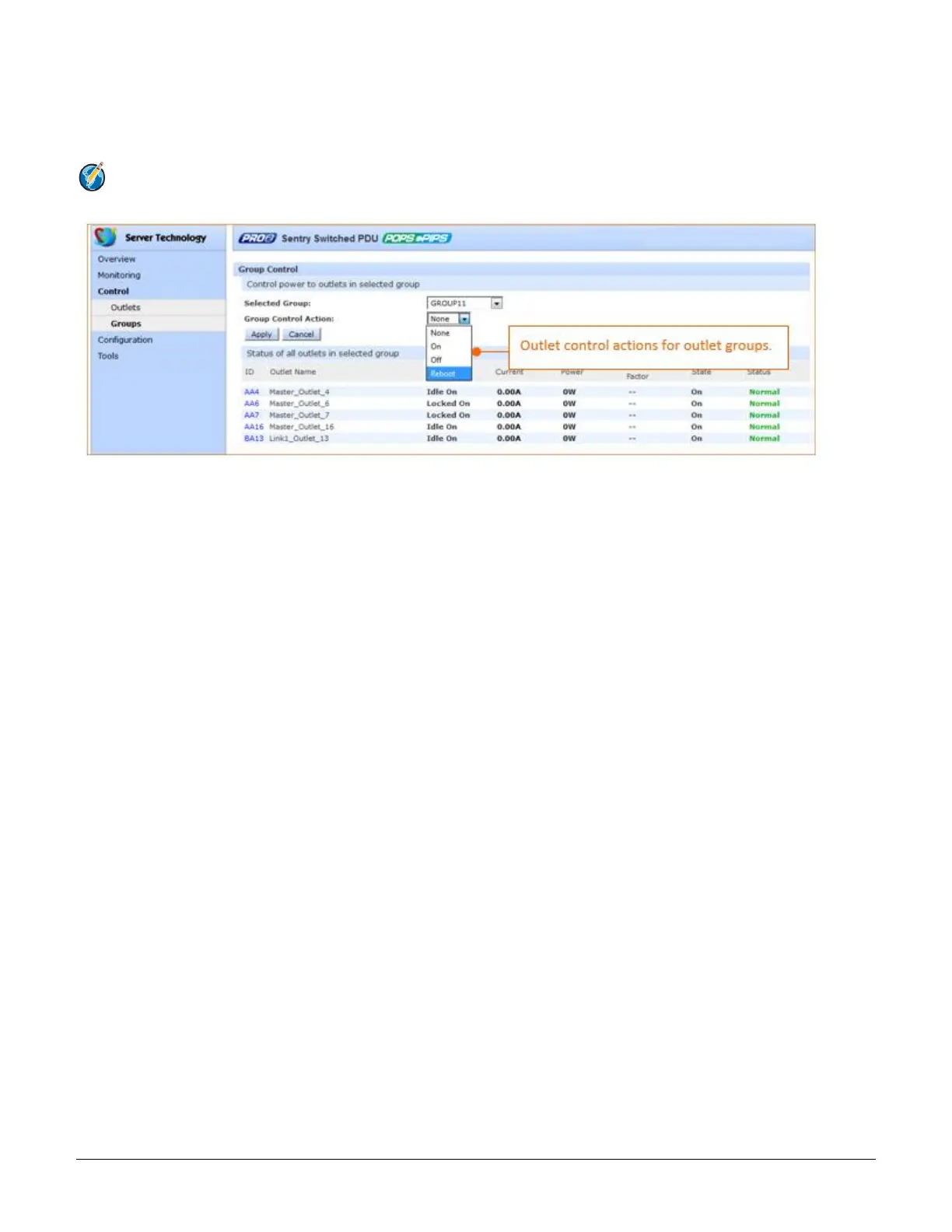
Control > Groups
The Control Groups page displays outlet groups assigned to a current user and allows power control actions (On,
Off, Reboot) to be applied to all outlets in a selected outlet group.
Note: An outlet group is a named collection of outlets in a PRO2 (up to four enclosures) with a single
IP address.
To issue outlet control on a specific outlet group:
1. From the group drop-down menu, select the outlet group by name.
2. From the control action drop-down menu, select the outlet command On, Off, or Reboot.
3. Click Apply. The command is issued immediately on all outlets in the selected outlet group.



 To Next Page