Switched PRO2 – User Guide
Using the Web Interface • 53
System > Bluetooth
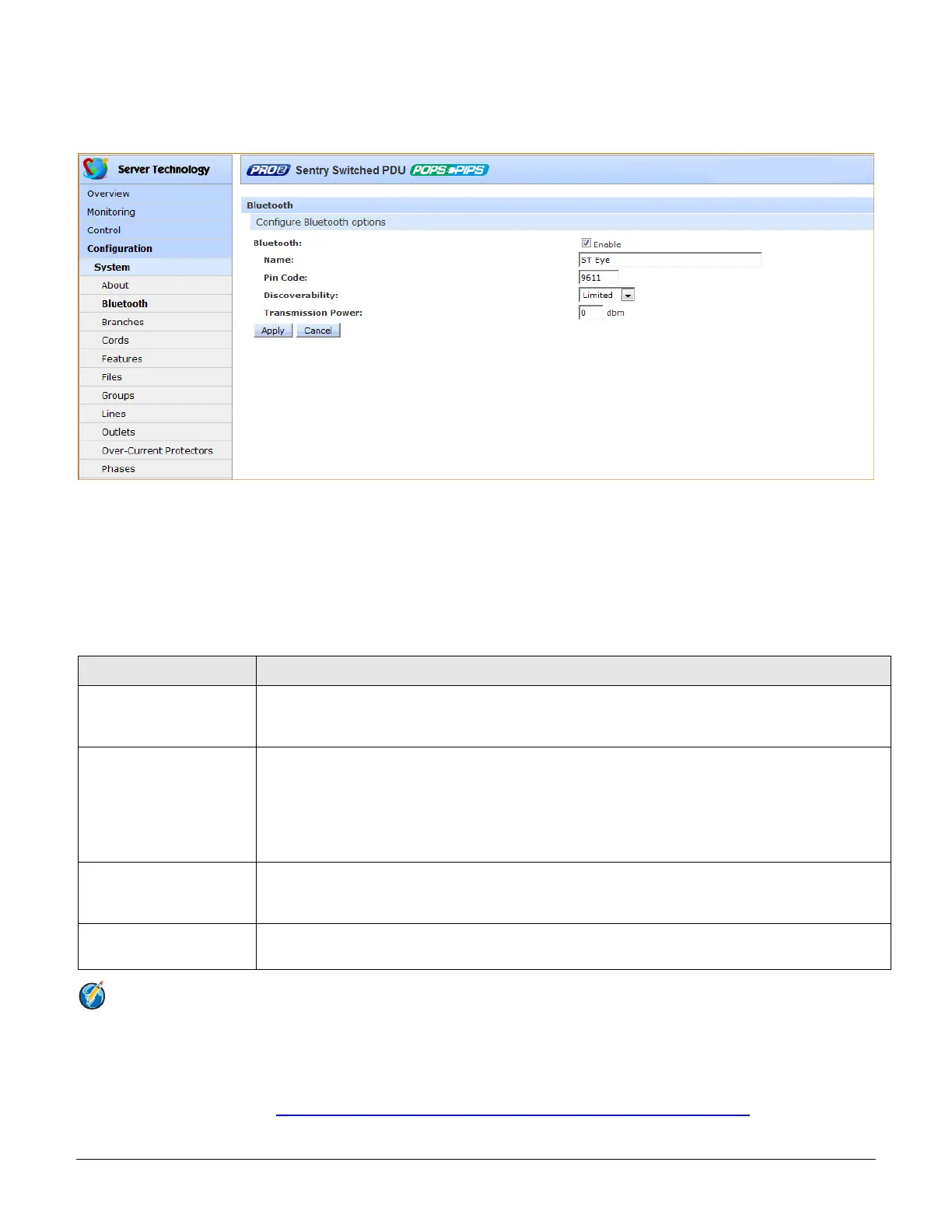
The Bluetooth page allows configuration of the parameters needed for the Bluetooth™ mobile monitoring solution.
To configure Bluetooth™ options
1. To enable Bluetooth mobile monitoring, check Enable.
2. Provide a value for the Bluetooth parameters: name, pin code, discoverability, and transmission power, as
described in the following table.
3. Click Apply.
Bluetooth™ Firmware Parameters
Description and Values/Range
Descriptive name of the Bluetooth module that displays in the list of discovered modules on the
Android mobile device or Apple iPad/iPhone. The default module name is “ST Eye”. Valid length of
name is 1-31 characters; the name cannot be blank.
Bluetooth Discoverability
Settings that determine the current status of the pushbutton on the Bluetooth module:
• Enabled: The Bluetooth module is discoverable, even without pressing the pushbutton.
• Limited: (Default) The pushbutton on the Bluetooth module must be pressed to make the module
discoverable for 60-seconds.
• Disabled: The Bluetooth module is never in discoverable mode.
The pin code is available for legacy Bluetooth modules that require a pin to pair the module.
Although not used in current Bluetooth modules, the pin code is supported if needed. Default is
9611; must be 4-digits; range is 0000 to 9999.
Bluetooth Transmission
Power
Designated transmission power (dbm) for the Bluetooth module. Lowering the transmission power
reduces the effective range of the module. Default is 0; range is -6 to 4 dbm.
Notes:
• The ST Eye mobile app and the Bluetooth module may not be included with the PRO2.
• The ST Eye mobile app supports one concurrent session.
• Learn more about the Bluetooth monitoring solution (for either Android or iOS) at Server Technology’s
Technical Notes page http://www.servertech.com/support/technical_library/technical_notes/



 To Next Page