Switched PRO2 – User Guide
Using the Web Interface • 61
System > Files
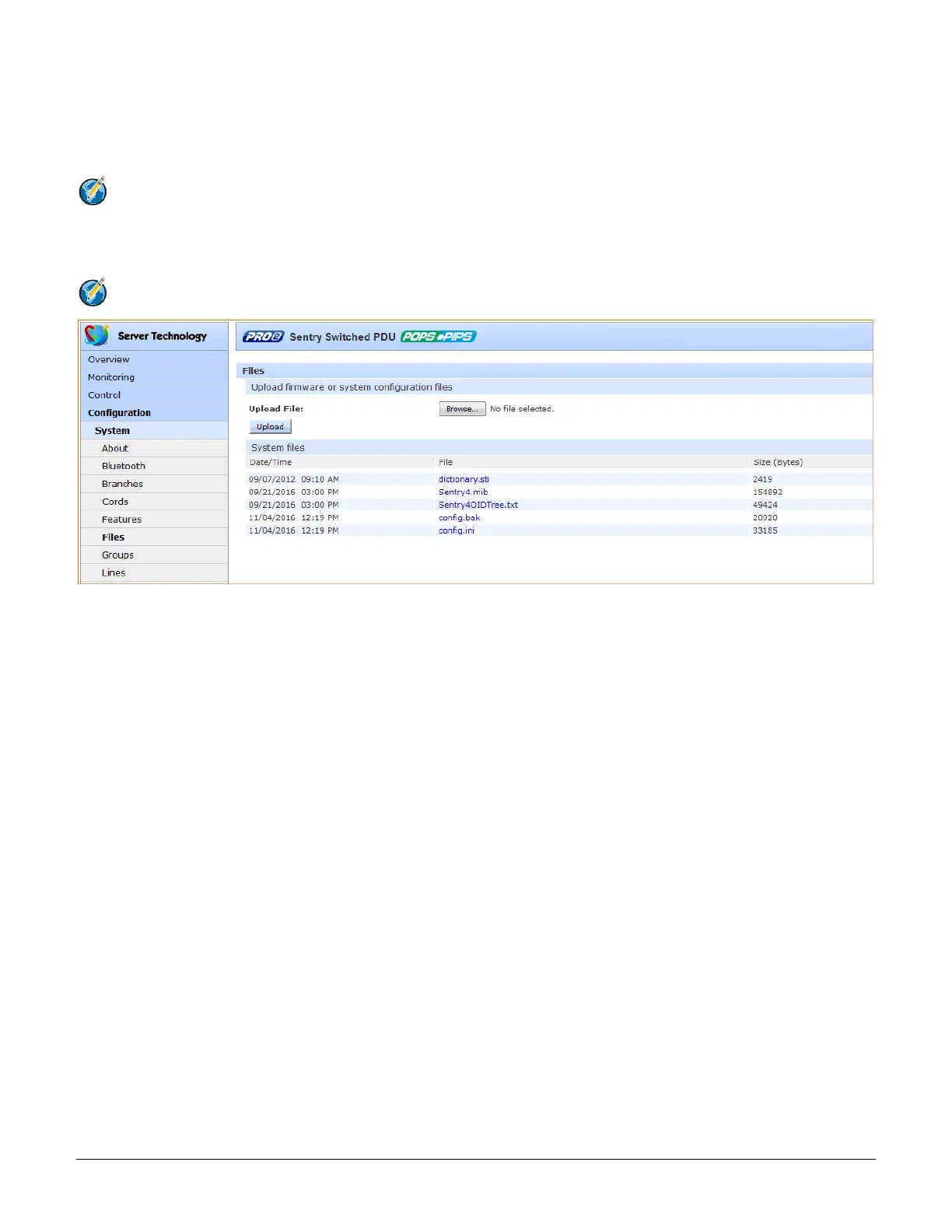
The Files page provides a separate embedded file system to give quick access to system configuration files directly from the
PRO2 GUI page, as well as the on-board and downloadable Sentry4-MIB and OID Tree for the PRO2, eliminating website
MIB/OID downloads.
Note: CDU products continue to use the current Sentry3-MIB. The new Sentry4-MIB and its new OID tree are designed
exclusively for the PRO2 products.
The page also allows GUI-based file uploads (without FTP) for system, configuration, and firmware versions. However, all PRO2
configuration/system files, MIB, and OID Tree can also be accessed via FTP at Configuration > Network > FTP.
Note: There is no CLI equivalent function for the GUI Configuration > System > Files page.
Uploading Files
Simple file upload without the need for FTP. Upload a firmware version or specific system configuration file by
browsing and selecting the file in the Upload File field, and clicking Upload. A confirmation message displays to
indicate the upload was successful and the system will require a restart.
File View
The File View section of the page is a list of displayed files showing date/time stamp, file name, and file size.
Several file types are shown in the list, described on the following pages:



 To Next Page